关于
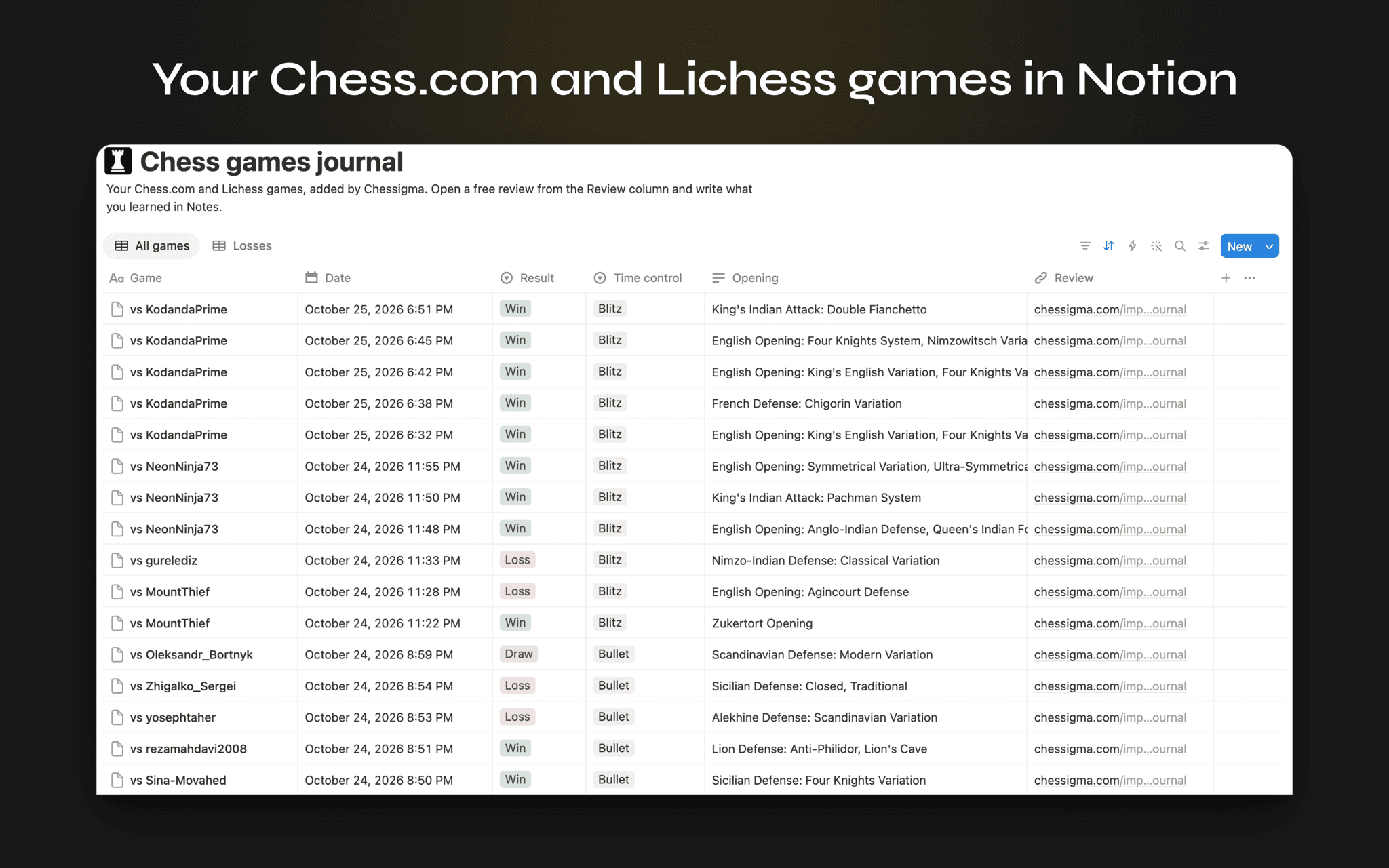
Chessigma adds your Chess.com and Lichess games to a chess journal in Notion, so you can follow your results and write down what you learned from each game.
Every game becomes a row with the date, your opponent, the result, your color, the time control, the opening and both ratings. A Losses view lists the games worth studying first, and each row links to a free game review on Chessigma, where Stockfish rates every move and shows the best move you missed.
Add your newest games whenever you like. Games already in your journal are skipped.
Chessigma is a free chess analysis site with unlimited game reviews. It is not affiliated with Chess.com or Lichess.
功能
- 读取、插入和更新内容可以读取、插入和更新与此连接共享的页面、数据库和区块。
如何使用
1. Click Add to Notion and keep "Use a template provided by the developer" selected.
2. On the Chessigma page that opens, choose Chess.com or Lichess and enter your username.
3. Open Chess games journal in your Private pages. Your last 50 games are there, newest first.
To add newer games later, open https://www.chessigma.com/integrations/notion and click Add to Notion again.