Lamplit Labs
Amistio
关于
Amistio is a visual builder for AI agents — small automations that do real work: triaging requests, processing form submissions, summarizing content, and acting on events from the tools you already use.
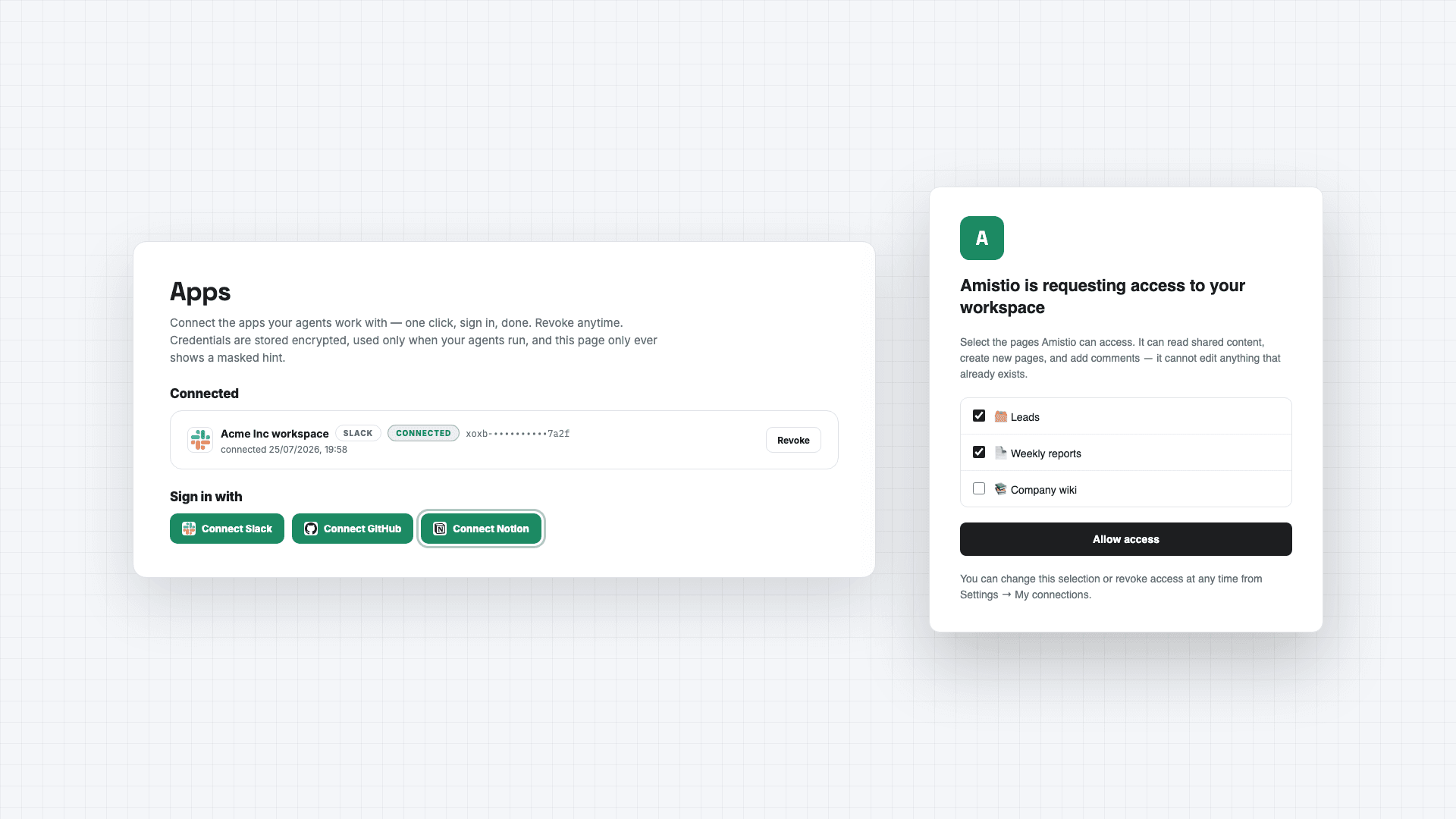
Connecting Notion lets those agents deliver their results straight into your workspace. An agent can create a page or database entry whenever it runs — a page per new lead, a structured entry per processed request, a report written into the database you choose.
You stay in control of access: during connection, Notion asks you to pick exactly which pages and databases Amistio may use, and you can change or revoke that selection anytime from Notion's settings or disconnect with one click inside Amistio. Amistio acts only when your agents run, at your direction — it never browses your workspace in the background. Its capabilities are limited to reading content you shared, creating new pages and entries, and adding comments; it cannot edit or delete anything that already exists.
Your connection credential is stored encrypted under a key unique to your account, is used solely to perform the agent actions you configured, and is deleted immediately when you disconnect.
Details: amistio.com/privacy.
功能
- 读取和插入内容可以读取和插入与此连接共享的页面、数据库和区块。
- 读取 条评论可以在其有权访问的页面和区块上读取评论。
- 查看工作空间用户读取有关工作空间成员和访客的基本档案详细信息。
如何使用
1. Create a free account at https://www.amistio.com
2. Open the Apps page and click Connect Notion. Notion will ask you to choose which pages and databases Amistio may use — pick at least one database for agents to write into.
3. Build an agent in the visual builder and add a "Create a Notion page" step, selecting your database.
4. Run the agent — or share its public run page so teammates or clients can trigger it themselves.
5. To remove access, disconnect on the Apps page (deletes the stored credential immediately) or revoke Amistio from Notion's My Connections.