关于
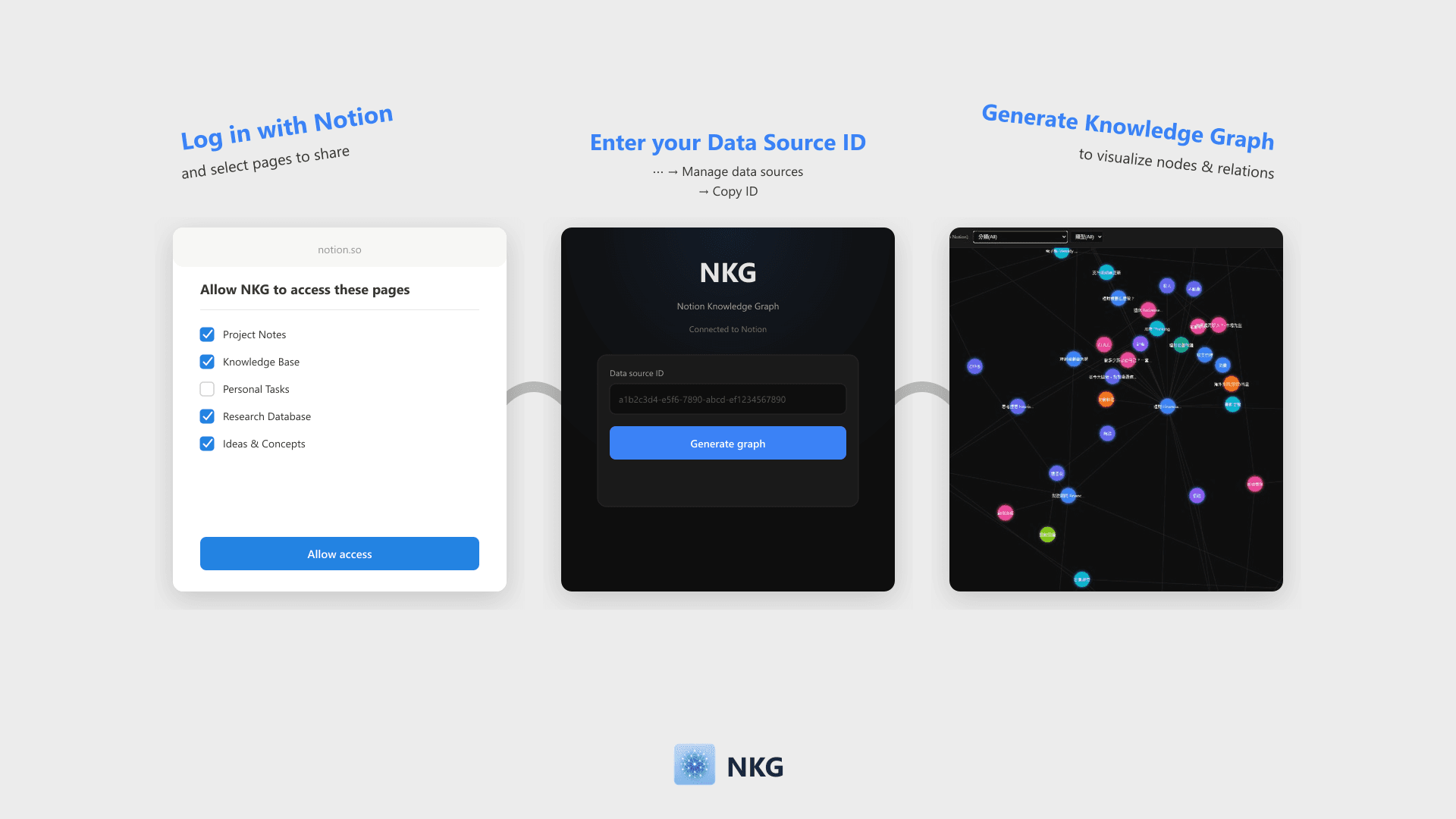
NKG visualizes Notion database pages and relations into a knowledge graph. Simply log in with Notion and enter your Data Source ID to generate a filterable, zoomable force-directed graph that can be embedded back into Notion.
功能
- 读取内容可以读取与此连接共享的页面、数据库和区块。
- 查看工作空间用户读取有关工作空间成员和访客的基本档案详细信息,包括其电子邮件地址。
如何使用
- Click "Log in with Notion" and select the pages or databases to share on the authorization page.
- Once authorized, enter your Notion Data Source ID on the home page (Find this via ⋯ → Manage data sources → Copy data source ID).
- Click "Generate Knowledge Graph" to visualize nodes and Relation links.
- Filter nodes by properties like Select, Multi-select, or Date. The graph can be embedded directly into Notion.