
Zendesk Connector
À propos
The Zendesk + Notion connector helps teams automate work between support and knowledge management by triggering Notion actions directly from Zendesk workflows.
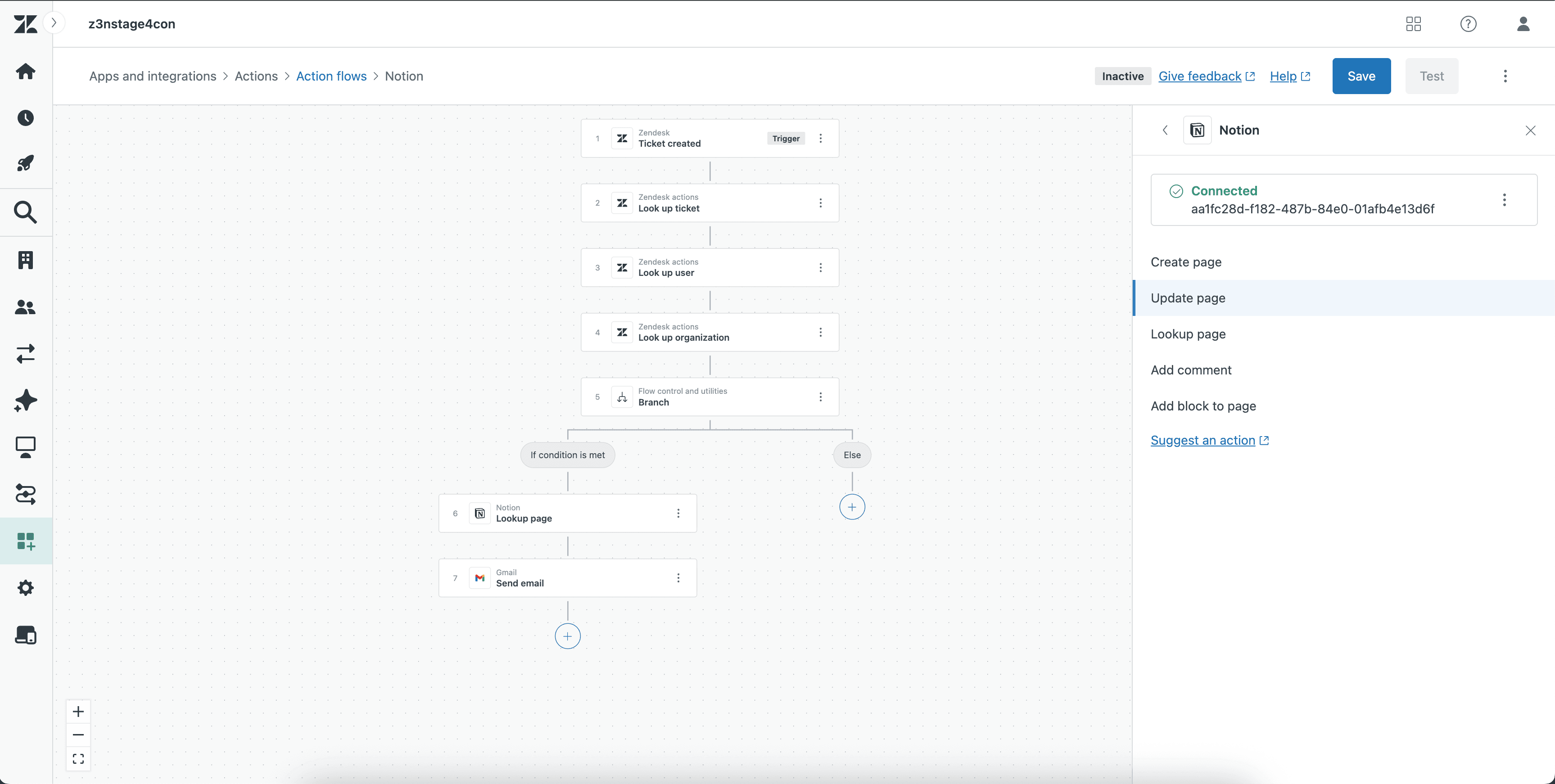
Use the integration to create new pages, update existing pages, look up pages, add comments, and append blocks to pages based on ticket activity, escalation conditions, or internal workflow logic.
Common use cases include:
Creating a Notion page when a Zendesk ticket requires follow-up or documentation
Updating a Notion page with the latest ticket or case details
Looking up a page to route workflow actions to the right record
Adding comments to keep collaborators informed
Appending blocks to pages to capture notes, updates, or investigation context
This low-code/no-code integration helps teams keep support insights and project documentation in sync without manual copy-paste work.
Fonctionnalités
- Lire, insérer et mettre à jour contenuPeut lire, insérer et mettre à jour les pages, les bases de données et les blocs partagés avec cette connexion.
- Lire et ajouter commentairesPeut lire et ajouter les commentaires des pages et des blocs auxquels elle peut accéder.
- Afficher les utilisateur·rices de l’espace de travailLit les détails de base du profil des membres et des invité·es de l’espace de travail, y compris leurs adresses e-mail.
Comment utiliser l’intégration
Open Zendesk Action Builder.
Create a new workflow or open an existing one.
Add a Notion action.
Select the action you want to perform
Map the required Zendesk fields to the appropriate Notion fields.
Save the action.
Test the workflow to confirm the Notion action runs correctly
Détails
- Automatisations
- Productivité
- Travail en équipe