 TweakTick

API publique
TweakTick
À propos
TweakTick collects client feedback where it happens. Clients click on a live website, image, PDF or video and leave a comment pinned to that spot, with no account needed.
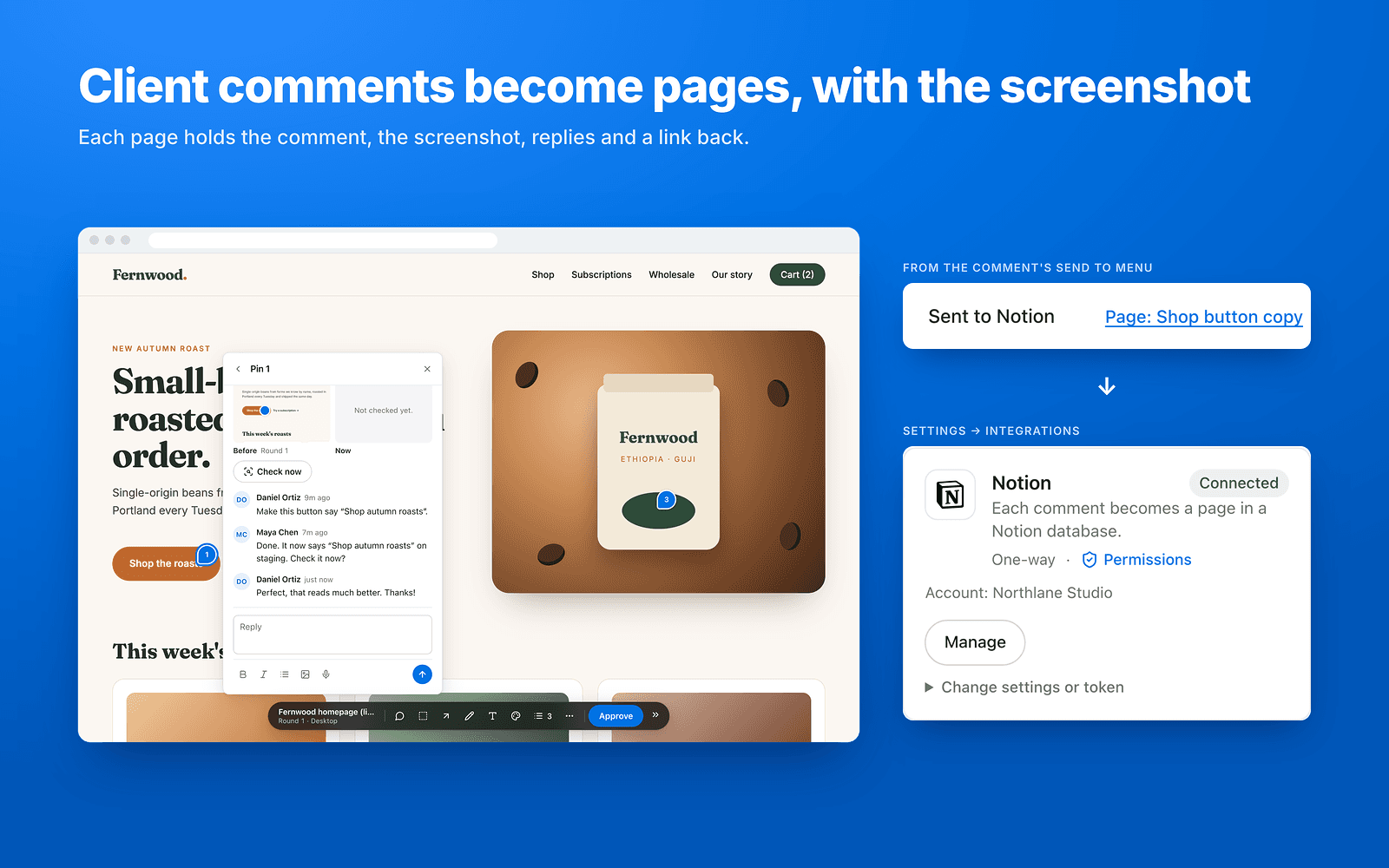
Connect Notion, share a database with TweakTick, and every new client comment becomes a page in it:
- Title, status and assignee are filled in from the comment.
- The page body holds the comment, a screenshot of the pinned spot, the replies and a link back.
- Resolving or reopening the comment and new replies update the page.
- Internal (agency-only) comments are labelled "[Internal]" or left out with one switch.
TweakTick only sees the pages and databases you share with it. Free plan available; paid plans from $19/mo.
Fonctionnalités
- Lire, insérer et mettre à jour contenuPeut lire, insérer et mettre à jour les pages, les bases de données et les blocs partagés avec cette connexion.
- Afficher les utilisateur·rices de l’espace de travailLit les détails de base du profil des membres et des invité·es de l’espace de travail.
Comment utiliser l’intégration
- In TweakTick (https://tweaktick.com), open Settings → Integrations and press Connect next to Notion. Pick the pages or databases to share, then press Allow.
- In Notion, share the database with TweakTick (connections menu) if you didn't pick it in step 1.
- In a TweakTick project's settings, pick that database. TweakTick finds the Title, Status and Assignee fields.
- Match teammates under People (Notion ↔ your team).
- New client comments now arrive as pages in the database.
To disconnect: Settings → Integrations → Disconnect next to Notion, and remove TweakTick from the database's connections. Full guide: https://tweaktick.com/help/notion-integration
Détails
Créée par

Catégorie
- Design
- Productivité
Liens pour les développeur·euses