 SolMarrow

SolMarrow
À propos
SolMarrow is a free social media scheduler for X, LinkedIn, Bluesky, YouTube, Telegram, Discord and more. Write your posts in Notion, then publish them from SolMarrow without copying and pasting. SolMarrow also works with AI agents (Claude, ChatGPT and others via MCP).
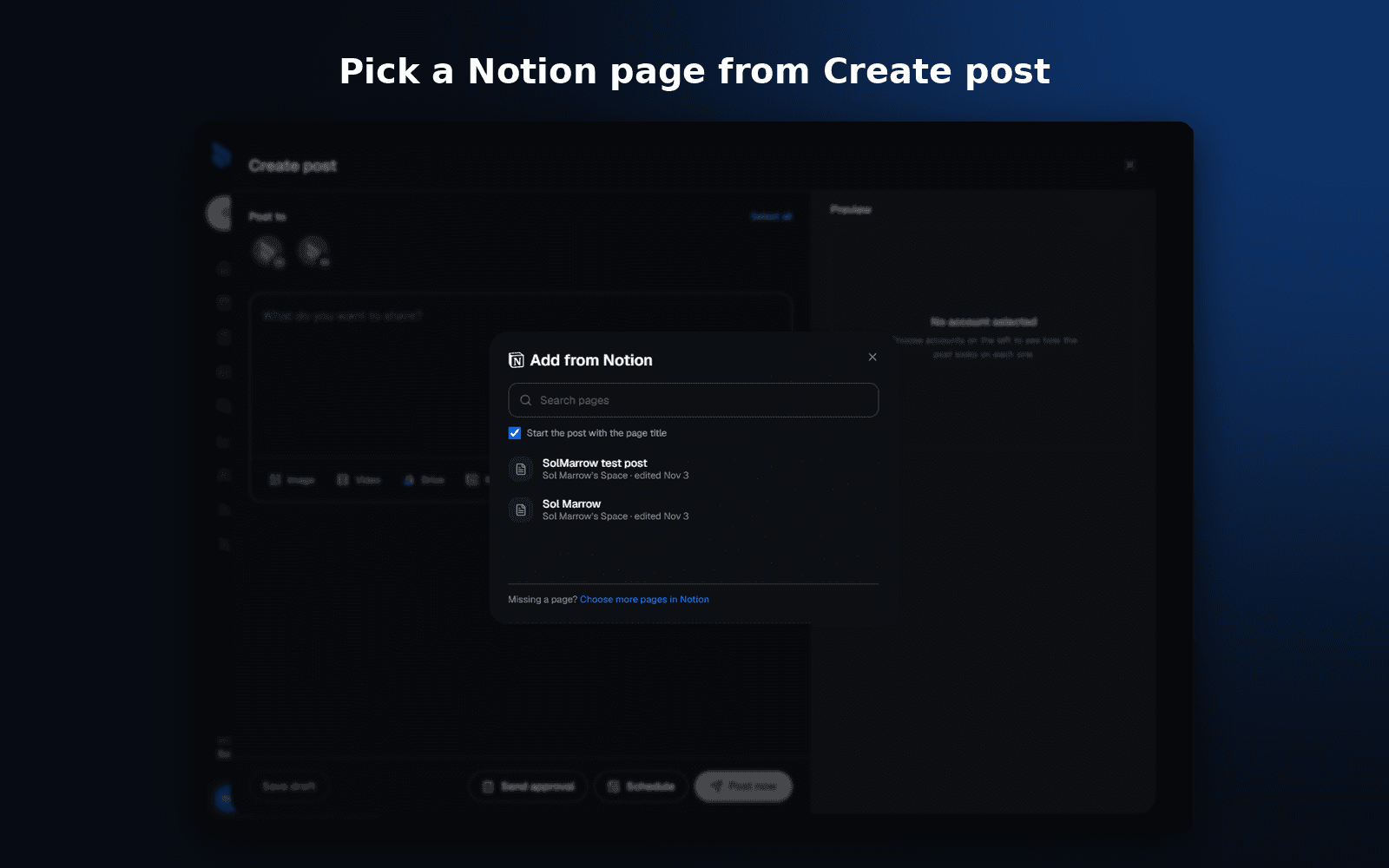
With the SolMarrow connection, the Create post window in SolMarrow gets a Notion button. Pick any page you shared with SolMarrow: its text fills the post with the same line breaks, lists and to-dos, and its images are added to the post automatically. Then choose your accounts and save a draft, schedule the post, or publish it now.
SolMarrow only reads the pages you choose in Notion. It never edits, creates or deletes anything in your workspace, and it doesn't read user information.
Fonctionnalités
- Lire contenuPeut lire les pages, les bases de données et les blocs partagés avec cette connexion.
Comment utiliser l’intégration
Step 1: Sign up free at solmarrow.com, then open Settings and Apps.
Step 2: Click Connect Notion and choose the pages SolMarrow may read.
Step 3: Click Create post, then Notion, and pick a page. Its text and images fill the post.
Step 4: Choose your social accounts and save a draft, schedule it, or post it now.
To add more pages later, click Choose more pages in Notion, or open a page in Notion and add SolMarrow under Connections.
Détails

- Marketing