

À propos
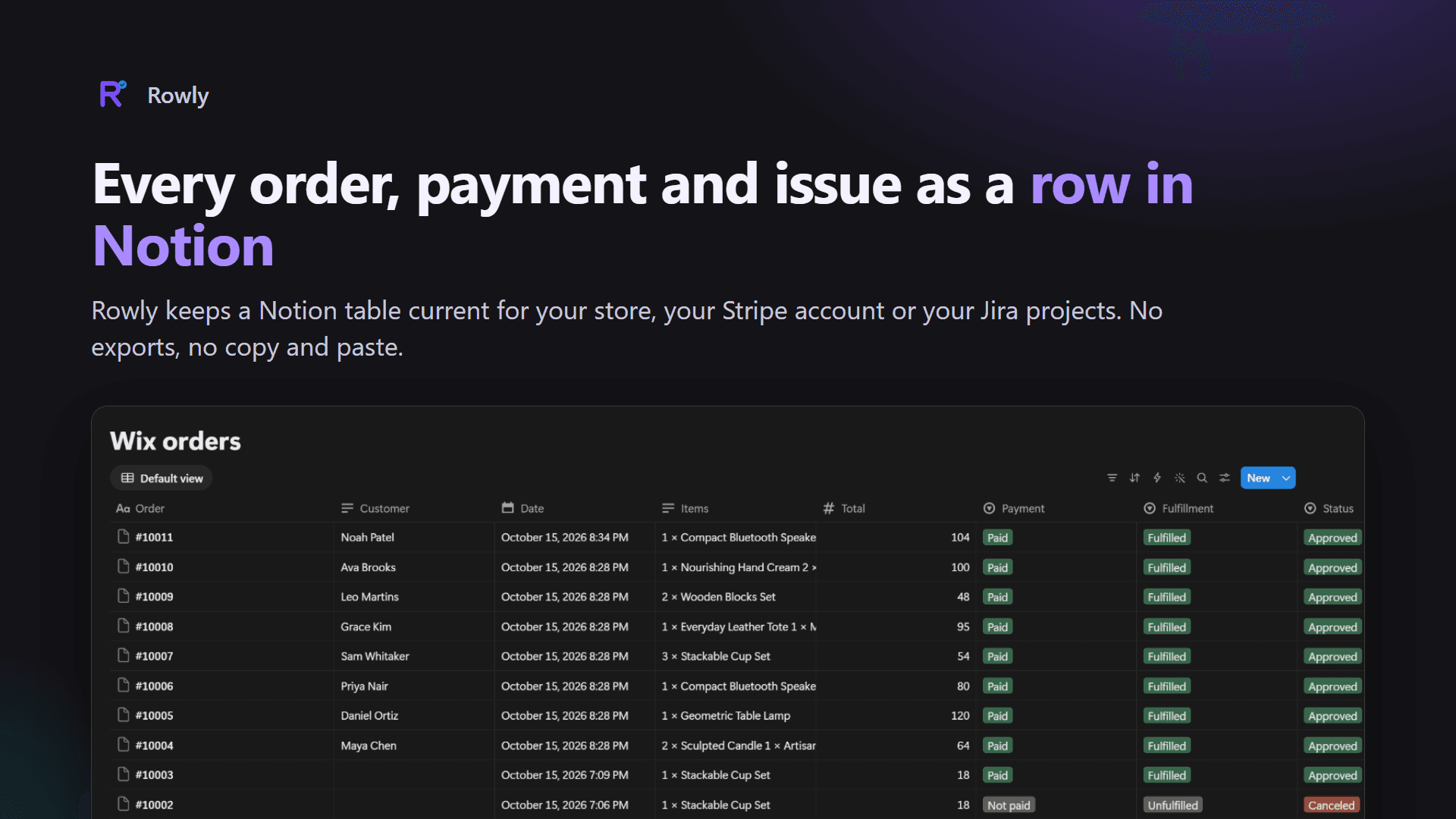
Rowly writes your business records into a table in your own Notion workspace and keeps every row up to date. Install it where your work happens, and it creates the table for you with every column ready.
What Rowly syncs:
- Shopify, Wix, BigCommerce and WooCommerce orders: number, date, status, total, refunds, items, payment method, customer and a link back to the order
- Stripe payments: amount, refunds, status, what the customer paid with, and a link back to Stripe
- Jira issues: key, summary, status, type, priority, assignee, labels and dates
Rows that keep up: when an order is paid, shipped or refunded, a payment is disputed, or an issue moves, Rowly edits the same row within seconds instead of adding another one.
Your table, your rules: add your own columns, views, filters and notes. Rowly only writes its own columns, can see only the pages you choose, and asks Notion for no user information. Customer names and emails can be turned off.
Free for 50 new records a month. Rowly Pro ($9.99 a month) has no limit. Made by LMB Technology, a small software studio in Fort Myers, Florida, and a person answers support at [email protected].
Fonctionnalités
- Lire, insérer et mettre à jour contenuPeut lire, insérer et mettre à jour les pages, les bases de données et les blocs partagés avec cette connexion.
Comment utiliser l’intégration
1. Install the Rowly app for the service you use: Shopify, Wix, BigCommerce, WooCommerce, Stripe or Jira. Find them all at https://lmbtechnology.com/rowly
2. Open Rowly's page in that service and press Connect Notion.
3. On Notion's screen, choose your workspace, tick the page where the table should go, and allow access.
4. Back in Rowly, pick that page and press Create the table. Rowly creates it with every column ready and brings in your recent records.
5. That's it: new and changed records appear as rows within seconds.
Détails

- Ventes
- Finance
- Automatisations