

À propos
Hermoso is an AI marketing agent and AI ad generator. Connect it to Notion and the work it does for you lands where your team already plans.
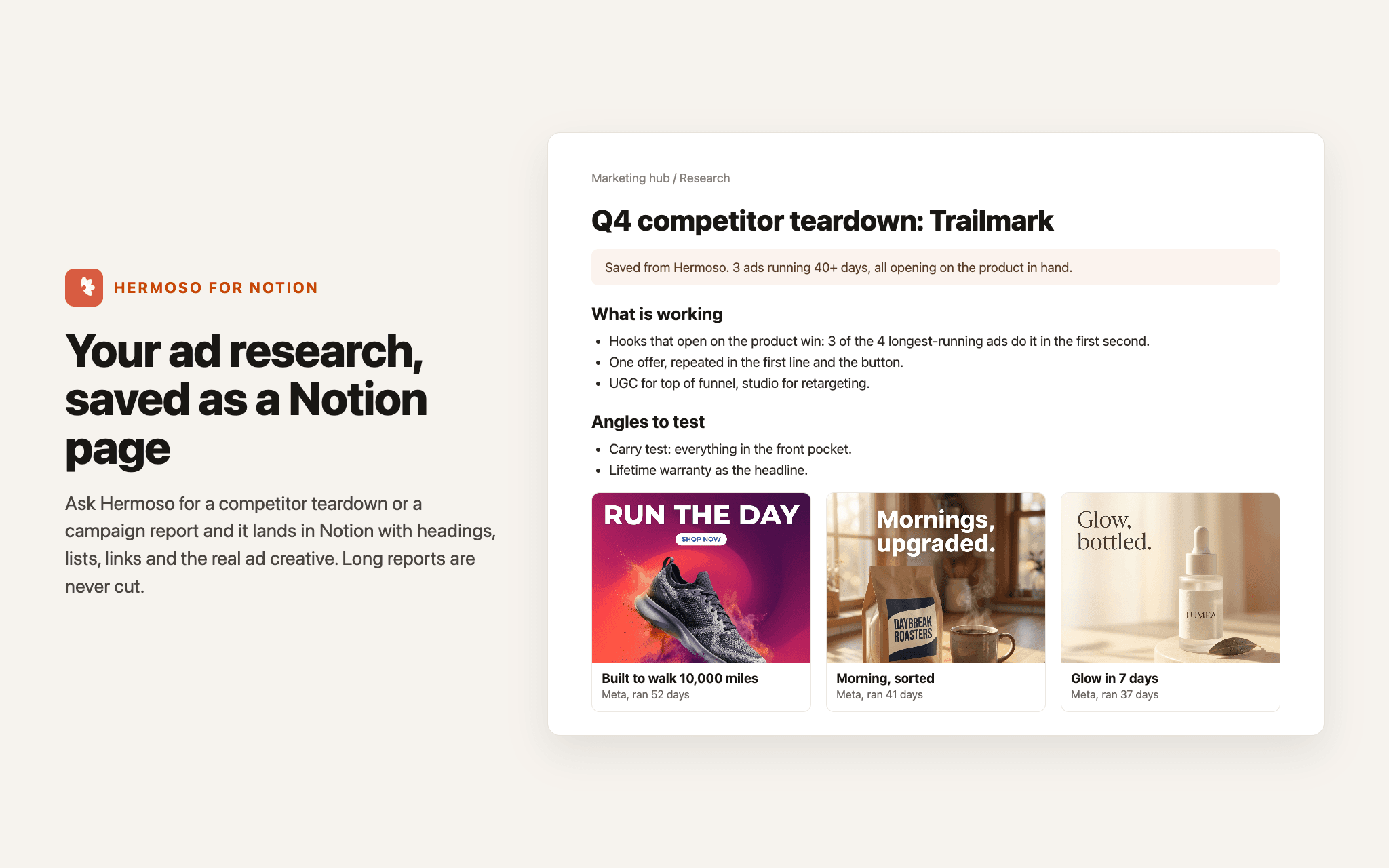
Research and reports as pages. Ask Hermoso for a competitor teardown, an ad research report or a campaign report, and it saves it to Notion as a real page with headings, lists, links, images and videos. Long reports are split across blocks, never cut.
Swipefile collections. Send any swipefile collection to Notion in one click. Each saved ad becomes its own section with the creative, the ad copy, how long it ran and a link to the original.
Your content calendar as a database. Export scheduled posts to a Notion database, one row per post, with the date, channels, caption, a link to the media and the status. Hermoso can create the database or fill one you already use.
Add to and read your pages. Hermoso can add to the end of a page you choose and read pages you share, so your agent can pick up a brief and keep a running log.
It works from the Hermoso app and from any agent connected to Hermoso, including Claude, ChatGPT and other MCP clients. Hermoso only sees the pages you pick in Notion, and it never deletes or overwrites anything there: every save makes a new page or adds to the end of one.
Fonctionnalités
- Lire, insérer et mettre à jour contenuPeut lire, insérer et mettre à jour les pages, les bases de données et les blocs partagés avec cette connexion.
- Afficher les utilisateur·rices de l’espace de travailLit les détails de base du profil des membres et des invité·es de l’espace de travail.
Comment utiliser l’intégration
- In Hermoso (app.hermoso.ai), open Workspace > Connectors > Notion and press Connect.
- Choose your Notion workspace, then pick the pages Hermoso may use. If you skip this, saves become private pages in your workspace.
- Use Notion on any swipefile collection, Export to Notion on the Schedule, or ask your agent, for example: save this teardown to my Marketing page in Notion.
Détails

- Marketing