 Excel Exporter

Excel Exporter
À propos
Excel Exporter turns a Notion database, or any one of its views, into a real .xlsx file — formatted the way a spreadsheet should be, not a CSV you have to repair.
What comes out right:
• Dates as real date cells, so Excel can sort, filter and subtract them.
• Relations as the related pages' titles, not "Name (https://notion.so/…)". Keep the link on the cell, or put the IDs in a column of their own.
• Select and status colours as cell fills, and rich text with its bold, italics and font colours intact.
• Numbers with Notion's own format: percentages, currencies, thousands separators.
• Checkboxes as booleans, people as names (with emails if you want them), formulas and rollups as their computed values.
• A view exported with its filter, its sorts, its column order and its hidden columns — not just "the current view".
• Databases past Notion's 10,000-row query limit, streamed in a background job with a progress bar.
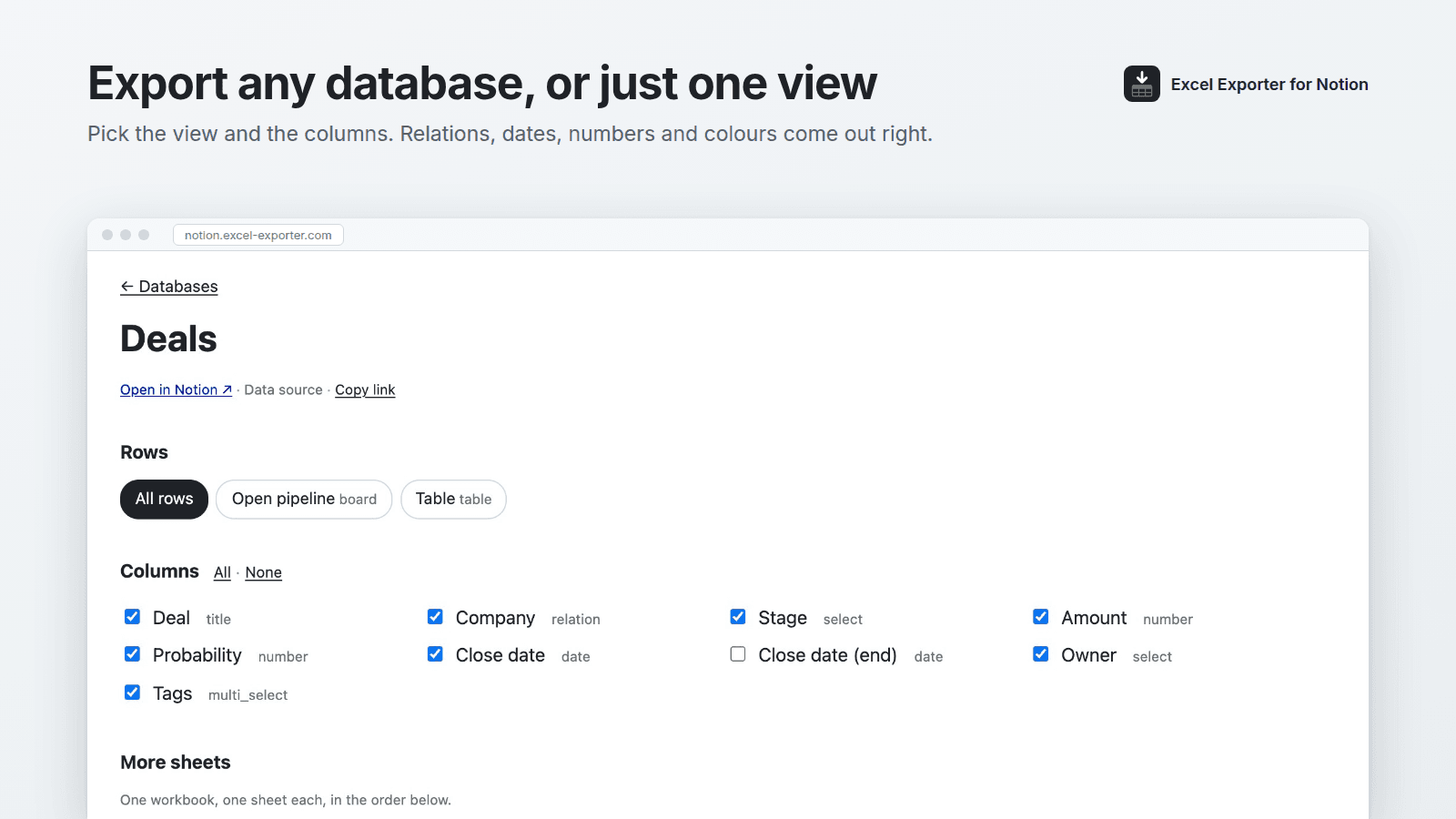
How it works: connect your workspace on Notion's own consent screen and tick the databases this connection may read. Pick a database or a view, choose the columns and a table style, check the twenty-row preview, and download the file.
The connection is read-only. It can see only what you share with it, it never writes anything to your workspace, and the access token is encrypted at rest and never leaves our servers. Exported files are deleted after seven days. Everything runs in Google Cloud's Zürich region.
Free for up to 100 rows per sheet, with no credit card. Premium is $9 per month or $99 per year per connected workspace, and lifts the cap to 50,000 rows per sheet, removes the watermark, and adds multi-sheet workbooks, saved presets, page content as a column and embedded images. Cancel any time through the Stripe customer portal. Billing in EUR, CHF or GBP is also available, at the equivalent round prices.
Excel Exporter is an independent product from Beeld Sàrl, Lausanne, Switzerland. It is not affiliated with, endorsed by or operated by Notion Labs, Inc. or Microsoft Corporation.
Fonctionnalités
- Lire contenuPeut lire les pages, les bases de données et les blocs partagés avec cette connexion.
- Afficher les utilisateur·rices de l’espace de travailLit les détails de base du profil des membres et des invité·es de l’espace de travail, y compris leurs adresses e-mail.
Comment utiliser l’intégration
1. Go to https://notion.excel-exporter.com and click "Connect Notion".
2. On Notion's consent screen, pick your workspace and tick the databases Excel Exporter may read. The connection is read-only, and you can change what it sees later in Notion's settings.
3. Pick a database, or one of its views to keep that view's filter, sorts and column order.
4. Choose the columns and a table style, then check the 20-row preview.
5. Click Export and download your .xlsx file.
The free plan exports up to 100 rows per sheet, with no credit card. Upgrade to Premium from the app for up to 50,000 rows, multi-sheet workbooks and no watermark.
Need help? https://notion.excel-exporter.com/support or [email protected]
Détails

- Données analytiques