 Etropo
Etropo
À propos
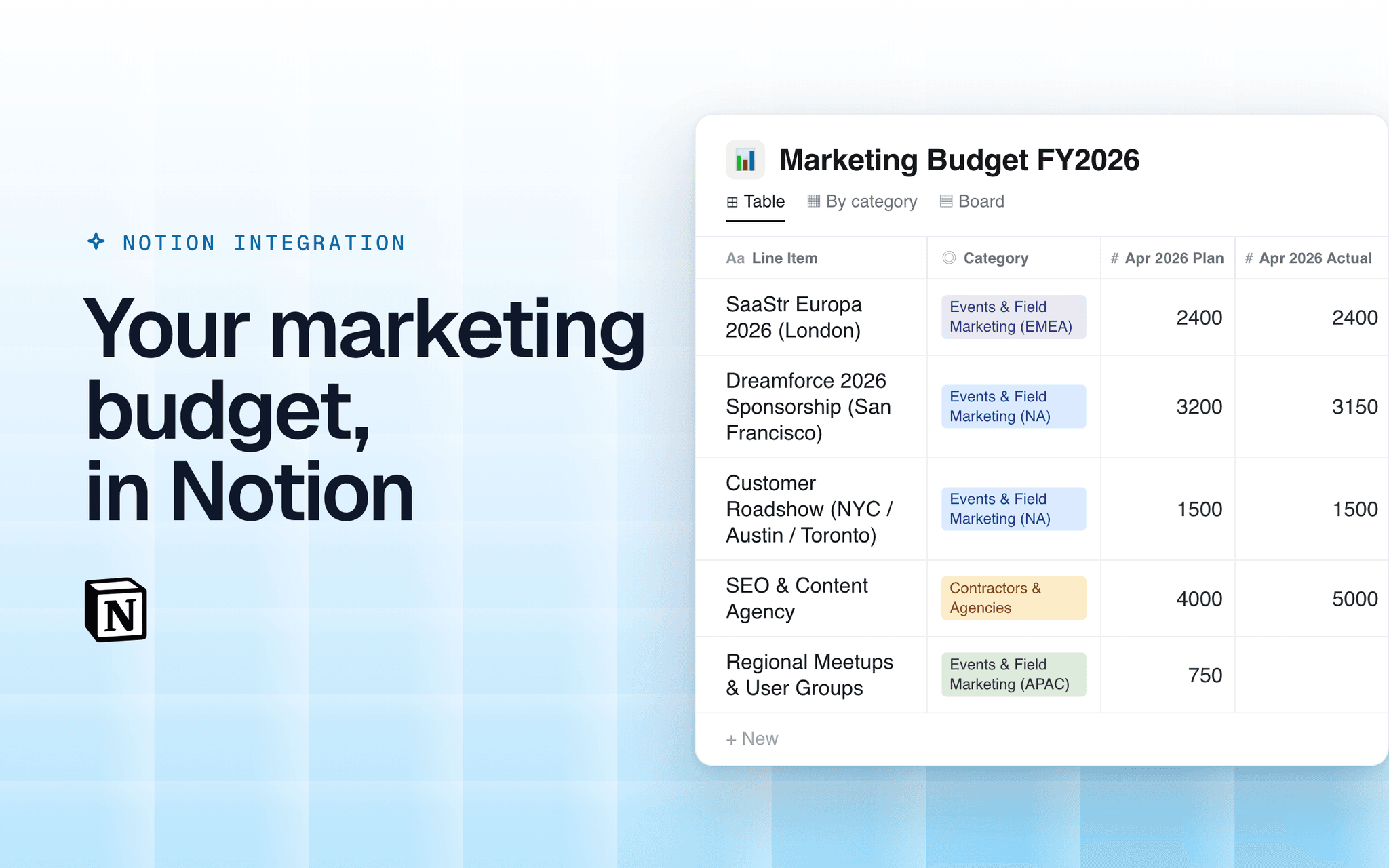
Etropo is marketing budget management software. Connect it to Notion and every budget you choose gets its own Notion database: one row per line item, with the plan and the actual spend for each month, the category, owner, cost center and currency.
The database stays in sync. Etropo updates it every day and whenever you ask, changing only the cells that changed — so the comments, views, filters and extra columns your team adds in Notion stay exactly as they were. Rows your team adds by hand are never touched.
What you can do with it:
- Share budget numbers with people who live in Notion, without giving them Etropo access
- Build Notion views, filters and rollups on top of live budget data
- Keep a budget page next to the campaign plans and meeting notes it belongs with
- Follow budget versions: when a new version becomes active in Etropo, the same Notion database starts showing it
Fonctionnalités
- Lire, insérer et mettre à jour contenuPeut lire, insérer et mettre à jour les pages, les bases de données et les blocs partagés avec cette connexion.
Comment utiliser l’intégration
1. In Etropo, open **Integrations** and click **Connect** on the Notion card.
2. Choose the Notion workspace and, optionally, the pages Etropo may create in.
3. Click **Connect Budget**, pick a budget and version, and choose where the database goes: your private pages, or a page you shared with Etropo (visible to your team).
4. Open the database in Notion. It refreshes daily; click **Sync** in Etropo for an immediate update.
Détails

- Marketing
- Finance