
Buzz Messaging AI
À propos
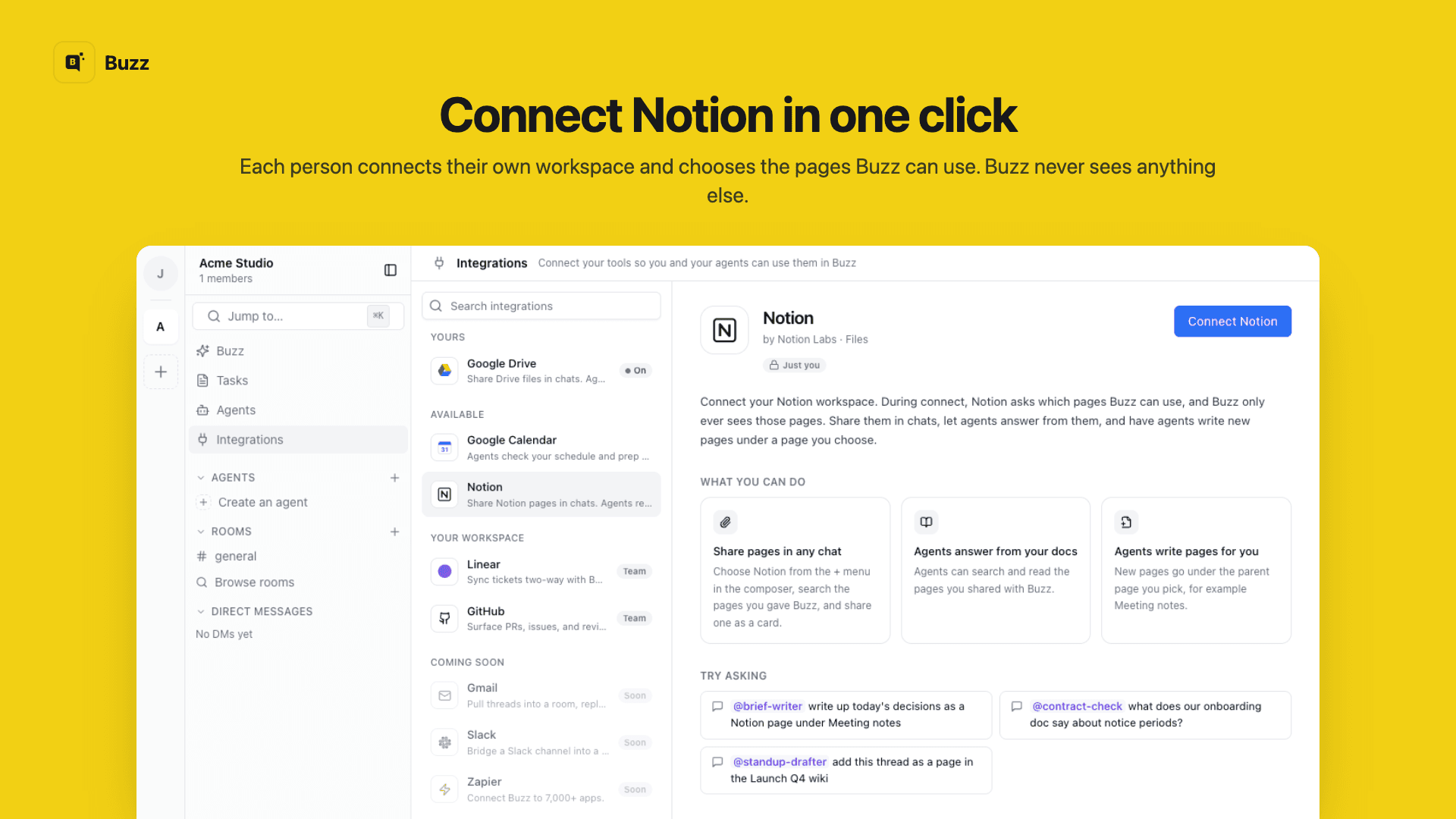
Buzz is a messaging app with AI agents built into every conversation. Connect Notion and your docs come into the chat with you.
- Share Notion pages in any chat. Search the pages you gave Buzz from the composer and drop them in as a card everyone can open.
- Ask an agent about your docs. Mention an agent next to a page, or just ask, and it reads the Notion pages you shared with Buzz before it answers.
- Have agents write pages for you. Turn a thread, a meeting or a list of decisions into a new Notion page, created under the parent page you choose.
You stay in control. Buzz only sees the pages you pick when you connect, plus the pages it creates for you. Each person connects their own workspace, and an agent always works with the connection of the person asking, never someone else's. Buzz never deletes or archives pages and never changes sharing in Notion.
Fonctionnalités
- Lire, insérer et mettre à jour contenuPeut lire, insérer et mettre à jour les pages, les bases de données et les blocs partagés avec cette connexion.
- Afficher les utilisateur·rices de l’espace de travailLit les détails de base du profil des membres et des invité·es de l’espace de travail, y compris leurs adresses e-mail.
Comment utiliser l’intégration
1. Open Buzz at app.buzzmessaging.ai (or the Buzz desktop app) and go to Integrations in the sidebar.
2. Choose Notion and click Connect Notion.
3. In Notion, pick the pages Buzz can use, then confirm.
4. Back in Buzz, choose where new pages go (for example Meeting notes).
5. In any chat, click the paperclip → Notion to share a page, or ask one of your agents to read or write one. Agents need Notion ticked in their settings.
To disconnect, open Integrations → Notion → Disconnect, and remove Buzz in Notion → Settings → Connections.
Détails
- Productivité