 Lamplit Labs
Amistio
À propos
Amistio is a visual builder for AI agents — small automations that do real work: triaging requests, processing form submissions, summarizing content, and acting on events from the tools you already use.
Connecting Notion lets those agents deliver their results straight into your workspace. An agent can create a page or database entry whenever it runs — a page per new lead, a structured entry per processed request, a report written into the database you choose.
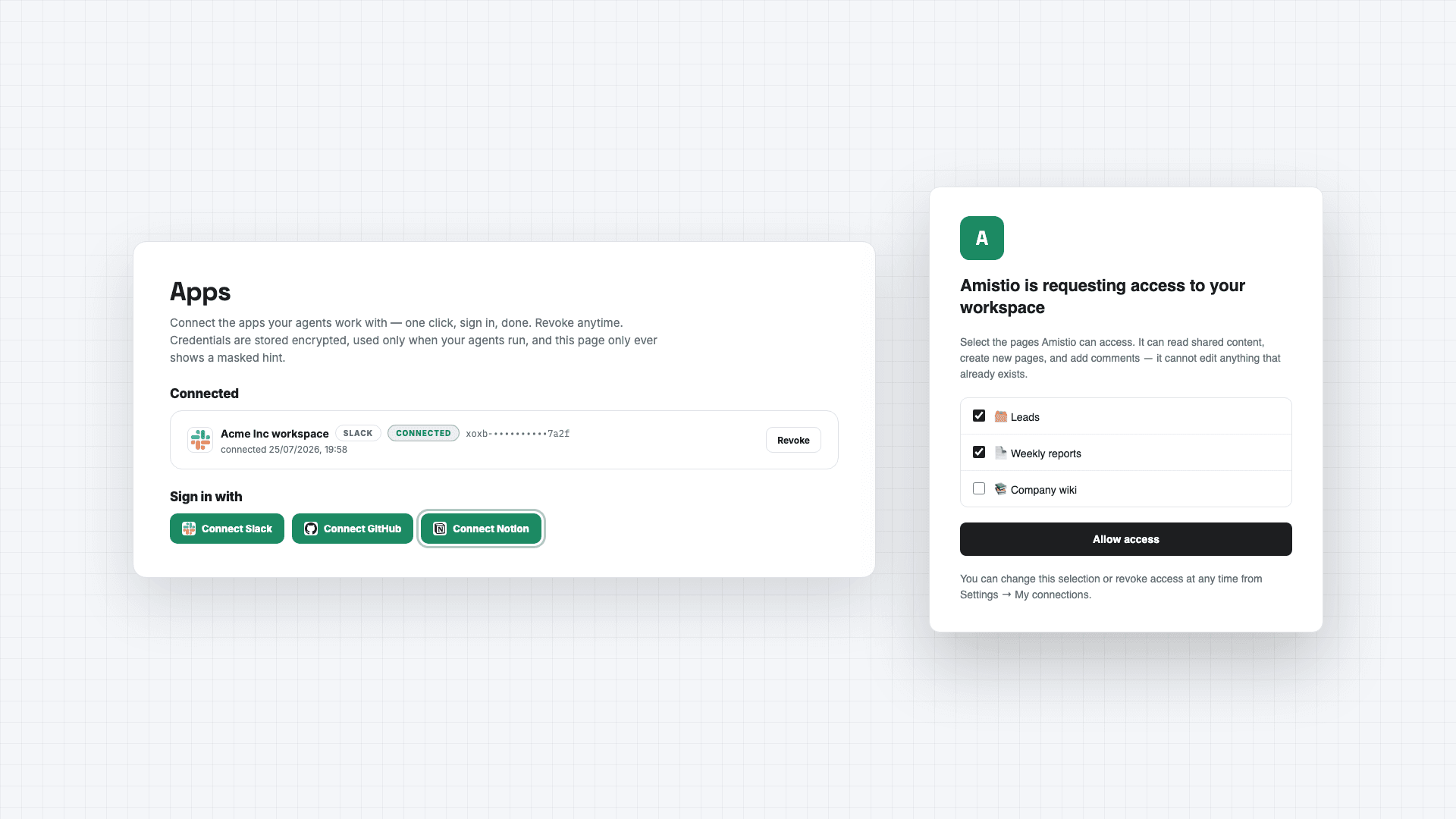
You stay in control of access: during connection, Notion asks you to pick exactly which pages and databases Amistio may use, and you can change or revoke that selection anytime from Notion's settings or disconnect with one click inside Amistio. Amistio acts only when your agents run, at your direction — it never browses your workspace in the background. Its capabilities are limited to reading content you shared, creating new pages and entries, and adding comments; it cannot edit or delete anything that already exists.
Your connection credential is stored encrypted under a key unique to your account, is used solely to perform the agent actions you configured, and is deleted immediately when you disconnect.
Details: amistio.com/privacy.
Fonctionnalités
- Lire et insérer contenuPeut lire et insérer les pages, les bases de données et les blocs partagés avec cette connexion.
- Lire commentairesPeut lire les commentaires des pages et des blocs auxquels elle peut accéder.
- Afficher les utilisateur·rices de l’espace de travailLit les détails de base du profil des membres et des invité·es de l’espace de travail.
Comment utiliser l’intégration
1. Create a free account at https://www.amistio.com
2. Open the Apps page and click Connect Notion. Notion will ask you to choose which pages and databases Amistio may use — pick at least one database for agents to write into.
3. Build an agent in the visual builder and add a "Create a Notion page" step, selecting your database.
4. Run the agent — or share its public run page so teammates or clients can trigger it themselves.
5. To remove access, disconnect on the Apps page (deletes the stored credential immediately) or revoke Amistio from Notion's My Connections.
Détails

- Automatisations