Streamline Cross-Functional Project Management With Notion AI
If your team seems to spend more time syncing than building, it’s likely not your imagination. As companies scale, the simple act of working together often starts to feel like a full-time job.
But most teams aren’t misaligned because they lack effort. They’re on different pages because of scattered information, buried decisions in Slack, floating specs in Google Docs, and disappearing projects in Jira tickets. As a result, even the most talented people on your teams may end up focusing on the wrong things.
But Notion AI changes these issues by bringing your docs, tasks, insights, and decisions into one connected workspace, then adding intelligence on top. That way, teams can stay ahead and move with clarity, confidence, and shared momentum.
If your company has been struggling with cross-functional project management, there’s a way out. Understanding what AI-connected collaboration should look like and how to choose the right tool may be all you need to help your teams work faster and smarter.
What is cross-functional project management in the AI era?
When people talk about cross-team project management, they usually mean coordinating the work of different departments to achieve a shared outcome.
While that traditional definition is important, it can also be painful. That’s because coordination typically means holding more meetings, scrolling through endless status updates, and losing context in translation.
Once you learn what AI brings to the table, that coordination model often starts to feel limited.
From coordination to orchestration
AI shifts cross-functional work from reactive to proactive by giving teams earlier visibility and clearer context. That way, instead of manually connecting the dots between data, context, and people, you can use an AI-backed workspace to automatically do the following:
Surface the information that team members need in real time.
Connect relevant docs, decisions, and tasks.
Summarize discussions and team meetings.
Highlight risks and blockers before they become fires.
Help teams focus on outcomes—not admin—to move toward project success.
In this model, AI doesn't replace human decision-making—instead, it becomes an orchestration layer that makes coordination smarter, faster, and more scalable.
What an AI-connected workspace looks like
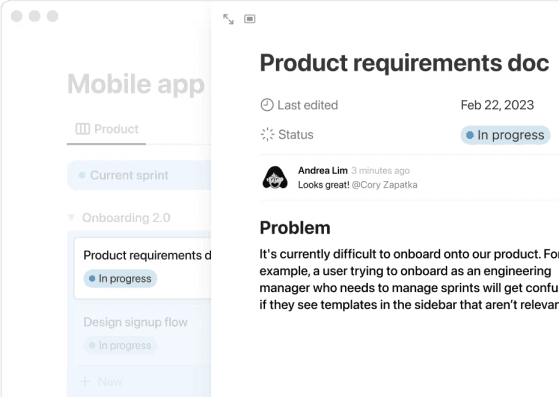
A product requirements document that’s linked to a project task in Notion.
In a connected workspace, everything works together to become a continuously updated, AI-enriched source of truth. That way, you don’t have to worry about static documents or siloed databases.
This creates a system where these things happen:
Product briefs automatically pull in user research and customer insights.
Engineering tasks link back to product requirements documents (PRDs), design specs, and decisions.
Design work appears alongside context like specific project goals, constraints, and feedback.
AI helps every contributor move quickly because it understands the relationships between work, teams, and decisions.
This means that instead of a dusty “Product Plan 2025” document, you’ll have a living, optimized system where pages talk to databases and AI helps all your initiatives stay synced.
Because of the benefits it brings, AI use in projects has nearly doubled since 2023, according to a survey by the Association for Project Management. Only 1 percent of companies report not using AI in project management or having plans to introduce it.

Helpful resource: Check out our guide on how to build a connected workspace that simplifies and improves teamwork.
How Notion AI turns static plans into living systems
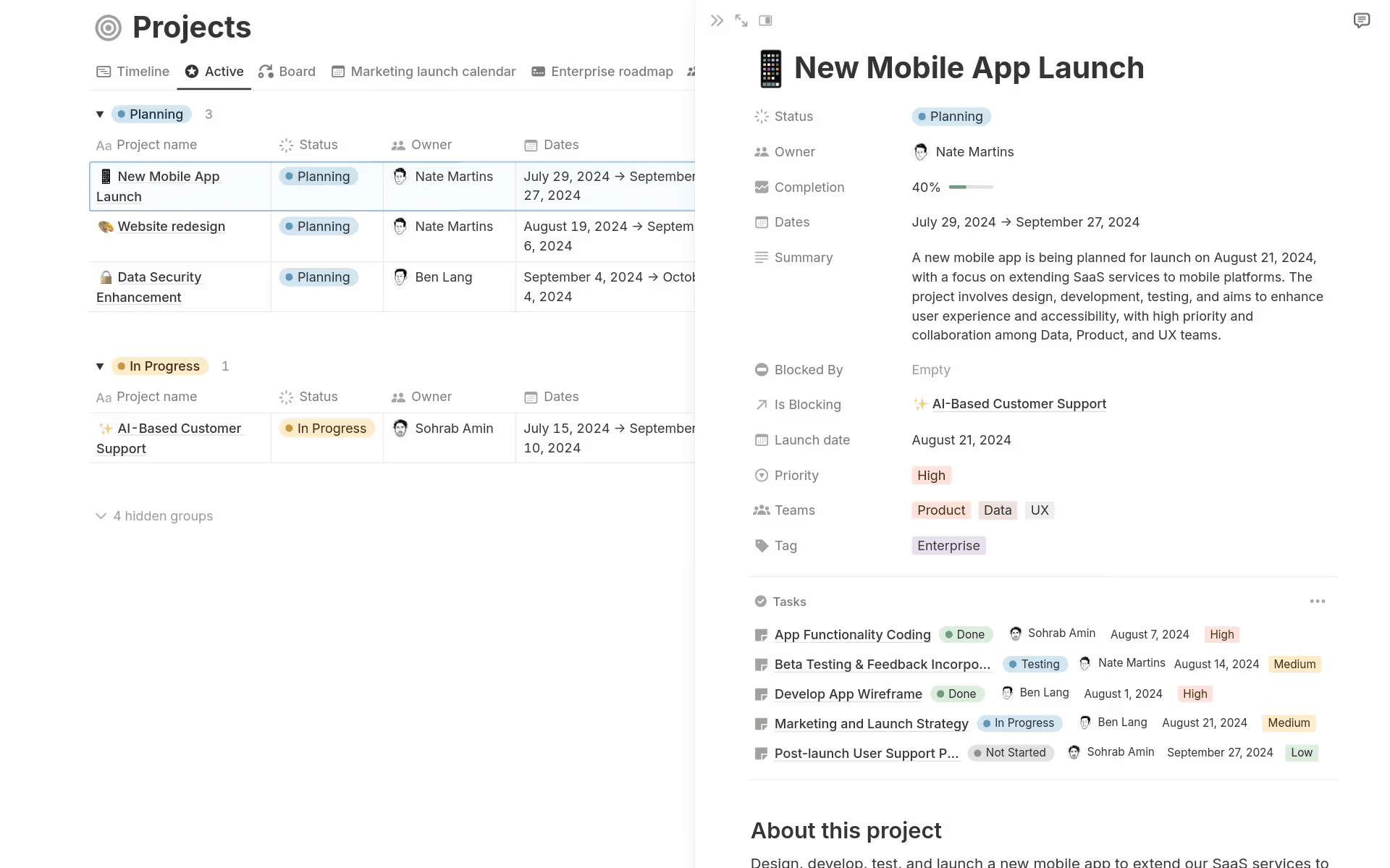
A sample product roadmap in Notion that shows real-time status, blockers, progress, and more.
Traditional project plans fall out of date within hours. But Notion AI fixes this issue by completing these tasks for you:
Automatically summarizing changes
Highlighting new risks or blockers
Notifying stakeholders of relevant updates
Syncing documentation with real work
With AI, a roadmap isn’t just a fixed artifact anymore—instead, it evolves with your team. That means every PRD, sprint task, and design review becomes part of a living system where AI ensures accuracy, visibility, and alignment without manual upkeep.
How does Notion AI help cross-functional teams stay aligned?
Alignment doesn’t maintain itself, so it often breaks when communication channels are disjointed and details are scattered across tools. And with changing requirements, evolving features, and a constant need for clarity, EPD teams often feel the friction of misalignment quicker and more deeply than many other business functions.
For example, Spotify reports that these three of the top four causes of friction between designers and engineers at Spotify involve feeling disconnected:
Lack of collaboration
Communication issues
Feeling blocked by others
Notion tackles these problems at their root by keeping information connected, up to date, and accessible. Here are four of our AI-driven features that help different teams stay synced—without constant stand-up calls:
1. Find the right answers instantly with Enterprise Search
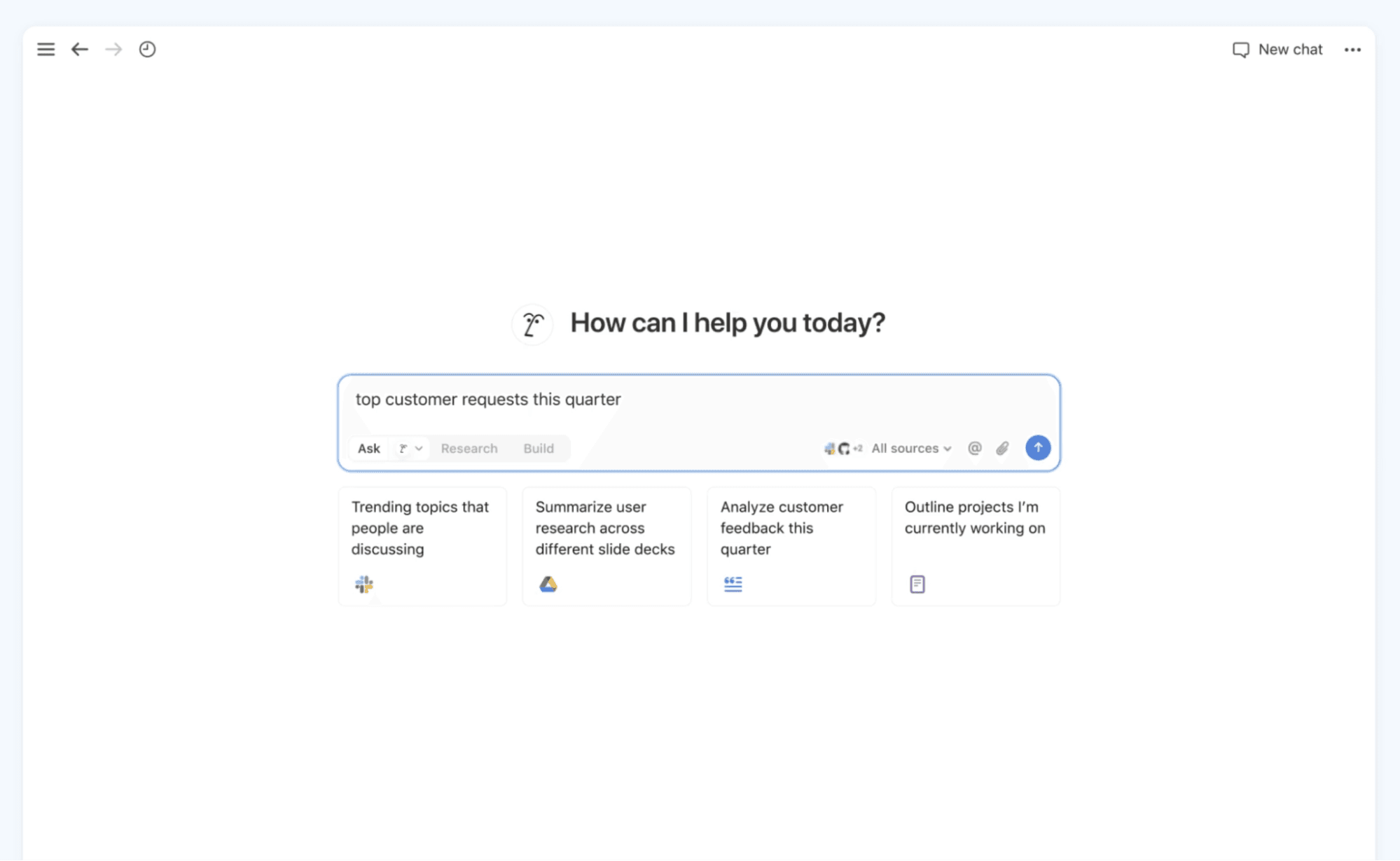
A sample question in Notion’s Enterprise Search feature.
In a large org, you can't always just "ask someone”—you need to know where stuff lives and be able to get to it fast.
That’s why Notion’s AI-driven Enterprise Search lets you access information in just three steps:
Type in a natural question (like “Which dependencies do we have for feature X?”).
Retrieve answers from all Notion pages, tasks, and integrated tools.
See cited sources so you know exactly where those answers came from.
That means no more hunting through a dozen docs or interrupting colleagues with unnecessary Slack pings.
This feature can also create weekly project updates that summarize recent progress and blockers, including context from your latest Jira tickets and discussions from apps like Slack and Microsoft Teams.
2. Turn discussions into action items with AI Meeting Notes
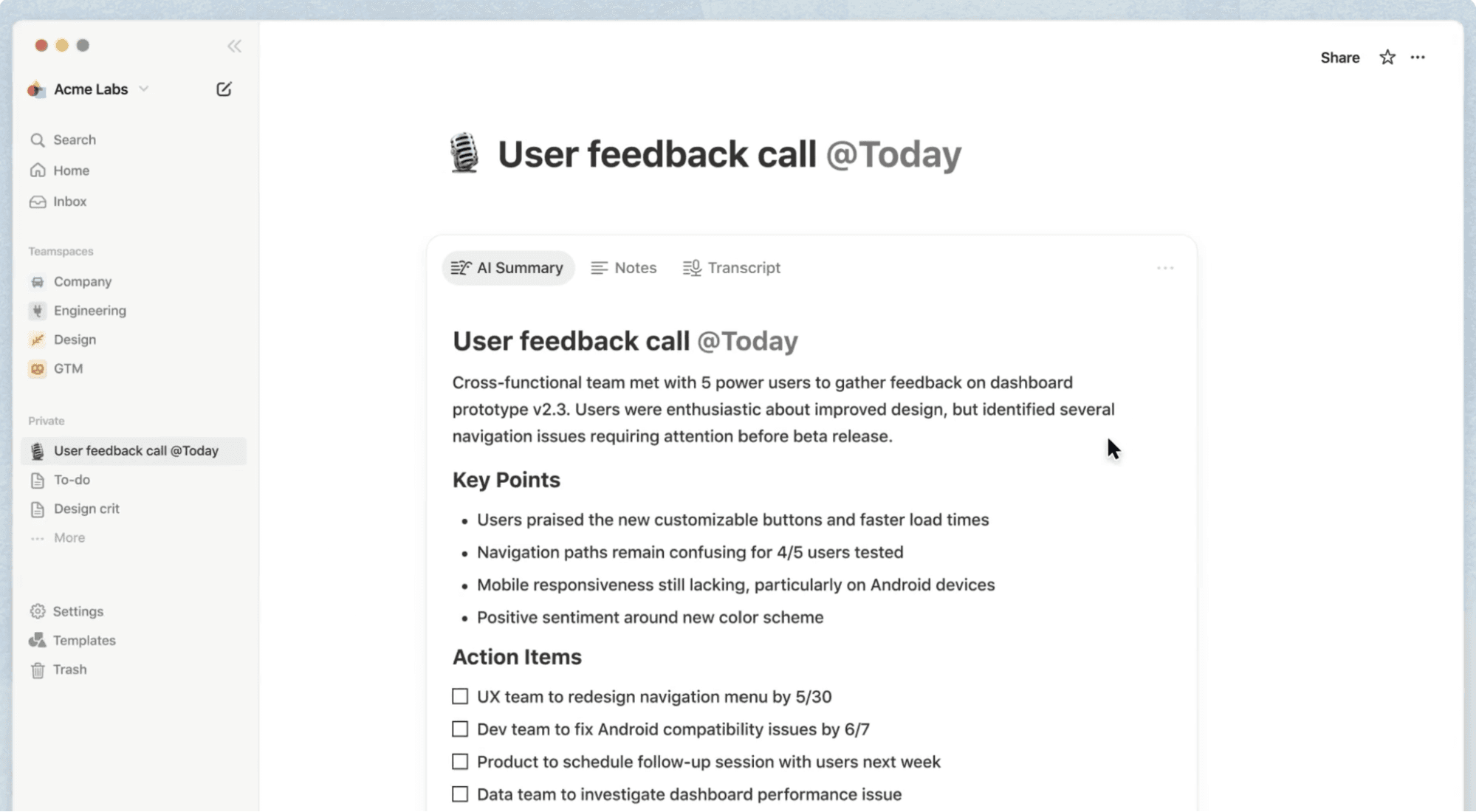
A sample of AI-generated meeting notes in Notion.
Oftentimes, meetings generate alignment only to lose it almost immediately afterward. To solve this issue, Notion’s AI Meeting Notes preserve momentum in these ways:
Automatically capturing meeting notes
Extracting decisions, next steps, and blockers
Assigning action items to the right people
Linking updates back to relevant docs, tasks, and milestones
That way, instead of gathering notes that just collect dust, you’ll get real outcomes. This means everyone will know what they own and nothing will slip through the cracks.
3. Get automated status updates and leadership digests
Updating leadership or keeping project teams in sync typically means creating long slide decks, manual status reports, or endless messaging threads. But with Notion, you can skip the time you’d spend in PowerPoint and instead use AI for these tasks:
Summarizing project changes
Automatically generating a leadership digest
Highlighting what’s on track, what’s blocked, and what to watch
That way, you’ll stay transparent without losing hours preparing reports.
4. Link context between PRDs, tasks, and feedback in real time
One of the biggest leaks in cross-functional project management is context. Engineering might deliver code, but do they remember why something changed? Does design know which feedback triggered a task?
With Notion’s relational databases and AI, PRDs connect to sprint tasks, tasks link to design files, feedback loops feed directly into documentation, and AI points out the relationships between it all. With this level of interconnectedness, you’ll never lose the “why,” even as the project evolves.
What does AI-enabled team collaboration actually look like?
You might be thinking, “This sounds great in theory, but what about real results?” Here are a few case studies from companies that use Notion AI to show our platform’s real-world impact:
OpenAI: Connecting insights to faster releases with AI summaries
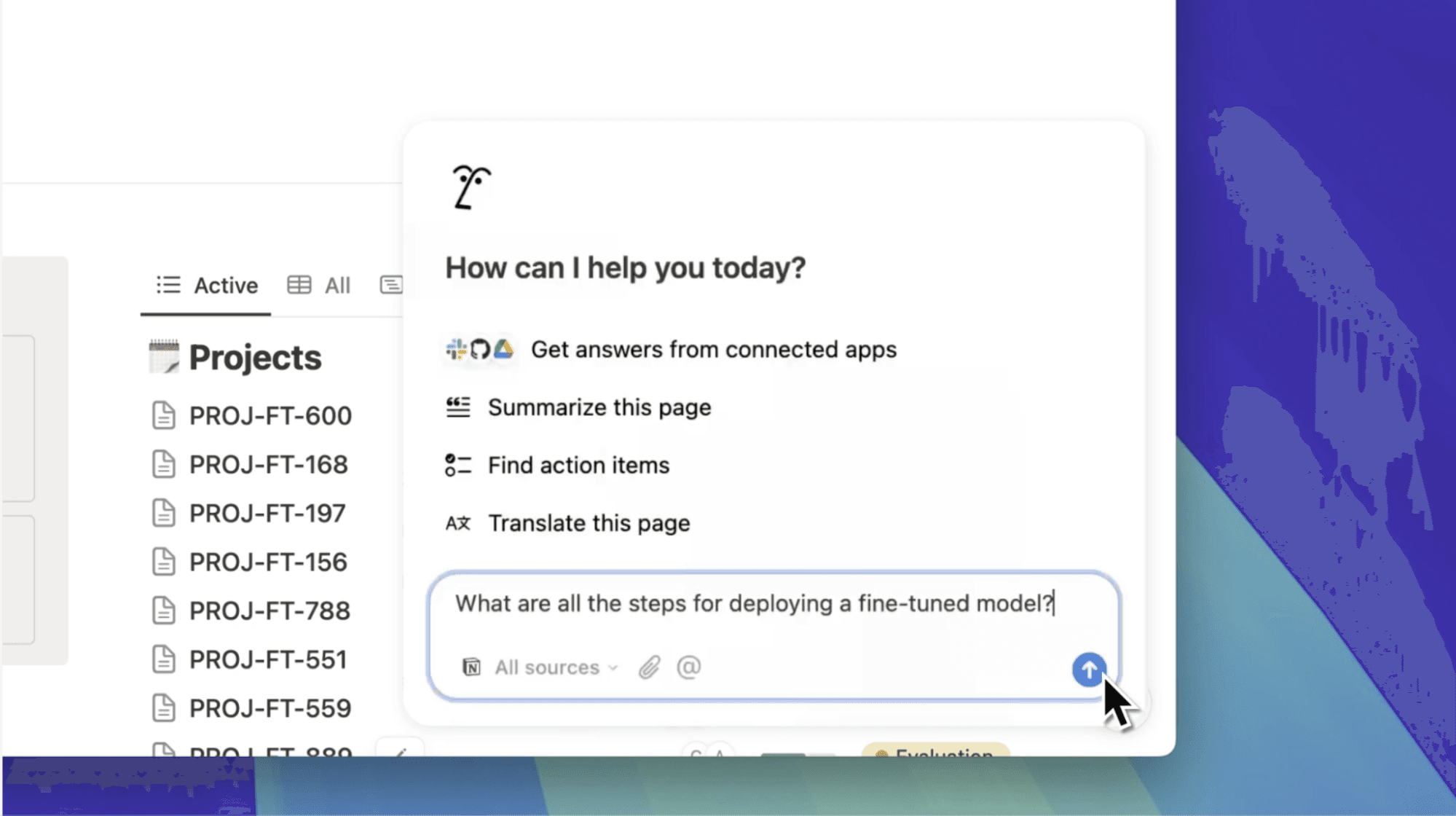
A user enters a query into Notion to search their company’s knowledge database.
What one engineer writes down during their daily workflow may be just what another needs to break through a blocker. That’s why OpenAI uses Notion to share years of technical knowledge throughout searchable, contextual documentation and AI summaries.
Notion AI gives every employee instant access to team knowledge—regardless of department or geography—which helps the team ship faster over time.
Vercel: Unifying product, design, and engineering with shared AI dashboards
Every employee at Vercel uses Notion to build a unified, connected system on common ground. Its centralized product areas house everything from basic team info to roadmaps and project updates that link to PRDs.
The result has been 35 percent faster shipping, which keeps momentum high from concept through final release.
Faire: Using years of rich business context to reclaim time
Wholesale platform Faire built a truly connected workspace in Notion by combining years of knowledge sharing and context from more than 20 integrated work apps. All this clean, connected data allowed Notion AI to leverage this existing data rather than starting from scratch.
Teams at Faire reported that the transition to Notion AI led to these benefits:
81 percent smoother meetings, thanks to automatic note capture and action items
30 percent faster workflows with one centralized, connected hub
An average of nine hours in time savings per week due to AI search capabilities
How can you use Notion AI to manage cross-functional projects?
If you’re sold on the “why,” this step-by-step guide will show you how to build your own Notion AI workspace for your cross-team projects:
Build a shared project hub for all teams
To start, create a central project hub in Notion. Think of it as your nerve center that does the following:
Stores objectives, timelines, and owners
Houses PRDs, designs, and sprint plans side by side
Provides a shared workspace for all stakeholders
The easiest way to create this hub is to begin with a template (like this one for a company database), then make it your own. Afterward, Notion AI can help you scaffold docs, define the hub’s structure, and generate starter content. It’s like having an assistant who already speaks your company’s language.
You can also watch the video below for instructions on how to create a database:
¡Vaya! Parece que tu bloqueador de anuncios está impidiendo que se reproduzca el vídeo.
Míralo en YouTube

Connect docs, PRDs, and sprint tasks in linked databases
Once you've established your central hub, you’ll want to set up relational databases for the following assets:
PRDs (like product specs)
Sprint tasks or tickets
Designs (like Figma sketches or assets)
Customer insights or feedback
Roadmap items or objectives and key results
Then, link them so the following are true:
Sprint tasks should reference their source PRDs.
Design assets should link back to specs and feedback.
Insights maps should tie to roadmap items.
Once everything is connected, Notion AI can suggest new relationships or surface missing links. That way, your workspace becomes a contextual graph rather than just a collection of unorganized pages.
Use AI Meeting Notes to capture and assign next steps
Whenever you have a meeting (such as for planning, review, or stand-ups), turn on AI Meeting Notes to do these things:
Transcribe and summarize the conversation
Highlight decisions, risks, and next steps
Automatically assign tasks based on what your team discussed
Link updates to relevant docs so nothing is detached
Doing this means meetings will be engines of project progress, not just check-ins.
Helpful resource: Check out our step-by-step guide on how to start using Meeting Notes in Notion to learn how you can change summary formats and more.
Automate weekly digests with AI to save reporting time
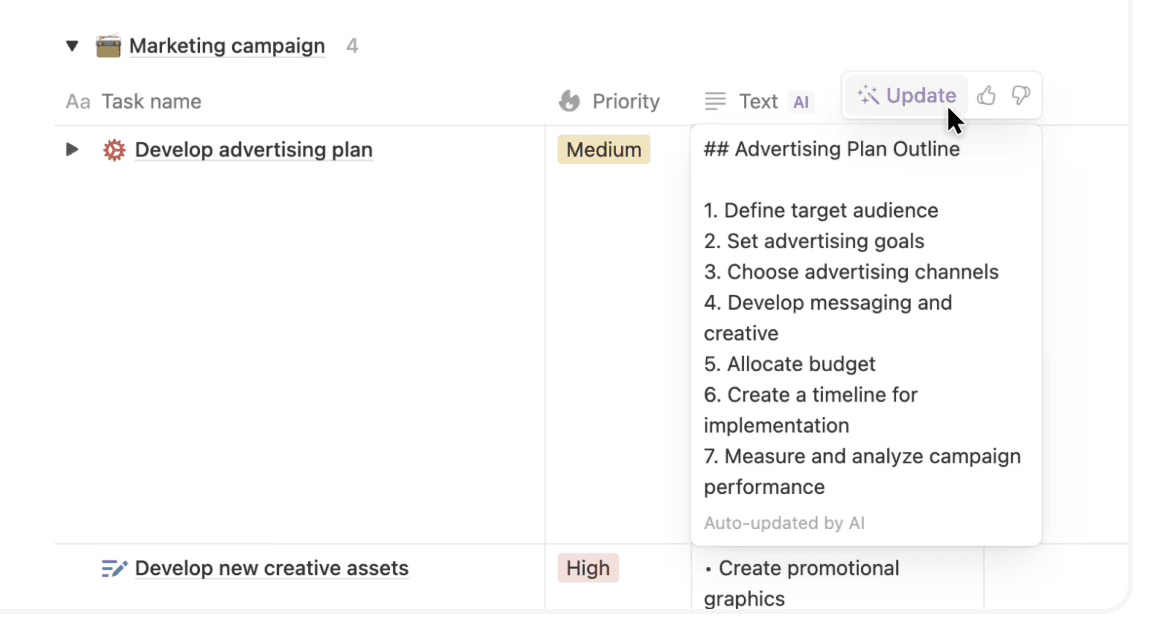
A user autofills a marketing campaign database with an AI-generated update.
To save valuable time, you’ll want to set up a recurring workflow where these things happen:
AI reads updates from your databases.
It drafts a clear weekly digest.
You tweak and approve it.
AI sends it to your team leaders and colleagues.
With this workflow, AI handles the repetitive work, while you focus on the decisions that matter. That way, you can send updates in minutes, not hours.
Search across everything with verified, trusted results
You can use Notion AI’s Enterprise Search as your single search bar to do the following:
Ask natural language questions.
Pull in results from specs, tasks, feedback, and meeting notes.
Learn where information came from.
Share search results confidently.
Doing this means onboarding will be smoother, you’ll be able to resolve problems faster, and no one will be lost in a maze of disjointed docs.
How to choose the right project management tool for cross-functional teams
When it comes to your tech stack, you have options. But with so many tools on the market, it can be hard to figure out what features to prioritize.
To help, here are four things to look for when you’re building for engineering, design, and product teams that need to work together:
1. Choose a connected workspace that integrates with your tools
If your system doesn’t talk to popular apps like GitHub, Figma, Slack, or Jira, it’s not doing enough. You’ll want a workspace that values, not overlooks, these tools instead.
To help with this, Notion offers building-block architecture that lets you embed, link, and connect third-party collaboration tools so you don’t lose important context.
2. Prioritize AI that understands context, not just automates tasks
AI that only automates is too limited since real cross-functional collaboration and problem-solving require more than checklists or auto-generated text. That’s why you should look for AI that is capable of these things:
Understands relationships between documents
Interprets project context
Helps you identify blockers and dependencies
Provides summaries with references
Notion AI excels here because it sits directly inside your knowledge base and project system and learns from the context you provide it.
3. Ensure that your tool offers verified knowledge and trustworthy answers
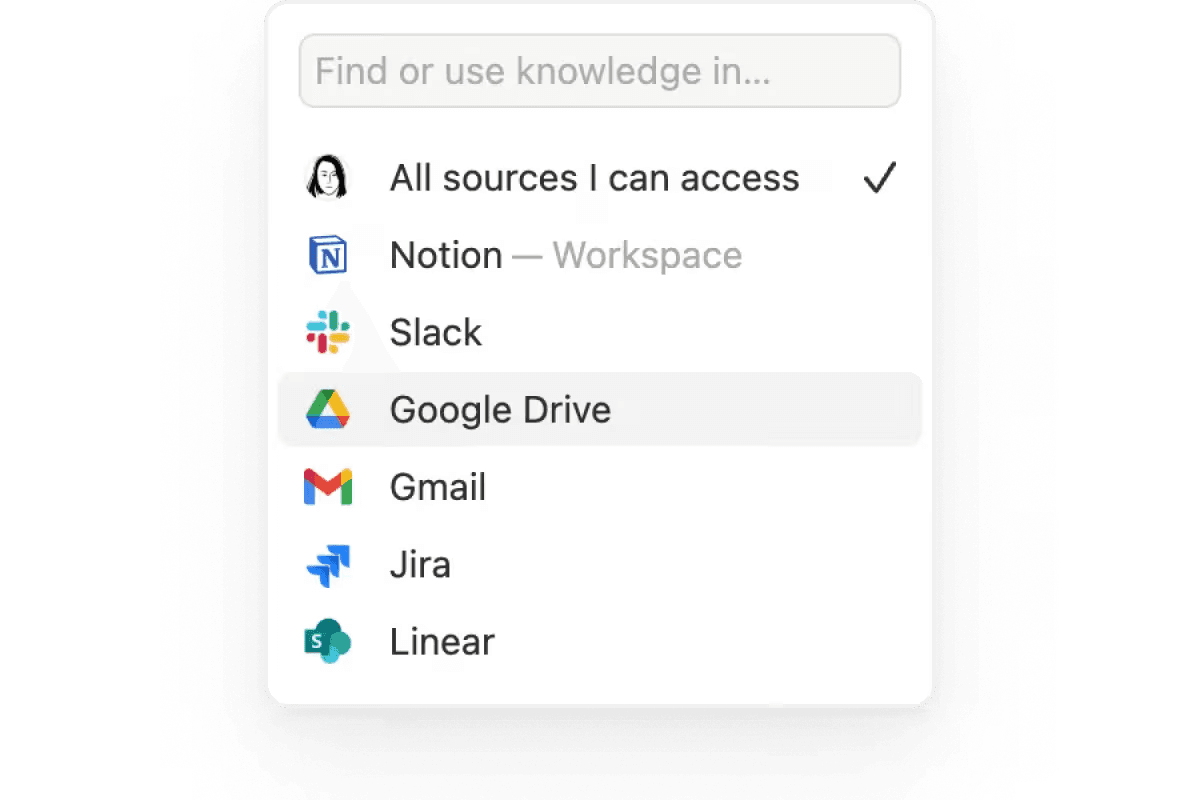
A drop-down of the source options that are available in Notion’s Enterprise Search feature.
Asking AI a question is one thing—but it’s a completely different thing to get an answer that you can rely on. After all, you want the truth, not hallucinated content.
That’s why you should make sure that your tool can do these things:
Cite sources accurately
Respect workspace permissions (for instance, Notion doesn’t allow training on your data)
Operate on real data, not just public or synthetic training sets
With Notion AI’s verified answers, teams can trust what they see every time.
4. Choose flexible architecture that scales with your workflow
As your company grows, your processes will change. To accommodate this, your system should bend, not break.
That’s why you should look for these features:
Customizable templates
Relational databases
Cross-team dashboards
Multi-layer permissions
Notion’s agile modular structure means you can start small, then scale to support complex workflows without ripping everything out later and starting over.
Build successful cross-functional teams with Notion AI
Cross-functional project management doesn’t have to be messy, live across a million tools, or suck up everyone’s time with endless meetings and fragmented docs.
With Notion AI, you can instead build a connected, intelligent workspace that brings together product specs, design deliverables, engineering tasks, and meeting takeaways all in one place. That way, context never disappears, you won’t lose decisions, and teams will move faster, more confidently, and in sync with clear goals and effective communication.
If you lead engineering, product, or design at a mid-market or enterprise company, this is your chance to simplify and amplify. Try Notion for product development teams for free today and see what happens when alignment becomes automatic, not manual.