Novedades

Mantente al día con los últimos lanzamientos, mejoras y correcciones.

Sigue a @NotionHQ
2.35

Notion 2.35: Presentamos Q&A de la IA de Notion (beta)

Una respuesta para cada "¿Cómo...?"

Q&A tiene una respuesta a cada pregunta que se te ocurra.

Mantente al tanto de tus proyectos

Excelente para enterarte al instante de las últimas tareas, fechas límite y prioridades.

Ideal para los nuevos empleados

Q&A puede actuar como asistente para los recién llegados y brindarles toda la información que necesitan.

Conversa con tus notas

¿Cuáles fueron los puntos más importantes de la reunión de sincronización de la semana pasada?

Un nuevo atajo para hacer tus preguntas desde cualquier lugar

Descarga la app de escritorio, presiona Cmd o Ctrl + Mayús + K y obtén las respuestas que buscas.

2.34

Notion 2.34: nuevos idiomas y funciones Enterprise

Pasa el cursor para previsualizar una página de Notion

¿Alguna vez quisiste echar un vistazo 👀 a una página de Notion? Ahora puedes pasar el cursor por encima para obtener una vista previa de su contenido.

Notion ya se encuentra disponible en 5 idiomas más

Puedes usar Notion en danés, neerlandés, finés, noruego y sueco. Establece el idioma que prefieras en Configuración y miembrosIdioma y región.

Más visibilidad y controles para la gestión de usuarios

El panel y los controles nuevos te ayudan a gestionar a los usuarios con tu dominio.

Nuevas integraciones SIEM y DLP

Estas herramientas integradas centralizan los registros de auditoría y detectan contenido confidencial en tu espacio de trabajo.

2.33

Notion 2.33: Automatiza flujos de trabajo

Automatiza flujos de trabajo en bases de datos

Automatiza la asignación de estados, tareas y mucho más.

Inmoviliza columnas de bases de datos

Ahora la vista de tabla permite fijar columnas.

Fórmulas 2.0

Redactar fórmulas ahora es más fácil. Usa las potentes funciones y obtén resultados con formatos avanzados.

Usa la IA para traducir cualquier propiedad en tu base de datos

Traduce el contenido de tus bases de datos al idioma de tus compañeros de equipo.

Soluciones pequeñas = mejoras gigantes

  • ✨ Si te gustaría usar el logo de Notion como ícono de tu página, ¡ya se encuentra disponible!

  • ✨ Agregamos la opción Formatear código al menú de tres puntos del bloque de código

  • 🛷 Mejoramos los importadores de Evernote y Trello y ahora pueden manipular más datos

  • 🛷 El nuevo importador universal admite ficheros ZIP que contengan texto, Markdown, CSV, HTML y otros archivos

  • 🕛 Ahora puedes establecer tu zona horaria por defecto según tu localización o cambiarla manualmente desde Configuración y miembrosMi configuración

  • 🕛 Habilitamos el uso de referencias dinámicas como @yo, @hoy y @ahora en propiedades de persona y fecha en plantillas de bases de datos

  • 👇🏾 Al crear un botón, ahora puedes elegir una plantilla de base de datos como la página que se creará por defecto

  • 👇🏾 Para las vistas de tablero y galería, ahora está disponible la opción "Ajustar propiedades" al configurar el diseño

2.32

Notion 2.32: Nuevas funciones para gestión de proyectos, IA y más

Más opciones al compartir páginas

Configura el tipo de acceso antes de compartir o publicar el enlace a la página.

Conexión entre tus tareas y archivos de Google Drive y Figma

Visualiza contenido actualizado de otras herramientas directamente en las tareas de Notion.

Cambios automáticos en tareas con dependencias

Cuando actualices la fecha de una tarea, las fechas de sus tareas dependientes cambiarán de forma automática.

Guarda tus instrucciones para la IA

Guarda tus instrucciones favoritas para la IA y vuelve a usarlas más adelante.

Las páginas recientes cargan 10 % más rápido en iOS

Las páginas recientes cargan más rápido en iOS gracias a las mejoras en la descarga de contenido.

Galería de integraciones y novedades

Explora la extensa lista de herramientas integradas, la cual incluye Miro y Canva.

Soluciones pequeñas = mejoras gigantes

  • 🖱️ Mantén presionado Shift y luego haz clic para agregar una fecha de finalización en el selector de fechas.

  • 🔠 Ordena de forma alfabética o manual los valores de una propiedad de selección simple o múltiple.

  • 👥 Ahora puedes compartir páginas de Notion directamente con contactos de Slack.

2.30

Notion 2.30: Gestión de proyectos

También sabemos que muchos deseaban que la gestión de proyectos en Notion fuera más sencilla y tuviera más capacidades, así que trabajamos para lograrlo. Agregamos las funciones que faltaban, rediseñamos plantillas y configuraciones de flujos de trabajo, y sumamos el poder de la IA. Estas son las novedades:

Autocompletado con IA: el primero de su clase

Genera de forma automática resúmenes, elementos de acción, actualizaciones de proyectos, ¡y mucho más!

Configuración sencilla para todos

Creación de proyectos mejorada, para que puedas comenzar a trabajar cuanto antes.

Notificaciones para estar siempre al día

Recibe notificaciones sobre las tareas y proyectos que te importan.

Planificación de sprints actualizada y optimizada. Beta.

Nuevo flujo de trabajo de sprint preconfigurado, ahora disponible en beta.

IDs únicos para cada incidencia

Haz referencia a cualquier incidencia o tarea de forma sencilla y desde cualquier lugar.

Integración de GitHub en tiempo real

Las tareas de Notion se actualizan de forma automática cuando hay cambios en el estado de las PRs de GitHub.

Importa proyectos desde Asana

Muda todas tus tareas, proyectos y equipos a Notion con el importador de Asana.

Próximamente

  • Propiedades conectadas, para vincular archivos de Figma y Google Drive a tus tareas.

  • La sección Mis tareas renovada, para ver todas tus tareas en sus respectivos proyectos.

  • Mejora de la Captura rápida, para registrar nuevas ideas y tareas.

  • Automatizaciones nuevas, para activar acciones a medida que cambien los detalles de las tareas.

Notion en español y portugués

Ahora Notion está disponible en español y portugués (Beta)

Nos emociona mucho dar este gran paso para hacer de Notion algo intuitivo y familiar para millones de personas más. A partir de ahora, Notion está disponible en español y portugués en la web, la app, el centro de ayuda y las plantillas dentro de la aplicación.

Para establecer tu idioma como español o portugués:

  • En la web o el escritorio: Ve a Settings & members → Language & region

  • En el móvil: Al cambiar el idioma de tu dispositivo a español o portugués en la configuración del sistema, tu aplicación de Notion se actualizará automáticamente al idioma elegido.

Sigue estos enlaces para encontrar guías y tutoriales traducidos:

Notion 2.23: Slack integration 2.0 + wiki page verification

Slack integration 2.0: save messages and configure notifications

Capture your team's collective knowledge. Send Slack messages to a Notion database (e.g. record user feedback), get notifications in Slack (e.g. updates on tasks), and share links that expand with useful context.

Set up your first notification by going to a database's menu at the top right → then Slack notifications

Wiki pages with verification ✅

Prevent stale content. Convert your wiki pages into an easy-to-manage system where pages can be marked as "verified.” Here’s how:

  • Go to your wiki’s main page and click on the top right ••• menu, then click Turn into wiki

  • In the All pages database view, click into the Verification column for any row

2-step verification (a.k.a. 2FA, MFA)

Add an extra layer of security to your account by requiring a second method of identification. Go into your account settings, click my account and under account security, toggle on 2-step verification.

Search on mobile now loads 60%+ faster

60%+ faster mobile search means you can easily find a doc while on the move. It also comes with smoother scrolling and better search context.

@mention groups

Now you can @mention a permission group just like you can @mention individual people. Hover over a group mention to see who’s in the group.

Extended free access for startups — including unlimited AI

Startups new to Notion, or currently using a free plan, can use a Notion Plus plan with unlimited AI for up to 6 months. This is equivalent to a maximum of $6000; 6x more than our previous credit offering.

We also built a "startup in a box" set of templates— real Notion pages built for startups by other startups and organized by stages in a founder’s journey.

Little fixes = big improvements

  • 👀 See every row that matches your database filter, even if the row is a sub-item/sub-task

  • 📅 Now you can view a calendar by week

  • 🔎 Open any Notion page link (e.g. subpage, page mention) in side peek mode

  • 🔔 You now have a filter to see all unread notifications in your Updates

  • 🛡️ Enterprise Workspace owners can now upgrade themselves to a member or owner of a teamspace

Notion 2.22: Buttons to automate manual tasks

Automate manual tasks with buttons

Modern cars start with the push of a button so we can get moving quickly 🏎️

Now you can create a button that, when pushed, automatically creates a task, bug, or doc with the necessary info already filled in.

Type /button to get started. Example ways to use it:

  • Report a bug — support, sales, and marketing can file bugs without needing to follow a complex process

  • Add a new Product Requirements Doc (PRD) —instantly start a new PRD with an auto-generated outline prompting you to complete the what and why of the product, with the right PM and eng lead tagged

  • Submit a design request — if marketing needs a new mock-up, they can send a request straight to the design team’s project database

Embed content from 2,000 apps like Mixpanel and Twitch

Make sure you always have fresh data without having to take new screenshots. Paste a link into a Notion page and select Create embed to pull in live info from other tools.

New page icons

Sharing work with teammates should be delightful. So we redesigned our icons, adding 200+ new ones, improving icon search, and creating icons for project management.

P.S. you can also now bulk edit icons in a database

Notion 2.21: Notion AI, for everyone

Try Notion AI for free

No more waitlist, no “limited preview.” That means you can start to leverage the power of AI right inside Notion, across all your existing docs and notes—today.

Use Notion AI to augment your capabilities in new and unexpected ways. Just open any Notion page, and give these a try:

  • Generate an instant summary from a page of messy notes. Start a new line, hit space on your keyboard, then select “Summarize.”

  • Become a more effective communicator. Highlight a paragraph you wrote, click “Ask AI” in the toolbar that appears, and select “Improve writing.”

  • Approach projects with new creativity. Create a new page, click “Start writing with AI,” and ask it to list pros & cons of a decision you’re considering.

Nearly two million people signed up for the alpha waitlist ten weeks ago. Now, Notion AI is completely redesigned based on feedback and testing. Go to any Notion page and hit space to see for yourself.

Add unlimited Notion AI to any plan

Since launching the invite-only ALPHA, people have been testing Notion AI across every manner of workflow, from writing more effective documentation at work, to meal planning at home. Now, it’s available to everyone—whether you have an existing workspace full of notes, or you’re brand new to Notion, AI can be added to any plan.

  • Try Notion AI for free. You’ll get 20 free AI responses per member in your workspace. Promotion ends April 5, 2023.

  • Add to your workspace for $10 per member / month. For customers with annual billing, a 20% discount is available.

  • Use Notion AI as much as you need. No need to manage your plan or keep track of usage.

Perhaps the most exciting part of today’s launch is that for Notion AI, this is only the beginning. Using your feedback as our guiding light, we’ll continue to make Notion AI a better experience for you.

Notion 2.20, now with page and workspace analytics

Page Analytics

Is your idea resonating with your audience? Now you can see how many people are engaging with a page—with views, viewers, and editor information shown right in the sidebar. Use it next time you share a product spec or publish a blog post.

Go to 🕘 View all updates at the top right of your page → Analytics

Workspace Analytics (Enterprise plan)

Understand how the content in your workspace is performing—and identify areas for action—with metrics like number of views, unique visitors, and last edited date.

Workspace owners can also view user engagement—including top champions and members who could use more support—as well as search metrics.

Go to ⚙️ Settings & members at the top left of your workspace → Analytics

Better notifications

Notifications are like a mini-assistant, keeping you up to date and filtering out noise. Now, you’ll only get notifications when you’re @mentioned or someone replies to your edit. Clear notifications by tagging them as read or archive.

Make bulk changes in a database

Select & change values of multiple rows in the table view of a database (e.g. select tasks to update status/priority).

Take quick notes on Android

Now you have a Quick Note widget for Android that lets you create a new Notion page immediately after clicking. Use it the next time you think of a design idea at a basketball game. iOS coming soon.

Fixes and Improvements

  • Companies on an Enterprise plan now have more options to view, manage, and restrict workspaces that are created using the company’s verified domain

  • Added the ability to turn a sub-page into a teamspace. Just click on the menu for the subpage → Turn into teamspaceCreate Teamspace

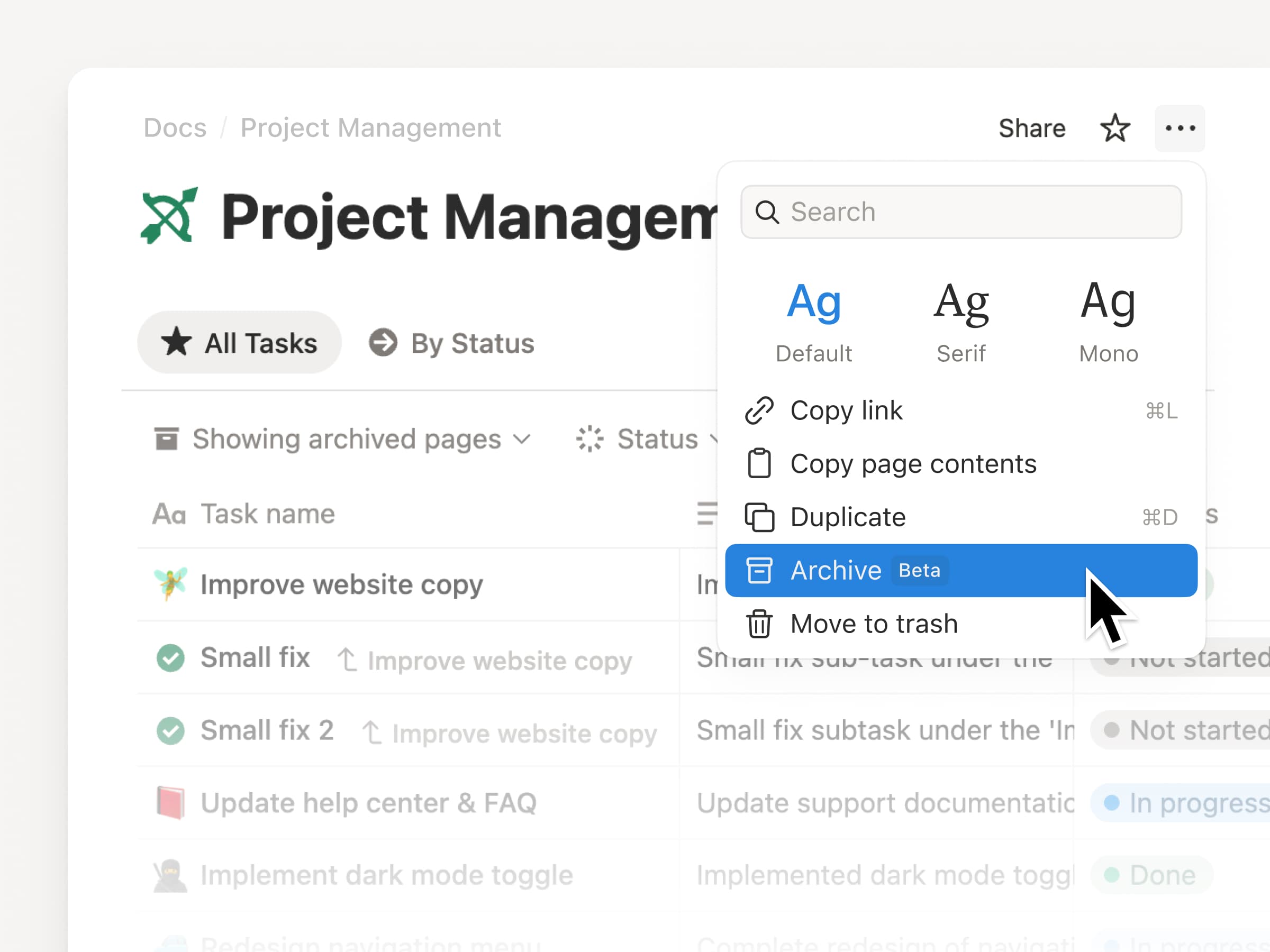
  • The top-right ••• menu for every page now has a duplicate option

  • Made updates to the mobile search experience that improved load times