 Wavelength
Wavelength
Información
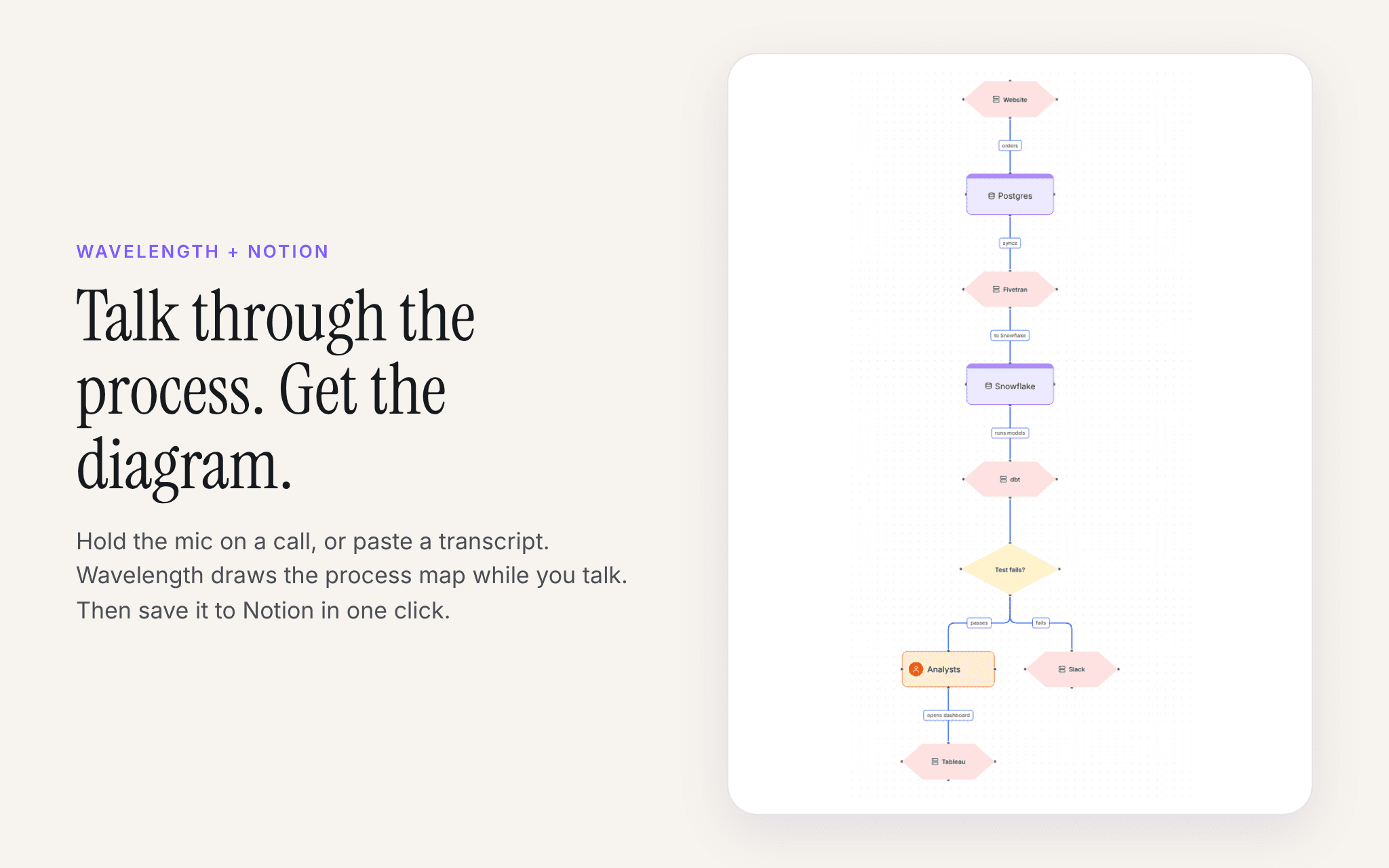
Wavelength turns a sales call, a discovery workshop, or a meeting transcript into an editable process diagram. You talk through the process, or paste a transcript, and the diagram builds itself.
With the Notion connection, you save any Wavelength flow as a new Notion page under a page you pick. The page has:
- The diagram as an image
- A step by step summary of the process
- The questions that are still open after the call
- A link that opens the live flow in Wavelength
- The Mermaid code for the diagram, which Notion shows as a diagram
Wavelength can see and edit only the Notion pages you pick when you connect. It does not read the rest of your workspace.
Funciones
- Leer, insertar y actualizar contenidoPuede leer, insertar y actualizar páginas, bases de datos y bloques compartidos con esta conexión.
- Leer y añadir comentariosPuede leer y añadir comentarios en las páginas y bloques a los que tiene acceso.
Cómo se usa
- Sign in to Wavelength at wavelengthflow.com. The free plan needs no card.
- Open a flow, or make one by talking or by pasting a transcript.
- Open Export and pick Save to Notion.
- Click Connect Notion. On the Notion screen, pick the pages where Wavelength can add flows, then click Allow access.
- Pick the parent page in Wavelength and click Save to Notion. The new page opens in Notion.
To disconnect, open Settings, then Connected apps, in Wavelength. You can also remove Wavelength in Notion under Settings, then Connections.
Detalles
Creada por

Categoría
- Productividad
Enlaces para desarrolladores