 RabbitSync

RabbitSync
Información
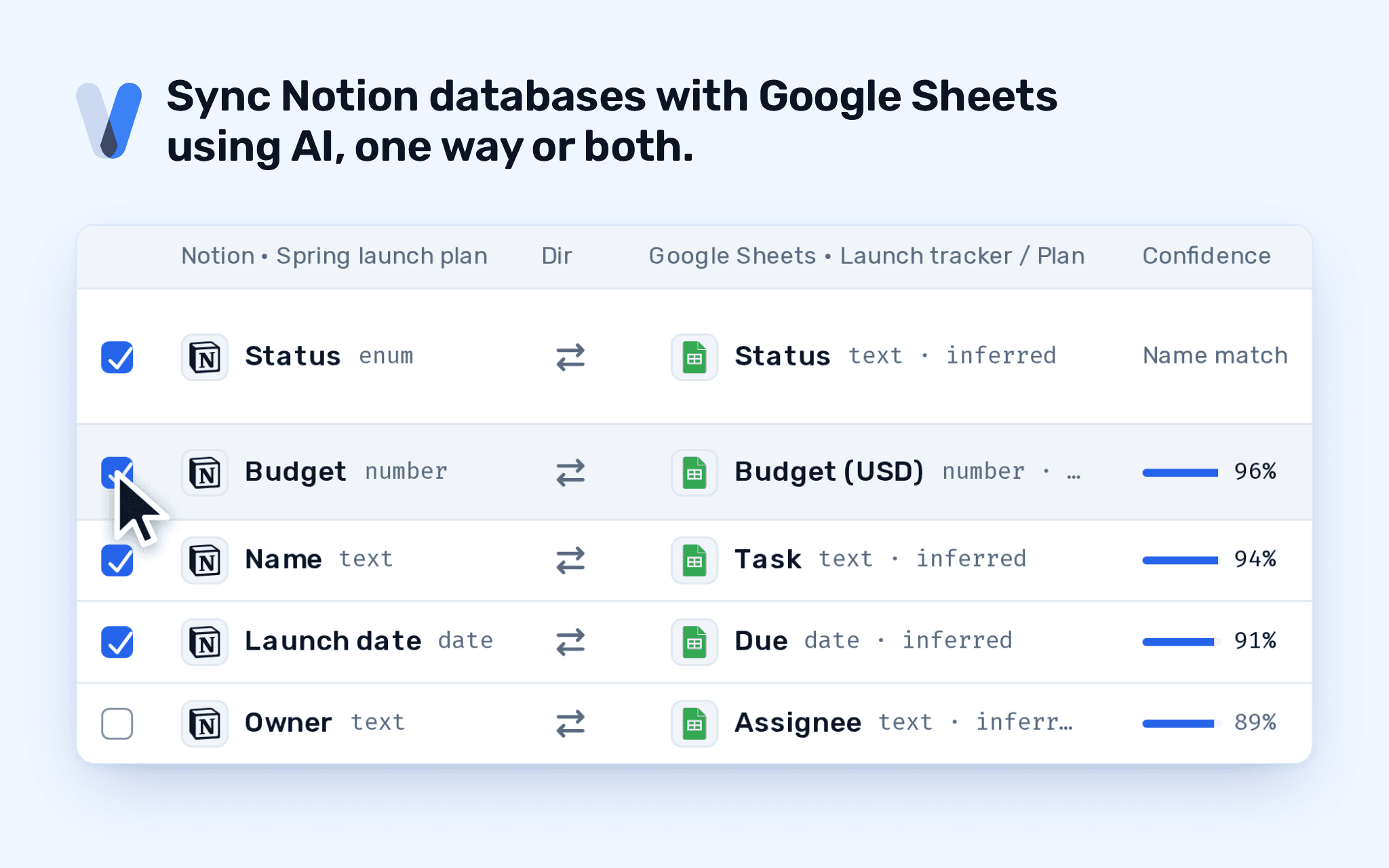
RabbitSync keeps a Notion database and a Google Sheets tab in sync, using AI, in one direction or both.
Pick the database and the tab, and RabbitSync's field-mapping AI agent suggests which property pairs with which column. You accept or reject each one. After that, changes sync on the schedule you choose: a fixed interval, a cron expression, or by hand.
What it does:
- Notion to Sheets, Sheets to Notion, or both ways.
- Each page in the database is one record; each row in the tab is one record.
- Keeps records matched across runs, so sorting, moving or inserting rows in the sheet does not break the pairing.
- Shows every run: what it read, what it wrote, what it skipped, and the error code for anything that broke.
- Reaches only the pages and databases you choose on Notion's own screen.
Funciones
- Leer, insertar y actualizar contenidoPuede leer, insertar y actualizar páginas, bases de datos y bloques compartidos con esta conexión.
- Ver usuarios del espacio de trabajoLee información básica del perfil sobre los miembros e invitados del espacio de trabajo, incluidas sus direcciones de correo electrónico.
Cómo se usa
1. Start the install from this page. Create a RabbitSync account or sign in to yours.
2. On Notion's screen, choose the pages and databases RabbitSync may reach. It reads and writes only those.
3. Back in RabbitSync, a new sync opens with Notion already picked. Connect Google Sheets and choose the spreadsheet and tab.
4. Review the field pairings the AI agent suggests, accept or reject each one, and pick a schedule.
5. Save the sync. It runs on your schedule, and you can run it by hand from the console at any time.
Questions? Email [email protected].
Detalles

- Automatizaciones
- Productividad
- Gestión de archivos