 FanoutPages

FanoutPages
Información
Bring your ideas from Notion into your LinkedIn content workflow.
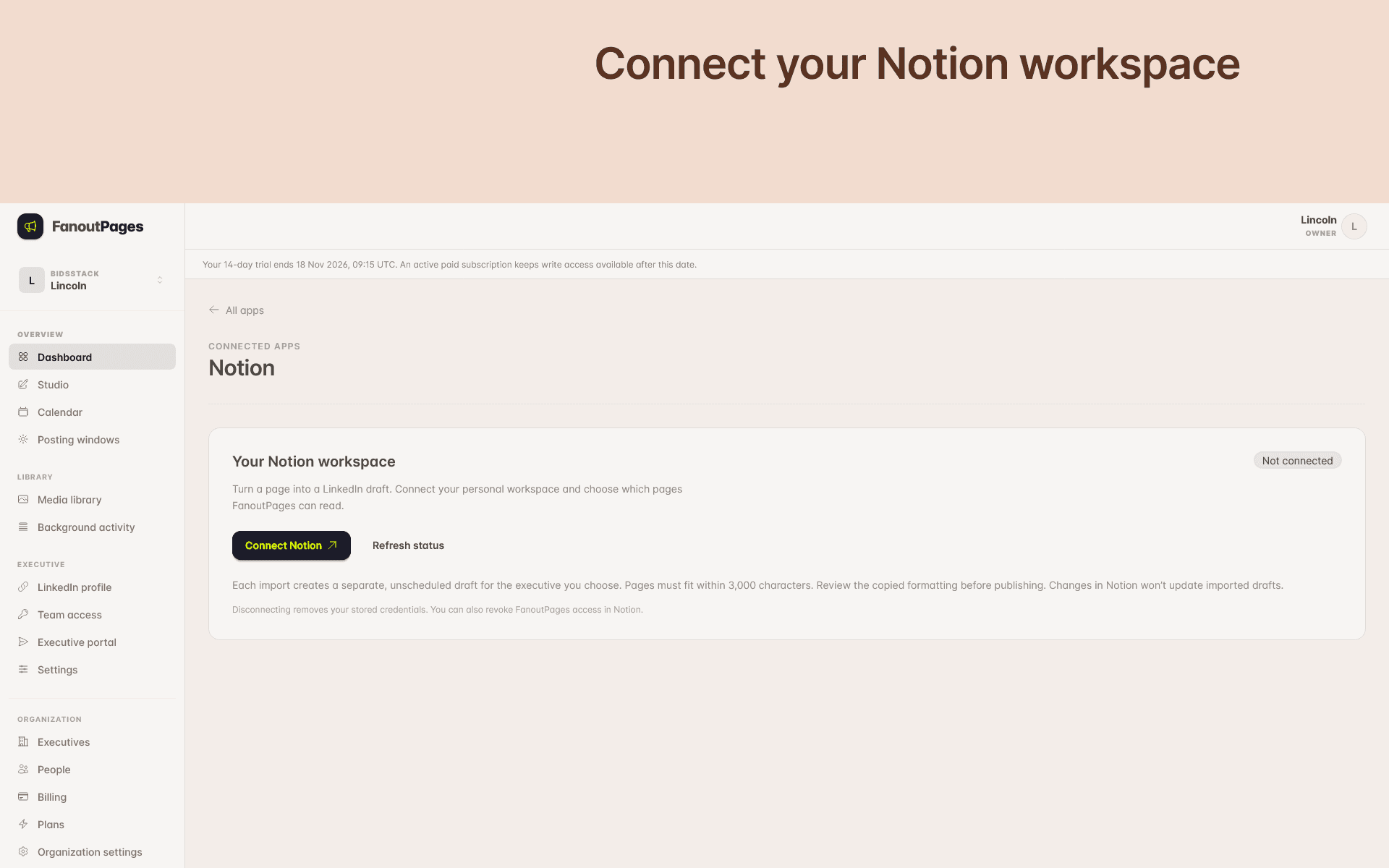
FanoutPages helps teams prepare content for executives. Connect your Notion workspace, find a page you’ve shared with the connection, and import its text into a new LinkedIn draft for your chosen executive.
Use Notion to develop ideas, collect insights, and write initial copy, then bring that content into FanoutPages to edit and prepare for review.
With this connection, you can:
• Search the Notion pages you’ve granted access to.
• Select a page and create a LinkedIn text draft.
• Review and edit the imported content in FanoutPages before publishing.
Each import creates a separate copy. Changes made later in Notion won’t update the draft. Imports support page text up to 3,000 characters and titles up to 160 characters. Media and child pages aren’t imported.
A FanoutPages account and access to an executive workspace are required.
Funciones
- Leer, insertar y actualizar contenidoPuede leer, insertar y actualizar páginas, bases de datos y bloques compartidos con esta conexión.
- Ver usuarios del espacio de trabajoLee información básica del perfil sobre los miembros e invitados del espacio de trabajo, incluidas sus direcciones de correo electrónico.
Cómo se usa
1. Sign in to FanoutPages.
2. Open Settings → Connected apps → Notion.
3. Connect your Notion workspace and grant access to the pages you want to import.
4. Open the Studio for the executive you’re preparing content for and choose Import from Notion.
5. Search for and select a shared Notion page, then create your draft.
6. Open the completed draft to review and edit the content.
Keep page text within 3,000 characters and the title within 160 characters. Media and child pages aren’t imported.
You can manage or disconnect your Notion connection from Settings → Connected apps.
Detalles

- Marketing