 clianta
clianta
Información
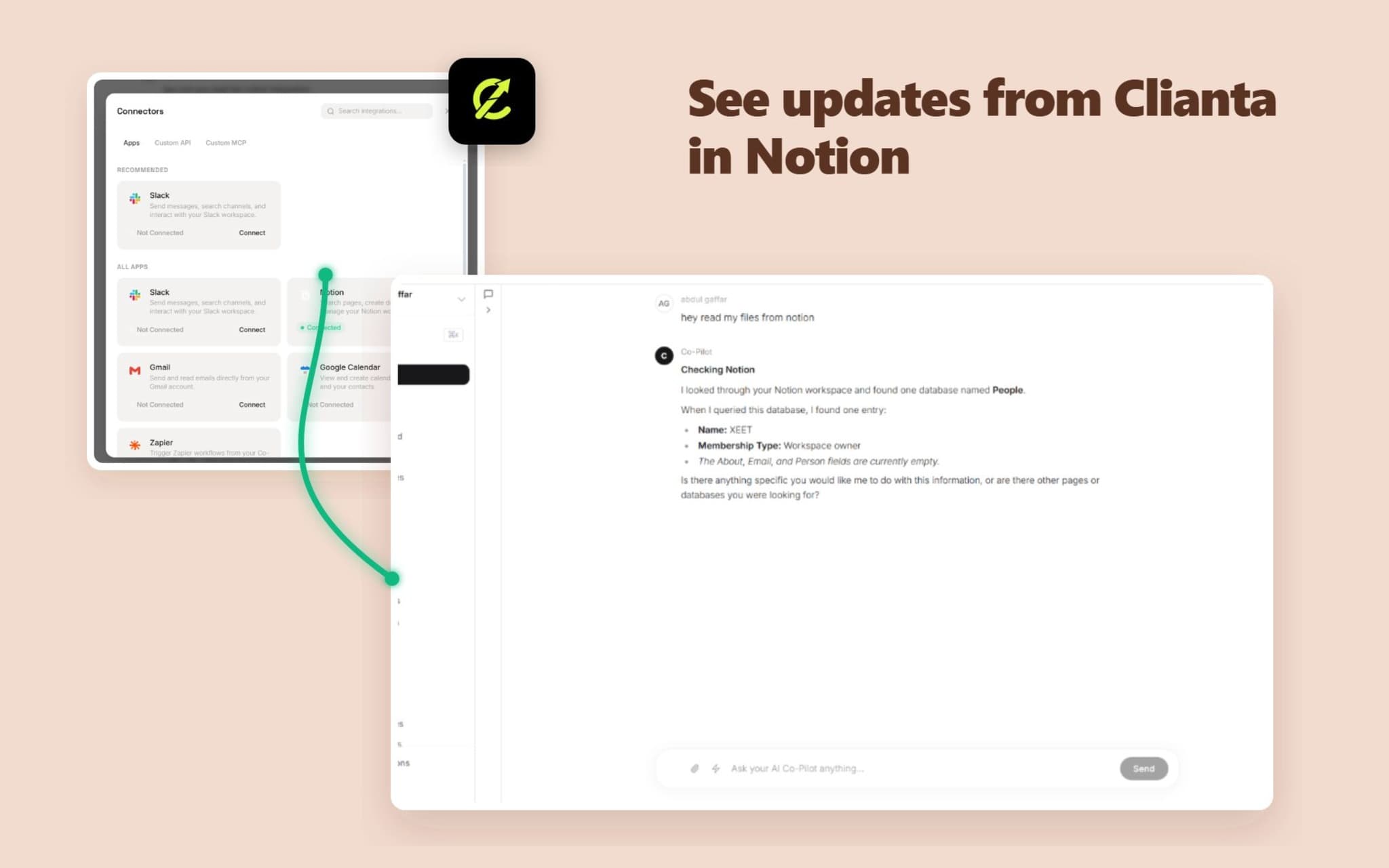
Clianta is an AI-powered workspace and CRM that unifies your sales data, communication, and productivity tools. By connecting Notion to Clianta, you can:
1. Sync Notion Pages to AI Memory: Let your Clianta AI Co-Pilot answer questions, draft emails, and analyze deals using context retrieved directly from your Notion workspace.
2. Automate Notion Actions in Workflows: Build automated workflows that create pages, update properties, or query Notion databases when CRM triggers occur.
3. Export CRM Reports: Export contact lists, sales pipelines, and summaries directly to your Notion tables and databases.
Clianta protects your data with enterprise-grade encryption, ensuring all tokens and retrieved pages are kept isolated and secure.
Funciones
- Leer, insertar y actualizar contenidoPuede leer, insertar y actualizar páginas, bases de datos y bloques compartidos con esta conexión.
- Leer y añadir comentariosPuede leer y añadir comentarios en las páginas y bloques a los que tiene acceso.
- Ver usuarios del espacio de trabajoLee información básica del perfil sobre los miembros e invitados del espacio de trabajo, incluidas sus direcciones de correo electrónico.
Cómo se usa
To connect Clianta to your Notion workspace:
1. Log in to your Clianta dashboard (e.g., https://clianta.online).
2. To connect the AI Co-Pilot: Open the AI Chat panel, click the 'Connectors' button, select 'Apps', find Notion, and click 'Connect'.
3. To connect Workflows: Open a workflow draft in the Workflow Builder, add a Notion action step, and click 'Connect Notion' in the configuration panel.
4. In the Notion authorization popup, select the workspace and specific pages or databases you want Clianta to access, then click 'Allow access'.
5. Your integration is ready! You can now start querying databases or building automated page creation steps.
Detalles

- Automatizaciones
- Ventas