 Chartomodo

Chartomodo
Información
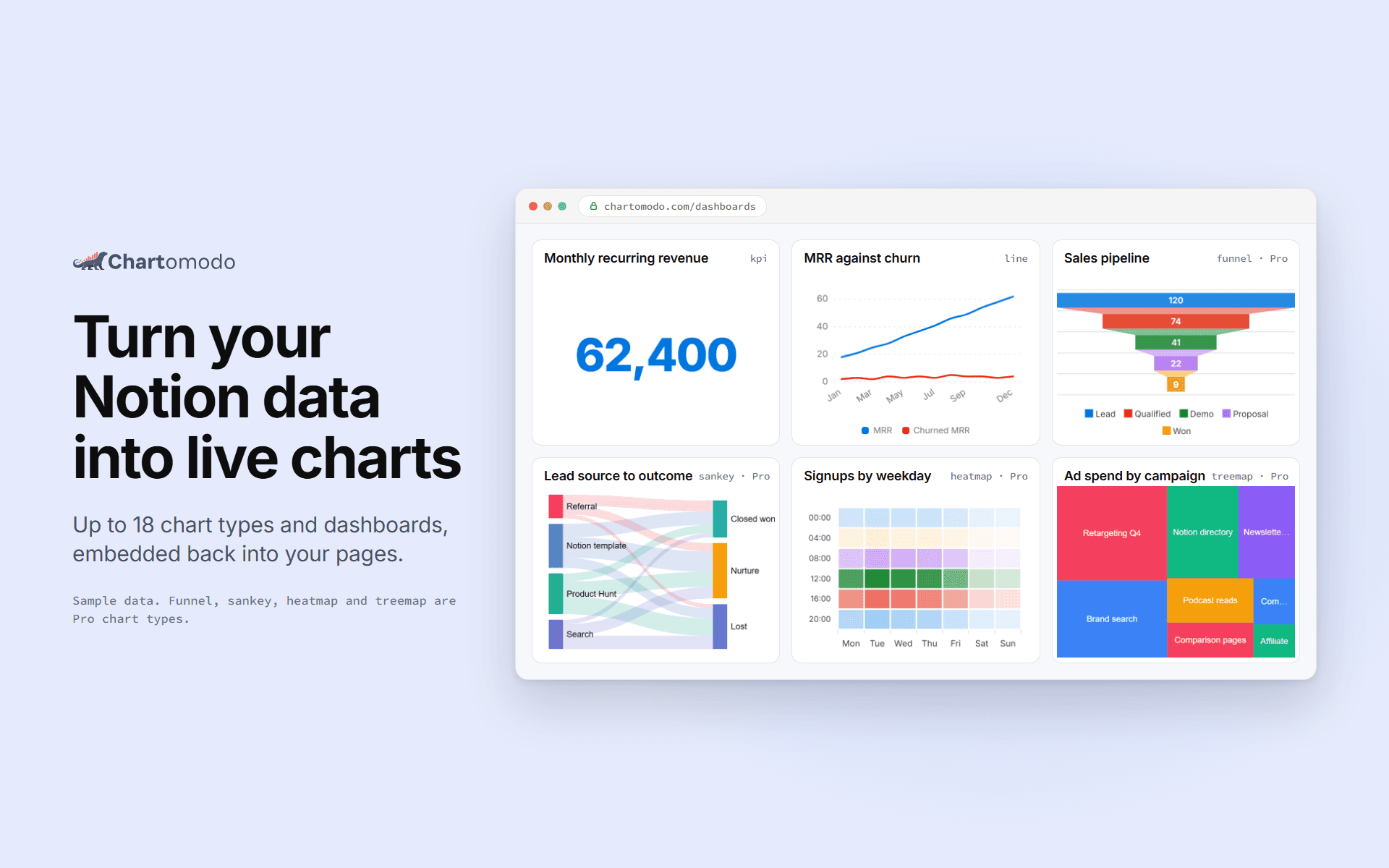
Chartomodo turns your data into charts and dashboards that you embed back into any Notion page with /embed. Charts refresh on their own: every 5 minutes on Free, every minute on Starter and Pro, every 30 seconds on Business.
What Chartomodo can chart
-
18 chart types,
bar, line, area, pie, donut, KPI, radar, scatter, heatmap, funnel, gauge, sankey, treemap, calendar, stream, bump, sunburst and waterfall. Free includes 5, Starter 11, Pro and Business all 18.
-
Rollup, formula and relation properties,
as an axis or a group. Notion's own charts cannot put a rollup on an axis; Chartomodo can.
-
Split series,
cumulative totals, percent of total, relative date filters, and number formats including currency.
-
Short plain-English summary,
sentences under bar, line, area, pie and donut charts, worked out from the numbers.
Where Chartomodo gets the data
-
Notion databases :
Connect one or more workspaces and share only the databases you want Chartomodo to read.
-
CSV files :
up to 5 MB and 50,000 rows.
-
Connectors :
(Pro and up): PostgreSQL, MySQL (beta), Google Analytics 4, Google Search Console, Stripe (beta) and Google Sheets by link (beta). Pro includes 3 connectors, Business 10. Each one only reads.
-
HTTP API and MCP server :
Push rows from n8n, Make, Zapier or your own script, or let an agent build charts for you. Reading starts on Starter, writing on Pro. A Chartomodo node for n8n is published on npm.
Dashboards and teams
Group charts into one dashboard and embed the whole dashboard with a single link, from the Starter plan. The Business plan includes 3 editors.
Your data
Chartomodo only reads the Notion databases you share with it and makes no write calls to Notion. Details: chartomodo.com/security
Pricing
Free plan, no card required, no free trial (Always Free) : 5 charts. Starter $5, Pro $12 and Business $20 per month; yearly billing gives 2 months free. In Indonesia, paid plans can also be paid yearly in Rupiah. Full table: chartomodo.com/pricing
Chartomodo is an independent Notion integration. It is not made or endorsed by Notion. Questions: [email protected], replies within 2 business days. Start free at chartomodo.com.
Funciones
- Leer contenidoPuede leer páginas, bases de datos y bloques compartidos con esta conexión.
- Ver usuarios del espacio de trabajoLee información básica del perfil sobre los miembros e invitados del espacio de trabajo, incluidas sus direcciones de correo electrónico.
Cómo se usa
-
Sign up at
chartomodo.com
with Notion, Google or email. -
Click
Connect Notionand share the pages or databases you want to chart. A CSV file, a SQL database, Google or Stripe work too.
-
Pick a database, a chart type and the fields to plot. Rollups and formulas work as an axis.
-
Copy the embed link from the builder.
-
Type
/embed
in any Notion page and paste the link. The chart refreshes on its own.
Detalles
- Estadísticas
- Productividad