 Apodex
Apodex
Información
Apodex is a self-evolving heavy-duty solver. The hardest problems have no
existing answer — Apodex does the deep research to find one, and checks every
step so you can trust the result.
Connecting Notion lets Apodex use your own knowledge base as context. During a
conversation, Apodex can search across the pages you have shared with this
connection and read their contents, so its answers and research are grounded in
your team's actual documents instead of the public web alone.
What this connection can do:
• Search your shared Notion pages by keyword
• Read the contents of a shared page
What it will never do:
• Create, edit, move, or delete anything in your workspace
• Access pages you have not explicitly shared during authorization
This connection is strictly read-only. It requests the "Read content"
capability only — no insert and no update permission is requested. You choose
exactly which pages to share when you authorize, and you can change that
selection or disconnect at any time from Notion's Connections settings, or from
the Capabilities page in Apodex.
Funciones
- Leer contenidoPuede leer páginas, bases de datos y bloques compartidos con esta conexión.
- Leer comentariosPuede leer comentarios en las páginas y bloques a los que tiene acceso.
- Ver usuarios del espacio de trabajoLee información básica del perfil sobre los miembros e invitados del espacio de trabajo.
Cómo se usa
Getting started
1. Sign in to Apodex at https://www.apodex.ai and open Connectors from
the sidebar.
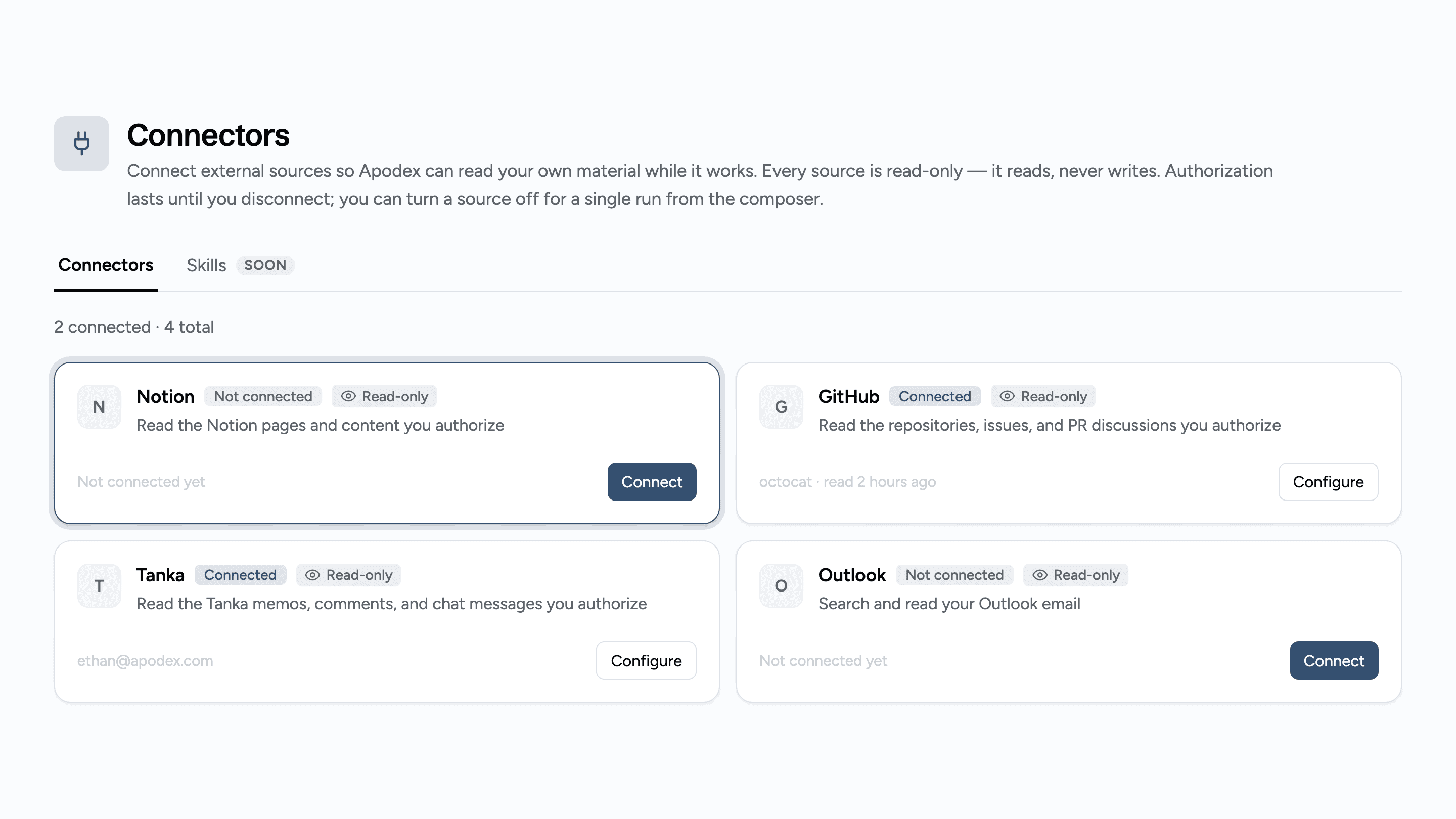
2. Find the Notion card and click Connect. Apodex shows you exactly what
it is about to request — read access only — before sending you anywhere.
3. Click Continue. You are taken to Notion's authorization page.
4. Choose which pages and databases to share. This is the important step:
Apodex can only ever see what you select here. Nothing else in your
workspace is visible to it.
5. Approve. You land back in Apodex and the Notion card now reads
"Connected" with your workspace name.
Using it
Just ask. When a question is better answered from your own material,
Apodex searches your shared Notion pages and reads the relevant ones,
then cites them inline so you can see where each claim came from. Notion
citations are visible only to you and are hidden when you share the
conversation.
To exclude Notion from a single run, turn it off from the source picker
in the composer. To revoke access entirely, open Configure on the Notion
card and choose Disconnect — or remove Apodex from Connections in your
Notion settings.
If Apodex cannot find a page
It was not shared during authorization. Open that page in Notion, click
the ••• menu, choose Connections, and add Apodex. Newly shared pages are
available immediately — no need to reconnect.
Detalles

- Estadísticas