What’s new

Keep up with the latest releases, improvements, and fixes.

Follow @NotionHQ

Underline

New features

  • Underline formatting 📏
    The formatting menu has a new addition: underline! Use the keyboard shortcut Ctrl/cmd + U to underline any text in Notion, and combine underline with any other text styling option.

  • Better multi-column support for inline databases 🏛
    Before, inline databases in multi-column layouts automatically indented and didn't align correctly with other content. Now, you can tuck databases inside toggles or columns, or create beautiful dashboards with different views of the same database, as seen below:

  • Restyled @-mentions and hyperlinks 🔗
    @-mentions are an easy way to add links to any other page in your workspace — especially useful for wikis! Now page mentions and external hyperlinks are a bit more polished and eye-catching.

Bug Fixes & improvements

  • Navigating databases is much faster, thanks to improved caching

  • The 5,000-block limit on duplicating blocks, pages, and public templates has been removed - no more error messages!

  • Improved keyboard and slash command support for inline math

  • Fixed a bug that caused \tags to only work for display equations in inline math

  • Fixed a bug where hitting the right arrow key closed the inline math dialogue box and lost changes

  • Fixed a bug that caused the action bar to jump on mobile when opening and closing the keyboard

  • Fixed a bug that prevented admins from changing the sharing settings on pages that exceed the guest limit on the free Personal Plan

  • Fixed a bug that prevented comments from saving for some users with guest access

  • Fixed a bug that prevented @-mentions from appearing in board and gallery view

  • Fixed a bug that caused PDF files to become corrupted during export

Inline math 🧮

New features

  • Insert math equations inline ➕➖✖️➗
    Display beautifully formatted math equations inline next to your text. Just surround your KaTeX formula with $$ on either side to quickly turn it into an equation. (e.g. $$e=mc^2$$ becomes $e=mc^2$)
    This has been one of our top feature requests for a while now! We hope this makes Notion an even better place for notes, homework, technical documentation, or any project that needs a fraction or equation. Learn how to use inline math and see FAQs →

  • Always receive email notifications 📩
    Notion has always had the option to enable email notifications for when you're mentioned in your workspace. But if the app was open on your computer or mobile device at the time, you'd receive a push notification instead **of an email.
    Now, you can turn on Always send email notifications in Settings & MembersMy Notifications to make sure nothing slips through the cracks, and ensure you have a digital paper trail of all important updates. Learn how notifications work →

Bug Fixes & improvements

  • Newly created database views now use the view type as the default name (e.g. the default name for a new board view is now Board View instead of Untitled View)

  • Improved formatting for Number property values formatted as currency, such as Yuan and Ruble

  • The mobile Web Clipper now supports dark mode on iOS

  • Fixed a bug that caused degraded performance on large pages

  • Fixed a bug that caused Notion to crash when changing a page icon

  • Fixed a bug that caused databases to scroll to the middle of the table when adding a new row

  • Fixed a bug that caused the mobile apps to reset scroll position to the top of the menu when trying to add a page icon

  • Fixed a bug that prevented users from adding comments on Android

June 4, 2020

Bug Fixes & improvements

  • You can now open the inline emoji picker with the slash command /emoji

  • The No Date dropdown in Calendar View now respects any filters applied to the database view

  • Clicking the + New button now opens preview view if there are conflicting filters applied in the database view (e.g. if you're trying to add a new entry in the Completed column of a Board View where a filter Status = In Progress is enabled)

  • Fixed a bug that prevented new database entries from appearing when clicking the + New button and a search term is applied to the database view

  • Fixed a bug that prevented new database entries from inheriting filtered values correctly when a filter with a rollup or multiple relation values was applied to the database view

  • Fixed a bug that caused database pages to appear in multiple columns when dragging and dropping them

  • Fixed a bug that caused bullets to be misshapen when the app was zoomed in or zoomed out

Database filters & emojis 🤓

New features

We're serving new features from the kitchen as they're ready. Today: a high protein entrée and a couple desserts.

  • Nested database filters 🔬
    Create more specific database views with powerful filters. Combine AND and OR logic and nest filter groups up to three layers deep. Here are a few filters you can create now that weren't possible before:

  • Insert emojis inline :confetti
    Add an emoji to your notes with a few keystrokes! Just type :, followed by the name of the emoji you're thinking of. Try these shortcuts in your team docs:

    • ⚠️ Use :warning to call attention to an important note

    • 🔥 Use :fire to denote an urgent task

    • ⭐ Use a :star (or five!) to give something a rating
      Learn all the shortcuts here →

  • Better emoji support on Windows and Android 🙈
    We used to rely on your system font to generate page icons in Notion. But some devices' emoji fonts are missing or incomplete, resulting in the blank boxes below — not a good look. Now, we host all the icons ourselves, so no more compatibility issues!
    Learn how to use page icons in two minutes →

Bug Fixes & improvements

  • New database entries now inherit all the multi-select tags when an AND filter is applied to the database view. Before, only one multi-select tag was inherited, so new entries were immediately filtered out.

  • Added an additional Add a page button in the sidebar for workspaces without sidebar sections

  • Fixed a bug that prevented users from copying the correct URL when clicking Copy link on the subpage of a public page

  • Fixed a bug that prevented some users from inviting guests to a workspace

  • Fixed a bug that prevented some users from moving pages between workspaces

  • Fixed a bug that caused the Android app to freeze after watching a full-screen video

  • Fixed a bug that prevented users from adding a Link to Page block or @mentioning a page when editing a public page

  • Fixed a bug that prevented Greek characters from rendering correctly in the Mac App

  • Fixed a bug that hid the workspace section of the sidebar for some users

Notion 2.8, now free for personal use 🤘

New features

  • Add unlimited content for free 💸
    Previously, personal users had to pay $5/month to add as much content to Notion as they wanted. But hitting a storage limit is the last thing you should have to worry about right now. So we got rid of it.
    Now you can use Notion on your own for free, indefinitely.
    See FAQs for more on this →

    See how Notion can help you think, write, and get organized at notion.com/personal →

  • Introducing the Personal Pro Plan 🧰
    Designed for power users who love working with others, or who need more upload power, this new plan includes all the features of the free Personal Plan, plus:

    • No limit on individual file uploads (5MB is the limit for free)

    • Unlimited guest collaborators on any page (the limit is 5 on the free plan)

    • Version history up to 30 days

    • API access (coming soon)
      This plan costs $5 per month paid monthly, or $4 per month paid annually. If you were paying for our Personal Plan before now, you've been automatically upgraded to Pro!

  • Enable edits on public pages 🔗
    Before, only guests or members in your workspace could edit a page with you. Now you can give editing access to anyone by sending them the link. People will need a Notion account to make edits, but we simplified the sign-up process for anyone coming in via your link.
    Use this for crowdsourced projects, classroom collaboration, or simply sharing a grocery list with a loved one. Here's a step-by-step guide →

  • Easy invite links for teams 🎟
    For Team and Enterprise users, you can invite more teammates to join your workspace with a secret link (before, you had to enter each email address manually). Just go to the Members section of Settings & Members in your sidebar: Learn more about adding teammates with this guide →

  • Redesigned Share menu 🌏
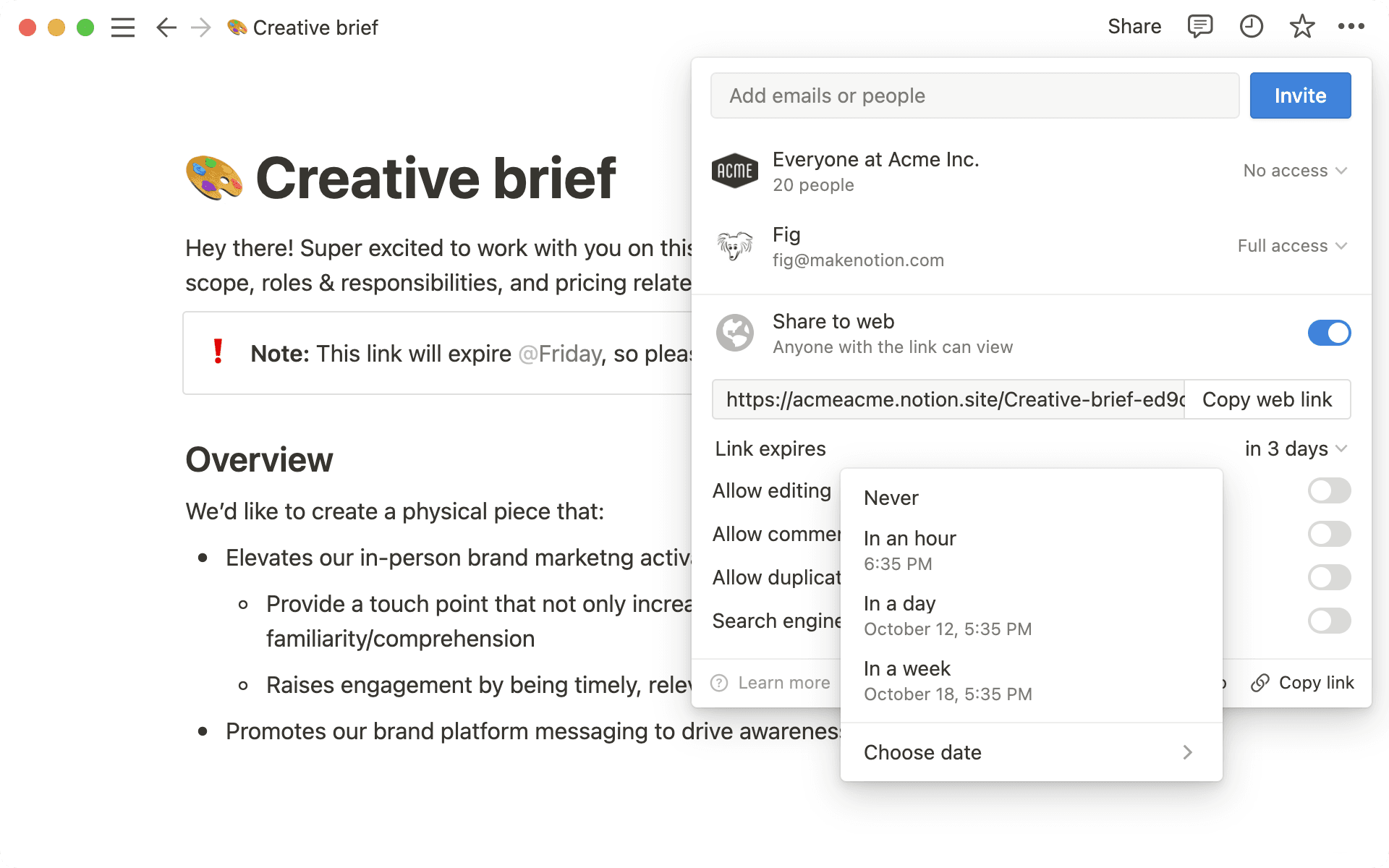
    The Share menu has a new look! We refreshed the design and the wording to make it a bit easier to share your pages however you like: with specific people, groups of people, your whole team, or with everyone on the web. Learn how sharing works here →

  • New templates for writing, planning, and organizing 🧭
    Templates are a great way to see what's possible in Notion, or to quickly add some structure to your page. Just click Templates in your left-hand sidebar, add to your workspace, and customize to your needs.
    In honor of our new free Personal Plan, we created a bunch of new templates for life management. Find them in the Templates window under Personal. Learn how to get the most out of templates with this 2-minute video →

Bug Fixes & improvements

  • The mobile apps now start 2x faster! More on that here →

  • Updated the Getting Started default pages to include more useful information after account creation

  • The mobile apps for iPad and Android tablets now include and buttons at the top left when in landscape orientation, for easier navigation

  • Fixed an issue that prevented users from navigating backwards through account creation steps

  • Fixed an issue that prevented some users from adding guests to a workspace

  • Fixed a bug that prevented Greek characters from rendering on Windows

  • Fixed a bug that prevented file blocks from migrating correctly during Move to → database

Faster mobile start up time

New features

  • 2x faster start up time on mobile 💪
    Faster mobile apps have been a top request for a long time. Your voices are heard! We've been tinkering behind the scenes, re-writing huge chunks of the apps in native, and quietly pushing updates over the past few weeks.
    We know there's so much more to do here to make Notion even faster — this is just the beginning! Here are the results we have so far, showing the % of iOS & Android users for whom the first part of the app (before content) starts in...
    😃 Less than 1.5 seconds

    iOS start up time (before content loads), last 60 days

    Android start up time (before content loads), last 60 days
    And here's what that looks like in practice: now you can add a note in the time Notion used to take to boot up!

  • Simpler design for new pages on mobile 📝
    We streamlined what it takes to create a new page on mobile, so it's even easier to start a quick note. Database views and templates are now tucked inside the Choose a template button above your keyboard.

  • Full width pages on iPad & Android tablets 🎚
    Now that iPad and Android tablets support multi-column layouts, we added support for full-width pages too. This lets you take full advantage of the larger screen size!

  • iPadOS Slideover and Multitasking support 🎛

    Use Notion alongside other apps on your iPad by dragging up from your dock. We also made the app more responsive to different screen widths (it works like a mini iPhone app for narrow widths).

  • Self-referential filters in database templates ⚙️
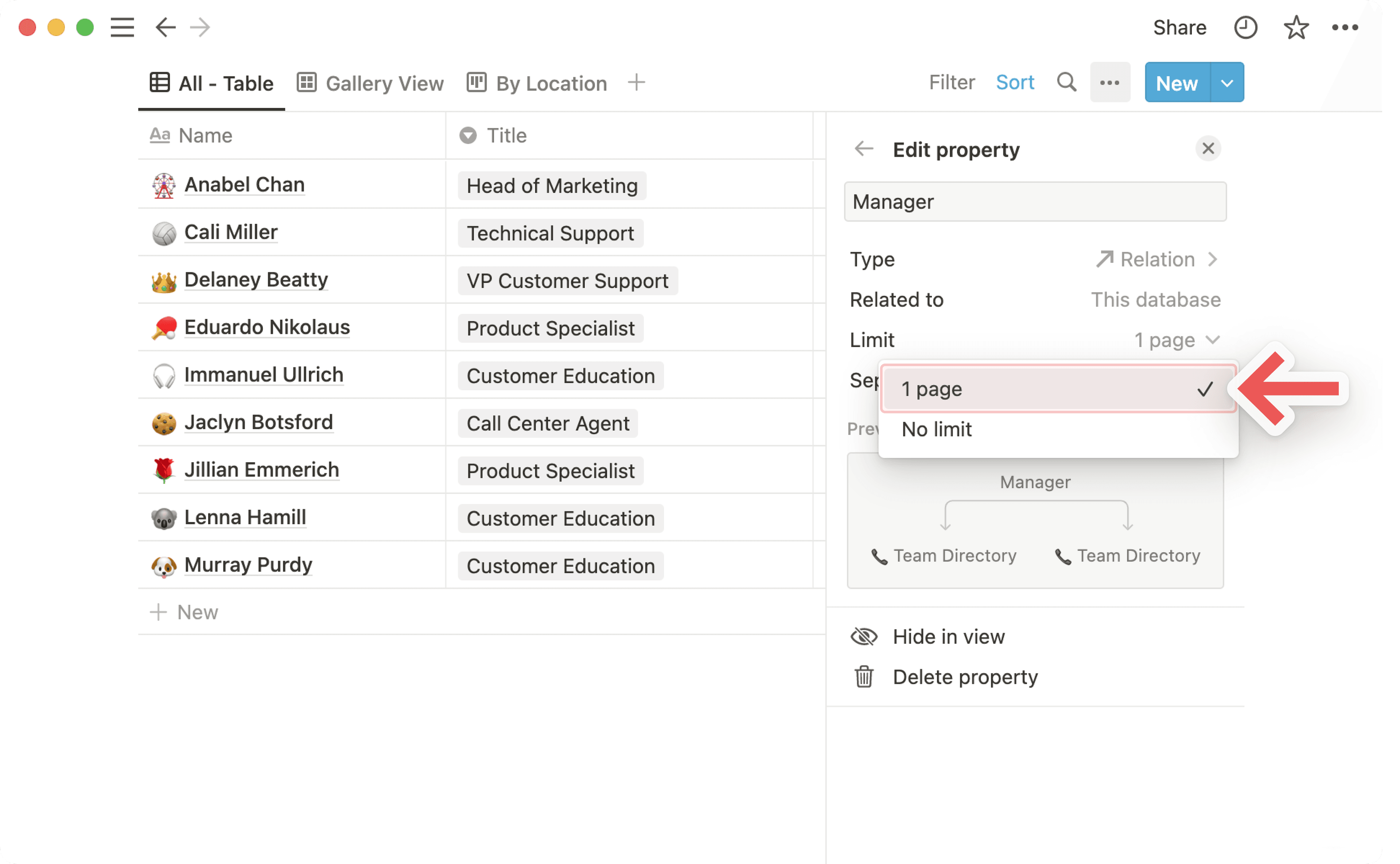
    If you use databases inside databases to manage subtasks, you used to have to manually rebuild filters for each new entry (i.e. "only show me tasks relevant to this database entry"). Now, you can filter linked databases by within a database template for a more automated workflow.

    Try it for yourself with this step-by-step guide →

Bug Fixes & improvements

  • Mobile loading screen now supports dark mode — easier on the eyes 👀

  • Dark mode is now synced with your system dark mode settings on Android 10+

  • Code blocks are now fenced in Markdown exports instead of indented

  • Audio, video, and image blocks now display helpful error messages if something went wrong

  • Improved error screens on mobile

  • Changed the Page Lock banner on iPad & Android tablets to take up less space

  • Fixed a bug that caused fonts to render incorrectly in Chrome browsers

  • Fixed a bug that caused pages to appear too narrow on certain tablets

  • Fixed a bug that put black text on a black background during login in dark mode

  • Fixed a bug that caused the app to revert to mobile view on tablets when the keyboard was open in landscape orientation

  • Fixed a bug that caused the Windows App to show a blank screen for some users

Better iPad app

Features & Improvements

  • Lots of new features on iPad and Android tablets 📜
    We've started optimizing our mobile apps to deliver a more desktop-like experience on iPad and Android tablets. Our work here isn't done — stay tuned for more. But here's what we have so far:
    Keep your sidebar open when you're working in landscape orientation. It'll close automatically when you rotate your tablet to portrait orientation.

    View multiple columns. While you can't create columns on tablets quite yet, you can now see them on your tablet after creating them on desktop.

    Better keyboard support. Use slash commands and keyboard shortcuts, move your cursor with the arrow keys, and select text using shift + arrow keys. Try Ctrl/cmd + \ to open and close the sidebar, or Ctrl/cmd + shift + L for dark mode.

    Menus such as the Share menu, ••• menu, Quick Find, and Notifications now open in a pop-up window instead of full-screen.

  • New emojis — now with skin tone support 🙌🏻🙌🏼🙌🏽🙌🏾🙌🏿
    Whether you're using Notion at work or at home, emoji page icons lighten the mood 😌And they make your pages easier to find later! We updated our page icons to include even more faces, people, flags, foods, and more.

  • Better typography 💮
    We optimized size and spacing across all font styles for better readability, and the Mono style has a new (we think handsomer) look. We also added better support for Chinese, Japanese, Korean, and Cyrillic characters in the Serif and Mono styles.

Bug Fixes & refinements

  • You can now include date mentions such as April 7, 2020 in comments and discussions.

  • When you're in the comment editor or the discussion section of a page, you can now use the ↑ arrow on your keyboard to edit your last comment.

  • Browser tab titles now include the name of your database view.

  • The @mention menu no longer disappears while you're typing (you can always hit esc to dismiss the menu).

  • Various date picker UX improvements — should be a little less finicky now!

  • Number formatting (such as percent, dollar, etc.) is now retained in PDF exports.

  • Link to Page blocks are now retained in PDF exports.

  • Fixed a bug that caused table columns to appear out of order in PDF exports.

  • Fixed a bug that caused bookmark blocks to be lost if the request to the bookmarked website timed out.

  • Fixed a bug that caused the Web Clipper to show duplicate page names.

  • Fixed a bug that caused the Web Clipper to miss code blocks while parsing webpages.

  • Fixed a bug that caused number property values with more than five zeroes after the decimal point to appear blank.

  • Fixed a bug that prevented child toggles from inheriting the parent's color.

  • Fixed a bug that prevented some users from receiving email or push notifications.

Working from home 🏡

Hello from San Francisco! If you're like us, you're probably just getting used to working at home. Notion went full remote last week to help contain COVID19 here in San Francisco, and we figured we weren't alone in trying to stay connected and on track. So, a couple of our engineers spent the last week building features to make collaborating at a distance easier and better.

Here's what we have so far, but there's more to come.

Features & Improvements

  • Better notifications — now with an inbox 📬
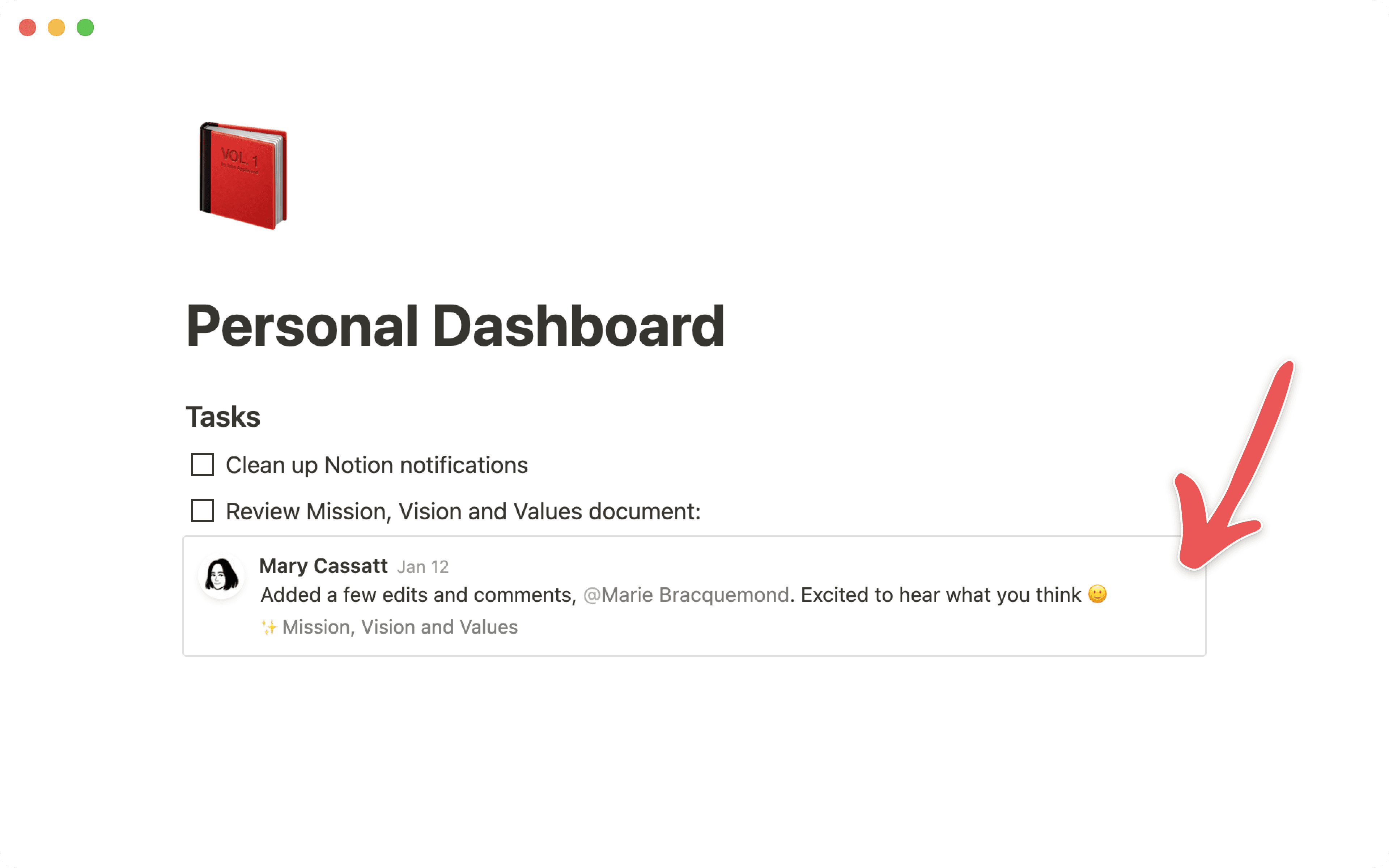
    We reimagined the All Updates menu for desktop and mobile to ensure nothing slips through the cracks. Here's what changed:

    • Your most relevant notifications will arrive in the Inbox section. Click the X button to archive an update, or Archive All to hit inbox zero.

    • The Following section now includes an Unfollow this page button, so you can curate these notifications to be more relevant.

    • The new Archived section is your home for notifications that've already been acted on. This lets you minimize your Inbox so that it only includes tasks that still need your attention. Use the Unarchive button to put something back on your radar.

  • Better page presence avatars 🍪
    Be present with your team, even when you're apart.
    When other people are viewing the same page as you, click on their avatar at the top to jump to wherever they're reading or editing.

  • Miro block 🖍
    Embed a Miro board into any Notion page.
    Miro is a collaborative, online whiteboard for distributed & remote teams. Use it for:

  • Abstract block 📲
    Embed an Abstract project into any Notion page.
    Abstract offers version control for design teams using Sketch or Adobe XD (beta) — no more wondering "where's the most recent design version?" Use it for:

  • Customer Stories 💬
    See how companies like Figma, Loom, and many others use Notion, with actionable examples you can put to work with your team (Loom in particular has a good remote team use case) → notion.com/customers.
    Notion - Customer Stories

Bug Fixes

  • The red notification badge now counts to 99 instead of 9.

  • Public Notion pages containing suspicious content are now automatically blacklisted and display a warning.

  • Fixed a bug that caused the Android app to crash after a long tap to drag.

  • Fixed a bug that prevented keyboard shortcuts using Ctrl/cmd + Shift + [number] from working on Chrome.

  • Fixed a bug that caused workspace and member information to display incorrectly on iOS 11.0.

  • Fixed a bug that caused Twitter embeds to break page width on mobile.

  • Fixed a bug that caused icons to be clipped in some menus.

  • Fixed a bug that prevented date selection for @date mentions on mobile.

More resources for going remote

February 19, 2020

Features & Improvements

  • New bottom bar on Android & iOS 🔔

    Our mobile apps are now easier to navigate, and optimized to capture quick thoughts. Search your workspace, check your notifications, or create a new page with just one tap.

  • Better 'Add To' & 'Move To' menus on mobile 📥
    Choose exactly which page or database to add your new page to, or add it to your private pages. The same menu appears when you use the Move To function for pages or blocks.

Bug Fixes

  • Fixed a bug that prevented Notion working in versions of Edge 18 and before.

  • Made Whimsical embeds taller by default.

February 13, 2020

Features & Improvements

  • Snappier performance 🐊

    More coming soon, still a work in progress!

  • Better toggles 📐
    See when toggles are empty without opening them.

    • This toggle is empty

    • This toggle is not empty
      Hello world!

  • Whimsical block 🧠
    Embed a Whimsical Board into any Notion page.
    Whimsical is a visual workspace with the tools to express your thoughts as:

  • Brand new sign-up experience 📋

    A much better first-time onboarding flow for folks signing up for a new account.
    Workspace settings and templates are custom tailored depending on who you're using Notion with, and what you're using Notion for.

Bug Fixes

  • Fixed a bug that prevented database filtering on some rollup properties.

  • Fixed a bug that prevented public Notion pages from scrolling on iPadOS Safari.

  • Fixed a bug that made it impossible to begin H1, H2 and H3 headers with a number.

  • Fixed a bug that made Daylight Saving Time cause missing or duplicate dates in some countries.

  • Fixed a bug that changed Board card properties when they were dragged while an OR filter was enabled.

  • Fixed a bug impacting Arabic dates in Firefox.

  • Fixed a bug where Calculate buttons didn't work for Formula columns with toNumber().

  • Fixed a bug that let guests search for pages in a workspace with Public Access enabled.

  • Fixed a bug that caused dates with 2020 to read as 0020.

  • Fixed a bug that prevented calendars from showing months after October 2020.

  • Fixed a bug that prevented @mention links from appearing in public link previews.