 Taskory
Taskory
簡介
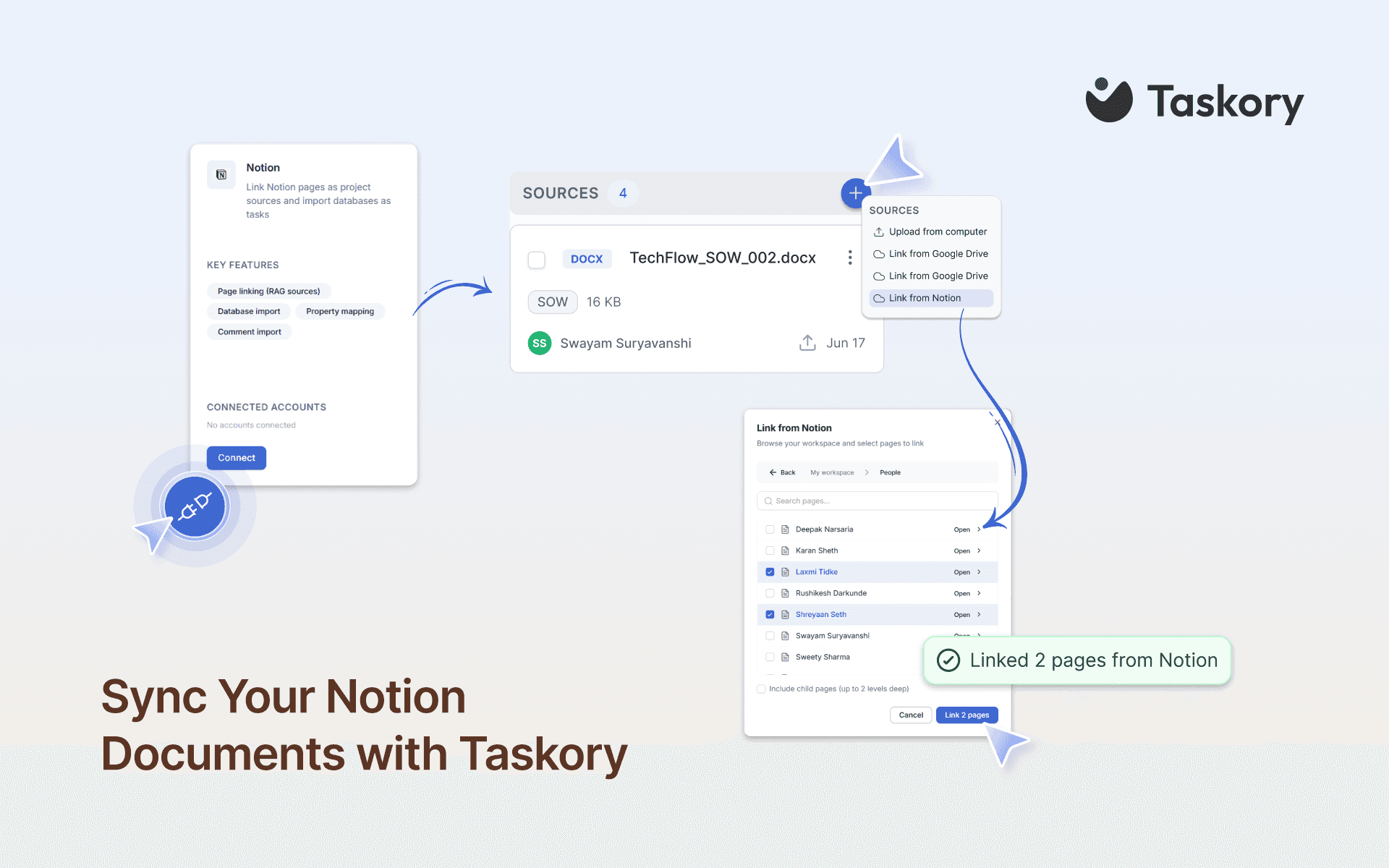
Taskory is an AI-native project management tool for agencies and multi-client teams. Connect your Notion workspace so Taskory can read the pages and databases you authorize and use that knowledge where work is planned and tracked.
What this connection does
- Reads the Notion pages and databases you choose into your Taskory workspace
- Makes Notion content available to Taskory AI alongside Slack, email, Drive, OneDrive, Monday, and your tasks
- Helps turn documented work (briefs, specs, SOPs, client notes) into structured, owned tasks
- Keeps a link back to the source Notion page so context is always one click away
How it works
1. Click Connect and complete the Notion OAuth flow
2. Select which pages and databases Taskory may access
3. Taskory reads your authorized content into your workspace
4. Ask Taskory questions or manage work with Notion content included as source context
Privacy and permissions
- Read-only by design: Taskory does not create, edit, or delete Notion pages or databases
- You control scope: only content you share with the connection is readable
- Disconnect anytime from Taskory Integrations settings; disconnecting stops future access
- Included on every Taskory plan with no per-integration fee
Who it is for
Teams that keep knowledge in Notion and delivery work in a PM tool. Agencies, consultancies, and multi-client teams that want Notion docs available in the same place as tasks, owners, and due dates without migrating out of Notion.
Support
Website: https://taskory.ai
Help: https://taskory.ai/resources-hub/integrations/notion
Contact: [email protected]
功能
- 讀取內容可以讀取此連接共享的頁面、資料庫和區塊。
- 讀取 個留言可以在有權存取的頁面和區塊上讀取留言。
- 查看工作空間使用者讀取工作空間成員與訪客的基本個人檔案詳細資料,包括其電子郵件地址。
使用方式
1. Create or open a Taskory account
Visit https://taskory.ai and sign up, or log in if you already have an account.
2. Open Integrations or open:
https://taskory.ai/dashboard/integrations
3. Connect Notion
Find Notion in the list and click Connect.
You will be redirected to Notion to authorize Taskory.
4. Choose what Taskory can access
On the Notion authorization screen, select the pages and databases you want Taskory to read.
Only the content you share with the connection is available.
Content you do not share stays private.
5. Finish setup in Taskory
After authorization, return to Taskory.
Your authorized Notion pages and databases are available in your workspace.
6. Start using Notion with Taskory
• Ask the Taskory AI about brand guidelines, SOPs, briefs, specs, and other Notion docs.
• Use Notion content alongside Slack, email, Drive, OneDrive, Monday, and your tasks.
• Open the linked Notion source page anytime for full context.
7. Disconnect anytime
Go back to Integrations and disconnect Notion to stop future access.
Taskory is read-only: it does not create, edit, or delete Notion pages or databases.
Need help?
Walkthrough: https://taskory.ai/resources-hub/integrations/notion
Support: [email protected]
