簡介
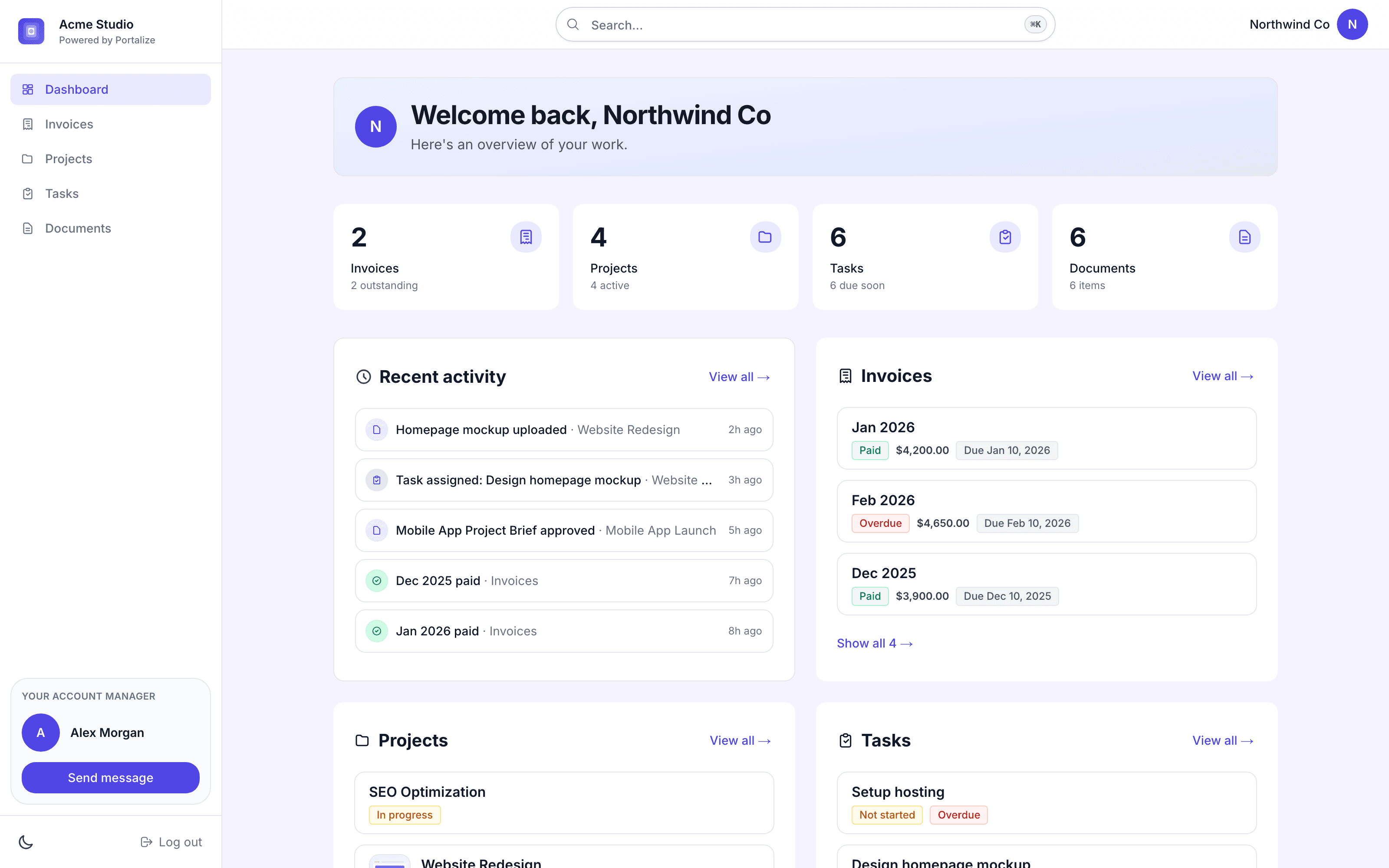
Portalize turns your Notion databases into branded, secure client portals - so agencies and freelancers can share project status, tasks, and deliverables without Notion guests, public links, or exposing other clients’ data.
Connect the databases you already use. Choose which fields are visible and how rows are scoped per client. Clients log in with a magic link and only see their own work. You keep managing everything in Notion; portals stay in sync.
Built for agencies, studios, and consultants who run client work in Notion and need a real permission layer - not another shared page.
Start free at portalize.app.
功能
- 讀取、插入和更新內容可以讀取、插入和更新此連接共享的頁面、資料庫和區塊。
- 查看工作空間使用者讀取工作空間成員與訪客的基本個人檔案詳細資料,包括其電子郵件地址。
使用方式
- Install Portalize and connect your Notion workspace via OAuth.
- Pick the databases you want clients to see (projects, tasks, docs, etc.).
- Create client-safe views: choose visible fields and per-client scoping.
- Invite clients, they sign in with a magic link (no Notion account required).
- Keep working in Notion. Changes sync to each client’s portal automatically.