簡介
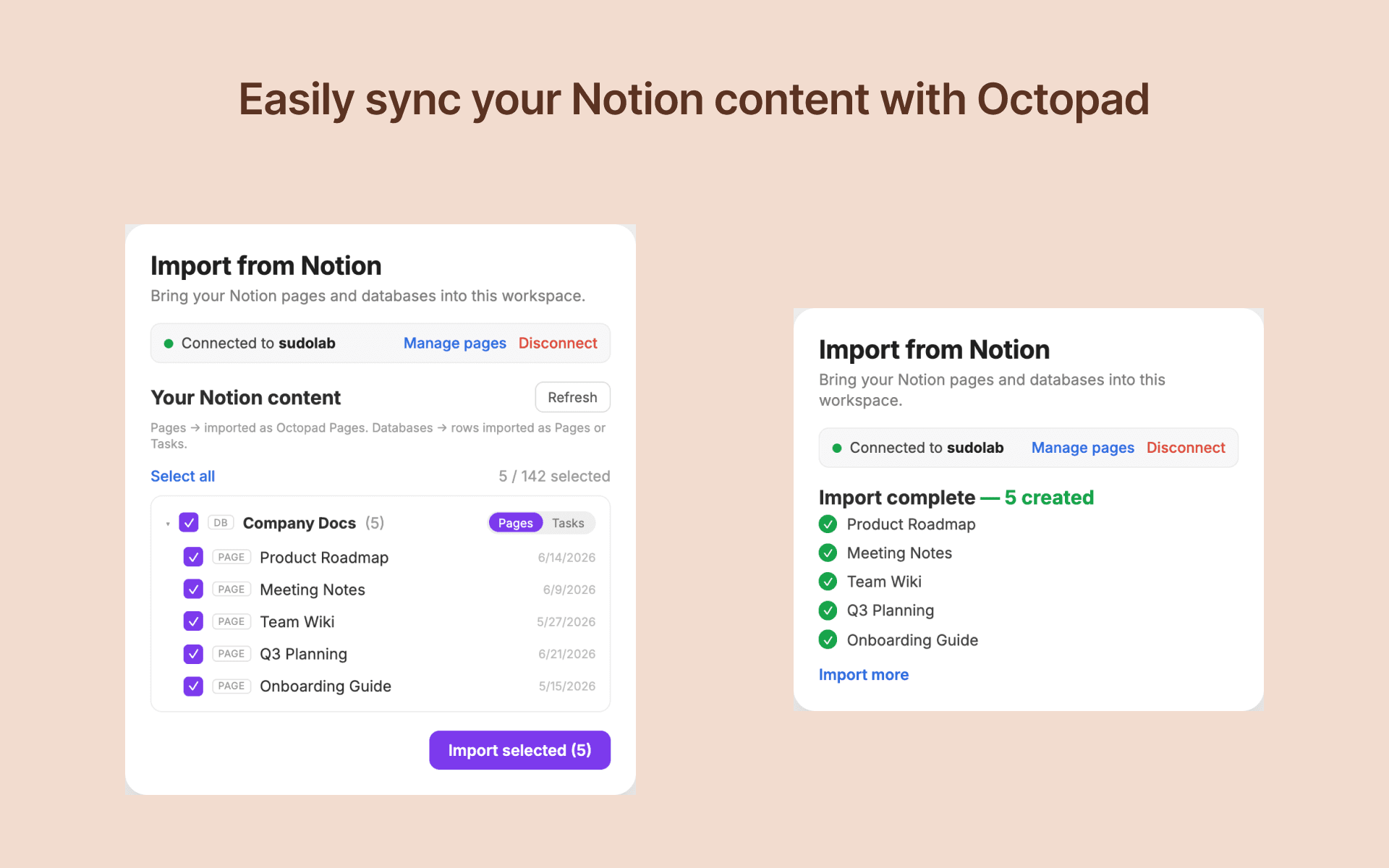
Octopad connects to your Notion workspace to import pages and databases into Octopad's project management platform. Users browse their Notion content in a tree view, select specific pages or databases, and import them as Octopad pages or tasks. The integration reads page content, properties, and comments, converting them to markdown. It does not write to or modify any Notion content.
功能
- 讀取內容可以讀取此連接共享的頁面、資料庫和區塊。
- 讀取 個留言可以在有權存取的頁面和區塊上讀取留言。
使用方式
- Open your Octopad workspace settings and navigate to the "Import from Notion" section.
- Click "Connect to Notion" to authorize Octopad to read your Notion workspace.
- Once connected, browse your Notion pages and databases in the tree view.
- Select the items you want to import (up to 50 per batch).
- For databases, choose whether to import rows as Octopad pages or tasks.
- Click "Import" to bring the selected content into your Octopad workspace.