
簡介
NudgeHost is a file-hosting service for people and AI agents. Upload any file and get a link in seconds. Free to start, no card needed.
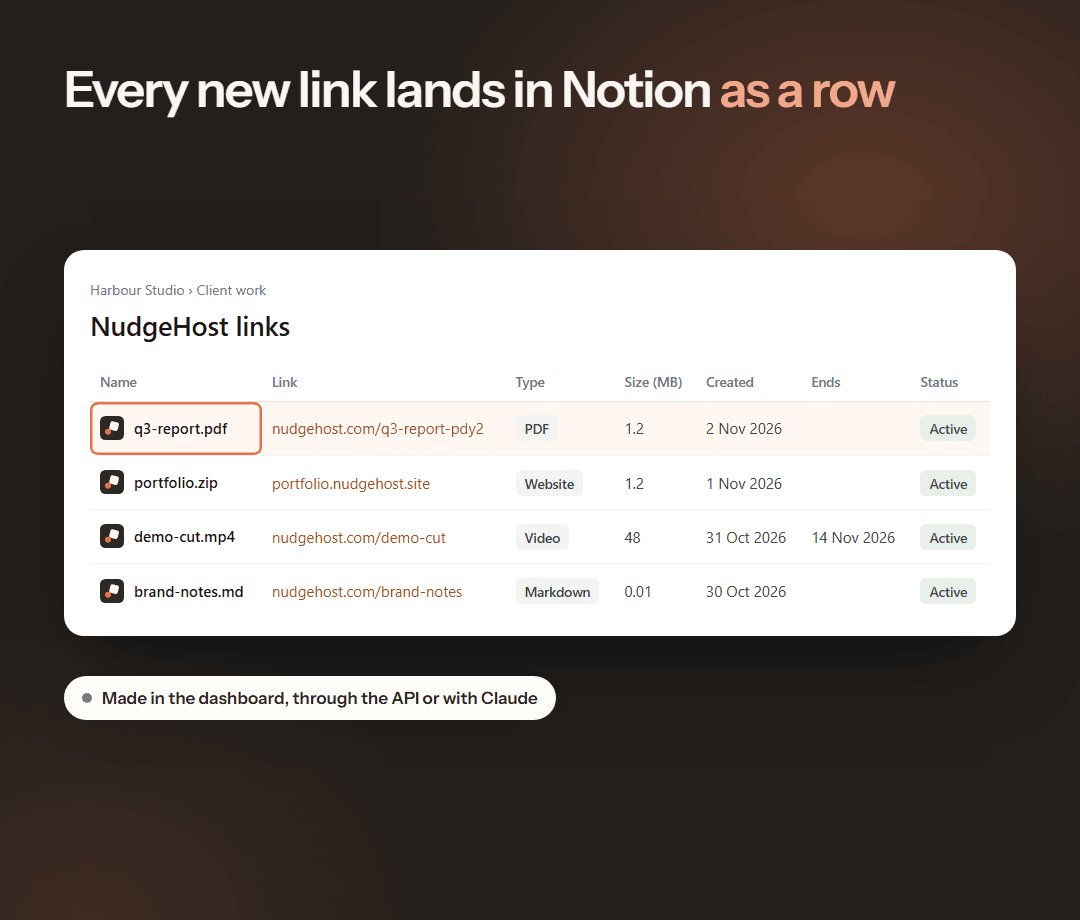
Connect NudgeHost to Notion and each new link you make becomes a row in a database you choose, including links made through the NudgeHost API or with Claude. Each row holds the file's name, its link, type, size, the day it was made, when it ends, and whether it is active, ended or deleted. When you replace a file, delete a link or a link reaches its end date, NudgeHost updates its row. It works on every NudgeHost plan, Free included.
功能
- 讀取、插入和更新內容可以讀取、插入和更新此連接共享的頁面、資料庫和區塊。
使用方式
1. Sign in to NudgeHost and open your dashboard.
2. Under Connected apps, click Connect Notion.
3. On Notion's page, pick the page you want your links database in, or a database you already have.
4. Back on NudgeHost, choose Make a new database or Use a database I shared, then click Start adding links.
5. Upload a file, or make a link through the API or with Claude. It appears as a row within a few seconds.
To stop, turn off Add new links automatically, or click Disconnect. Rows already in Notion stay there.