Mridul

公共 API
Gamma Link Previews
簡介
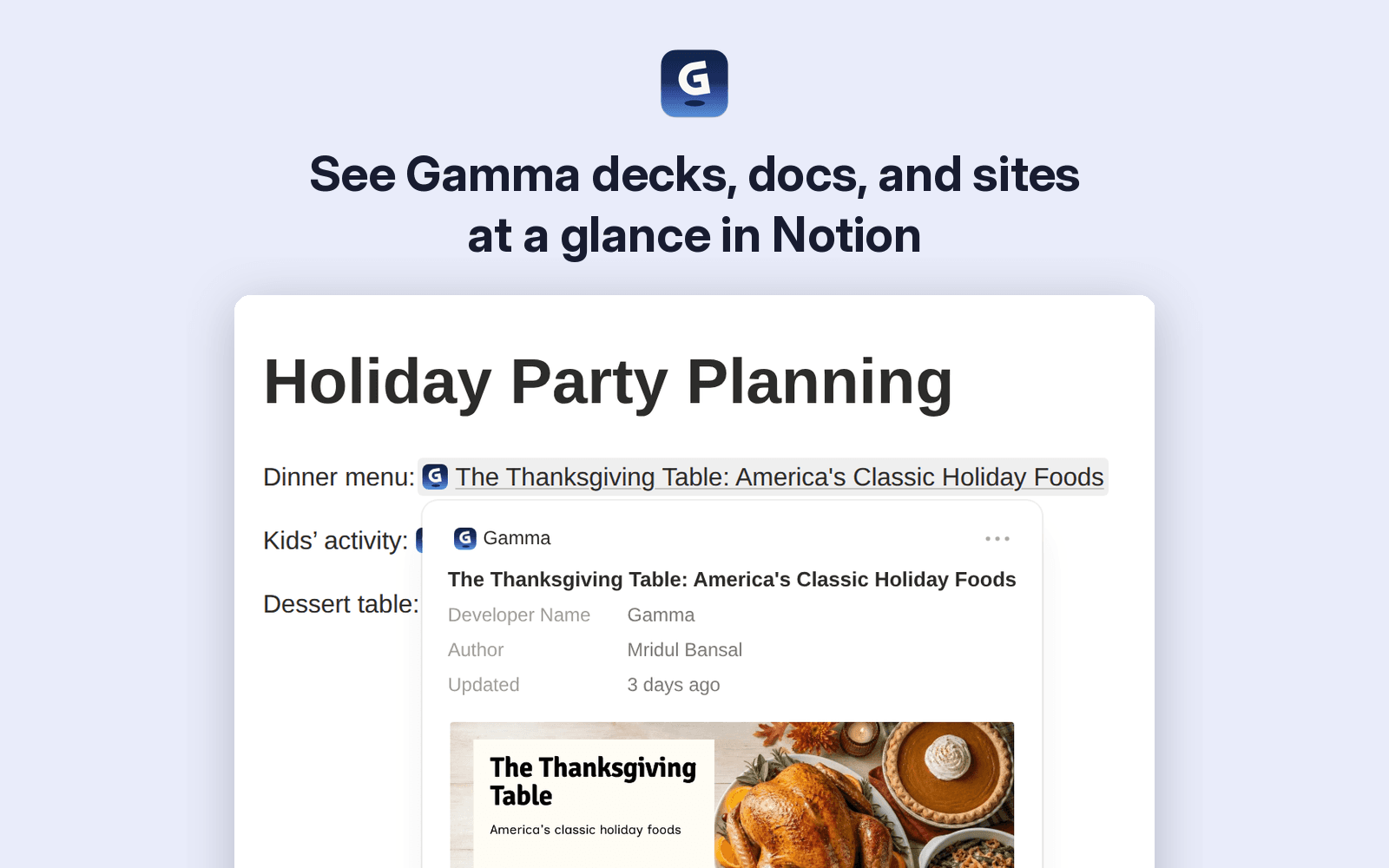
Paste a link to any Gamma presentation, document, or website into Notion and it becomes a rich mention showing the gamma's title, author, and when it was last updated. Hover over the mention to see its thumbnail and details without leaving your page.
Gamma is an AI design partner for creating presentations, documents, and websites. With this connection, your team can reference decks and docs in specs, wikis, and project pages, and anyone reading can tell what each link is at a glance.
Mentions respect your Gamma sharing settings. Notion only shows details for gammas you have access to, and the connection has read-only access to your Gamma account. Details refresh when you revisit the page.
功能
- 讀取、插入和更新內容可以讀取、插入和更新此連接共享的頁面、資料庫和區塊。
- 預覽連結貼到 Notion 時,將此產品的連結展開,顯示更多的即時預覽內容。
- 查看工作空間使用者讀取工作空間成員與訪客的基本個人檔案詳細資料,包括其電子郵件地址。
使用方式
- Copy the link to a gamma from your browser or from Share in Gamma.
- Paste it into any Notion page.
- The first time, Notion asks you to connect your Gamma account. Sign in and approve read-only access.
- Your link becomes a Gamma mention, and any Gamma links you paste after that will too.