簡介
Find Your Great turns the work you already do into a record of what you actually accomplished. Your performance is finally measured by what happened, not by what anyone remembered.
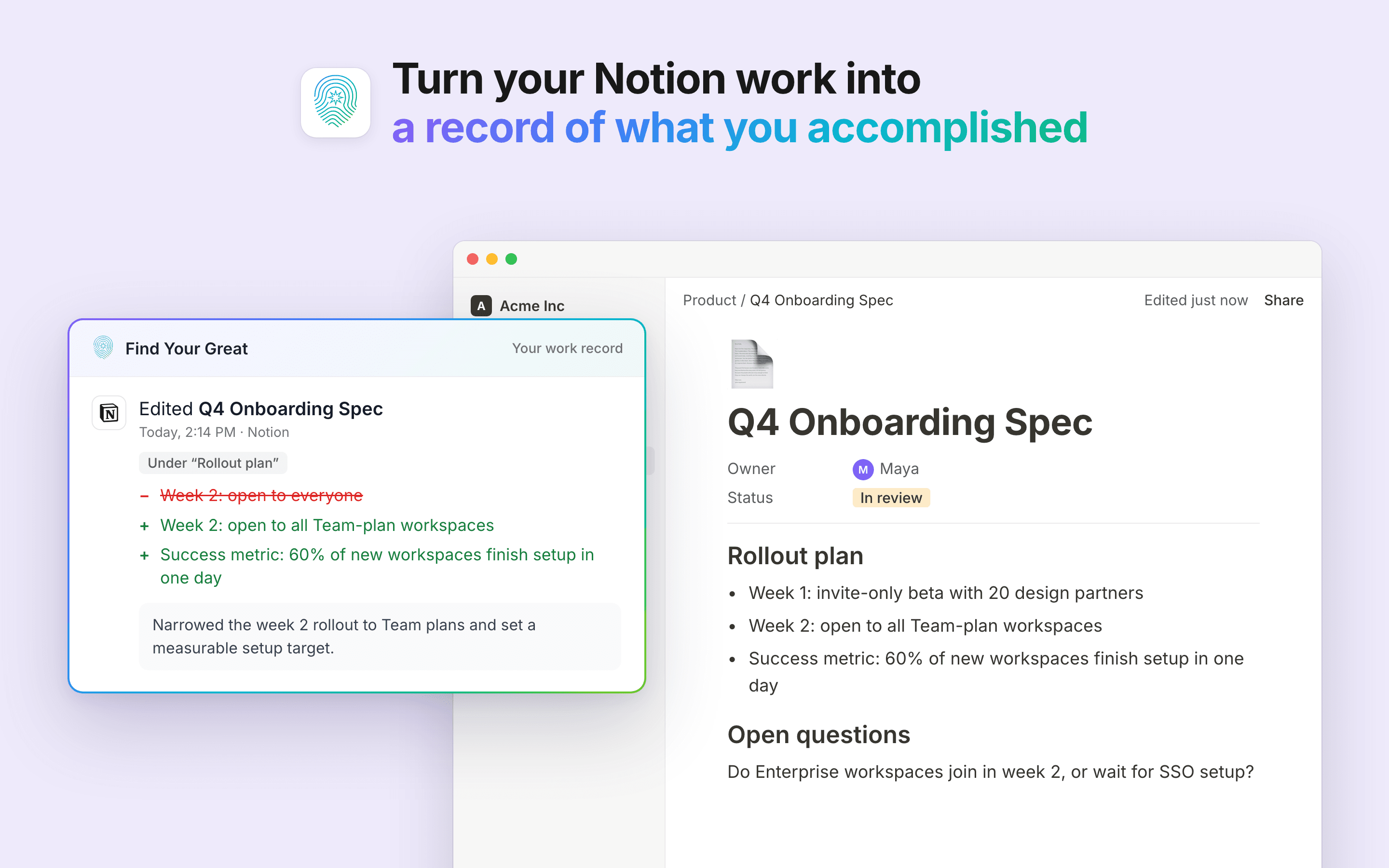
Connect Notion and Find Your Great watches the pages and databases you choose to share with it. Writing a spec, moving a deal to Signed, resolving a comment, dropping in a diagram: each one becomes a dated, evidenced entry in your own work record.
What it captures from Notion
- Pages you create, edit, rename or delete, with a block-level diff of what you added, rewrote and removed, under the section heading you wrote it in
- Database rows created, updated and removed, with the fields that changed and their before and after values
- Comments you leave and resolve
- Images you insert, described in context, so a screenshot is never a blank line in your record
What you get back
- Impact summaries you choose to share with your manager, on your schedule
- Moments added straight to a page you pick, so a win lands in your 1:1 doc while it is still fresh and your next conversation starts from what actually happened
- Evidence for a self-review or promotion case, with the dated moments behind every claim
- A searchable timeline of what you worked on, what you decided, and what changed as a result
Find Your Great also connects to Slack, GitHub, Linear, Google Calendar and your meetings. Notion work joins that same record rather than sitting in its own silo.
What it can see, and what it does
You choose exactly which pages Find Your Great can read, in Notion's own picker. You can change or revoke that at any time, from Settings > Connections in Notion or from Find Your Great.
Only your own edits become your record. No one else's.
It writes only to the pages you point it at, and never changes or deletes anything else in your workspace.
功能
- 讀取、插入和更新內容可以讀取、插入和更新此連接共享的頁面、資料庫和區塊。
- 讀取 個留言可以在有權存取的頁面和區塊上讀取留言。
- 查看工作空間使用者讀取工作空間成員與訪客的基本個人檔案詳細資料,包括其電子郵件地址。
使用方式
1. Create a Find Your Great account at findyourgreat.com.
2. In Find Your Great, open Integrations, switch the Notion card on, click its gear, then click Connect directly for better accuracy.
3. In Notion's window, tick the pages you want reflected in your work record, then click Allow access. Pages inside them are included too.
4. Find Your Great records the current state of those pages first, so nothing appears immediately. Your first activity shows up shortly after your next edit.
5. New top-level pages are not shared automatically. When you create one, click the gear on the Notion card, then Choose pages, to include it.