
feedback.tools
簡介
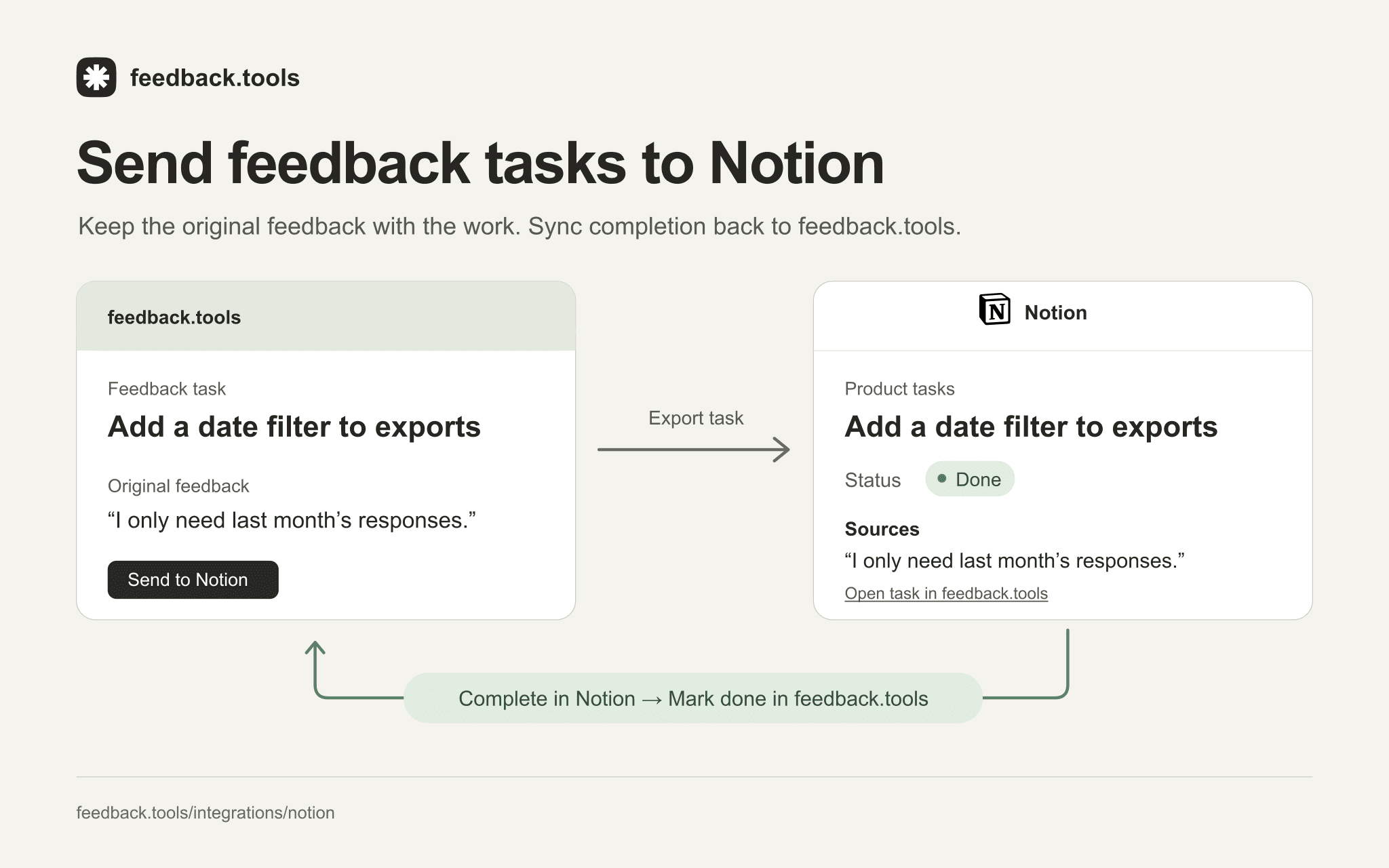
Send a task from feedback.tools to your team's Notion database. Each page includes the task description, the original customer feedback, and a link back to the task. Open the Notion page directly from feedback.tools. When your team marks the page complete in Notion, feedback.tools marks the linked task as done.
功能
- 讀取、插入和更新內容可以讀取、插入和更新此連接共享的頁面、資料庫和區塊。
- 查看工作空間使用者讀取工作空間成員與訪客的基本個人檔案詳細資料,包括其電子郵件地址。
使用方式
1. In feedback.tools, open a survey. Go to Settings → Integrations → Add integration and choose Notion.
2. In Notion, grant access to your task database or its parent page. The database needs a Status property.
3. Back in feedback.tools, choose the database, check which statuses count as complete, and select Save database.
4. Open a feedback task and select Send to Notion. Mark the resulting page complete in Notion to update the linked task.