
BSure Forms
簡介
**BSure** is a survey and form builder. This integration lets you send every new response from a BSure survey directly into a Notion database — no manual export, no copy-pasting.
**What it does**
- Connect a Notion workspace to any BSure survey in a few clicks.
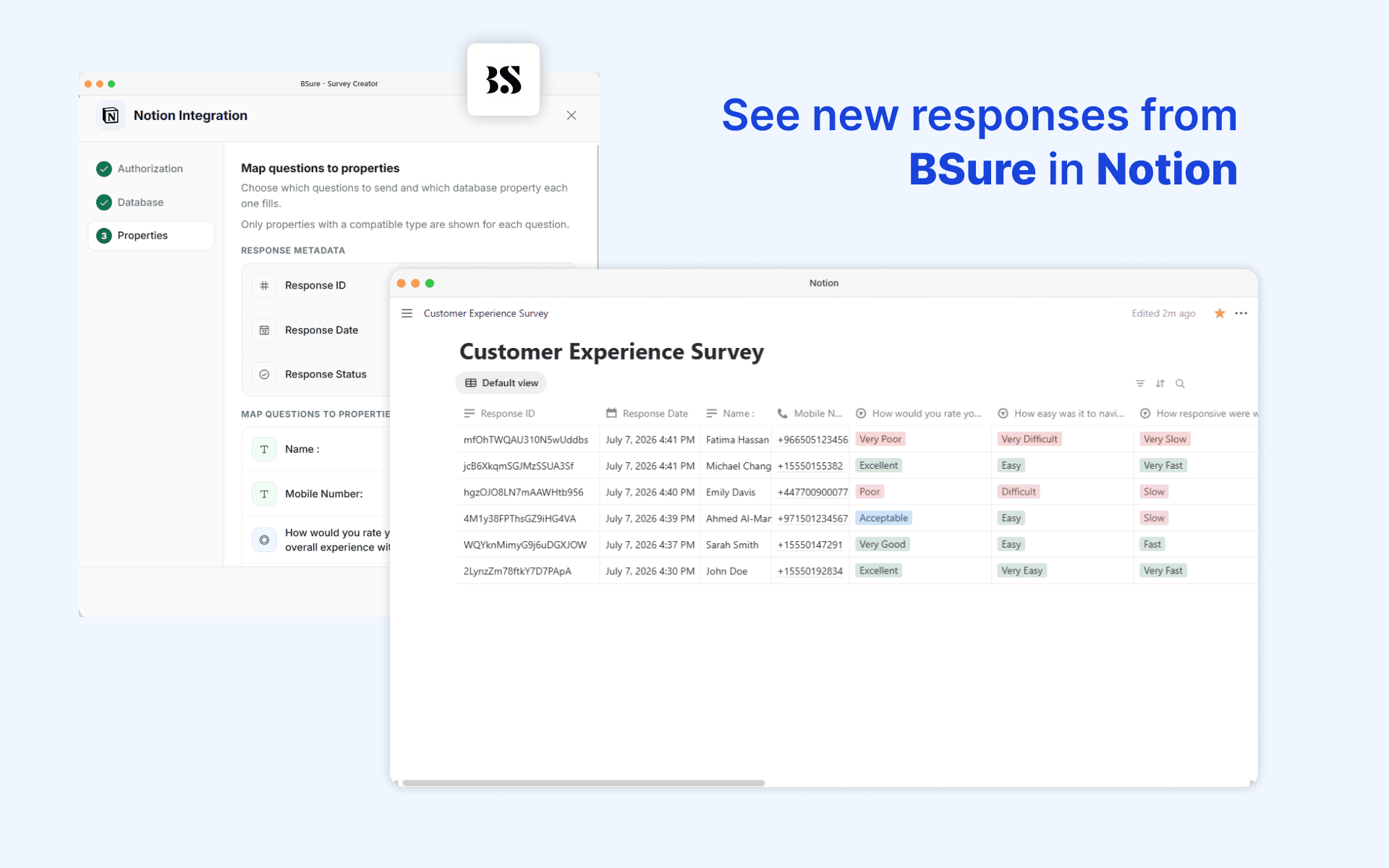
- Choose an existing database, or let BSure create a brand-new one for you, pre-filled with a property for every question in your survey.
- Map each survey question (and response metadata like Response ID, Date, and Status) to a property in your database — text, select, multi-select, number, checkbox, date, URL, email, and phone number types are all supported.
- Every time someone completes (or optionally, partially completes) your survey, a new page is created in your Notion database automatically.
- File uploads, signatures, and audio recordings are linked out to the response in BSure rather than duplicated into Notion.
**Why use it**
Keep your team's source of truth in Notion without any manual work. Survey responses show up as structured, filterable database rows the moment they're submitted — ready to review, assign, or build workflows around.
**Requirements**
Available on BSure's Corporate plan or with the Notion integration add-on.
功能
- 讀取、插入和更新內容可以讀取、插入和更新此連接共享的頁面、資料庫和區塊。
- 查看工作空間使用者讀取工作空間成員與訪客的基本個人檔案詳細資料,包括其電子郵件地址。
使用方式
1. Open your survey in BSure and go to **Integrations → Notion**.
2. Click **Connect Notion** and authorize BSure to access your workspace.
3. In Notion, make sure the pages or databases you want to use are **shared with the BSure integration** (Notion requires this per-page/database permission).
4. Choose an existing database, or create a new one — BSure will pre-fill it with one property per question.
5. Map each survey question to a database property.
6. Save. New responses will now appear in your Notion database automatically.