

簡介
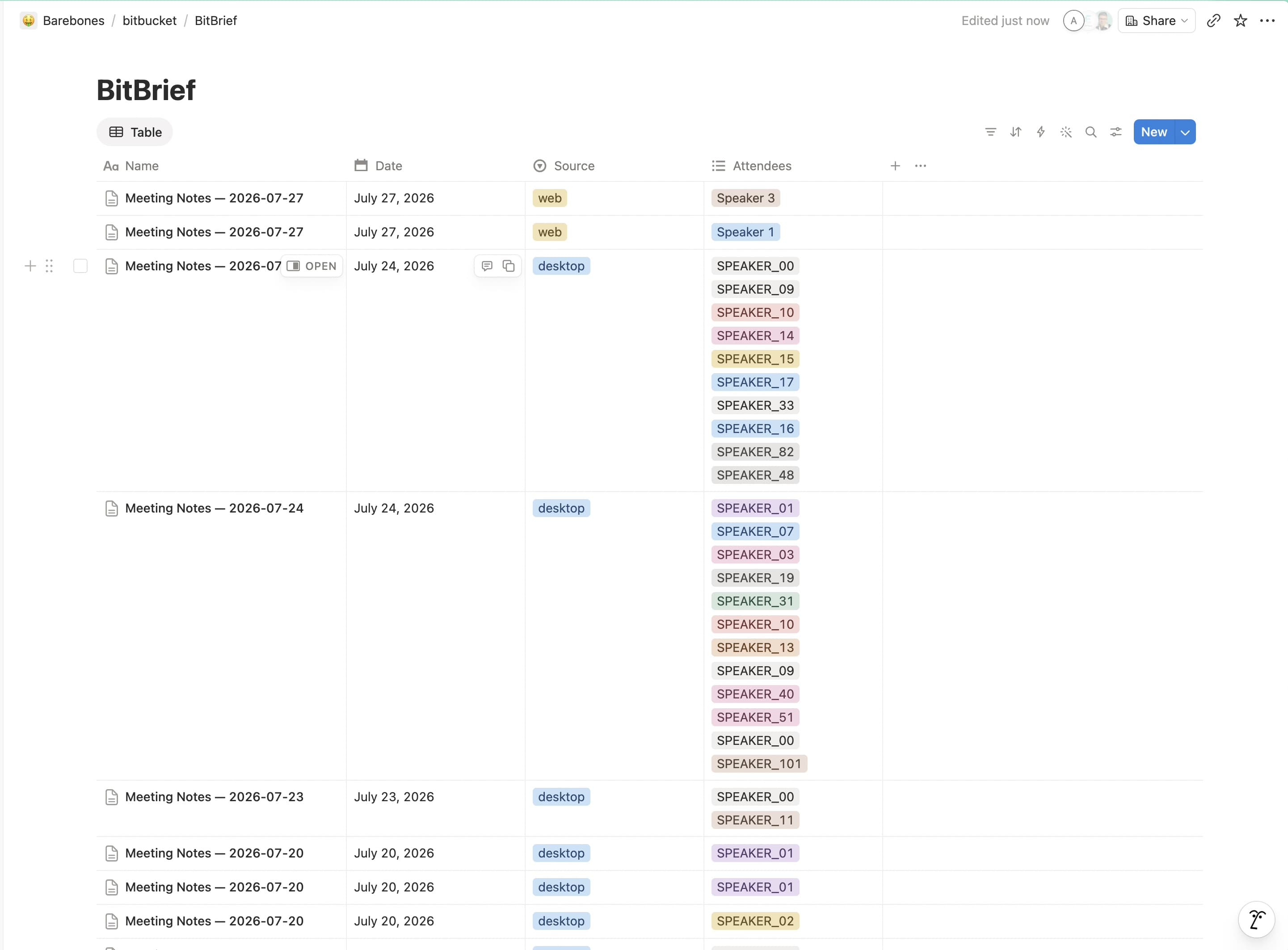
BitBrief turns your meeting recordings into structured notes: summary, decisions, action items, and a full transcript. It then publishes each meeting as a page in a "BitBrief Meetings" database in your workspace. Use the provided template during connection and BitBrief sets the database up for you; it only creates and updates the meeting pages you've shared with it.
功能
- 讀取、插入和更新內容可以讀取、插入和更新此連接共享的頁面、資料庫和區塊。
- 查看工作空間使用者讀取工作空間成員與訪客的基本個人檔案詳細資料,包括其電子郵件地址。
使用方式
1. Install BitBrief on your Mac and open it.
2. In the setup wizard or Settings → Notion export, click Connect to Notion.
3. Approve access in your browser and choose Use a template — BitBrief adds a "BitBrief Meetings" database to your workspace automatically.
4. Record or upload a meeting. Your notes, action items, and transcript appear in that database when processing finishes — no other setup needed.
