
簡介
Amendary keeps the Notion documentation your customers, success team, engineers, and internal teams rely on aligned with what you ship.
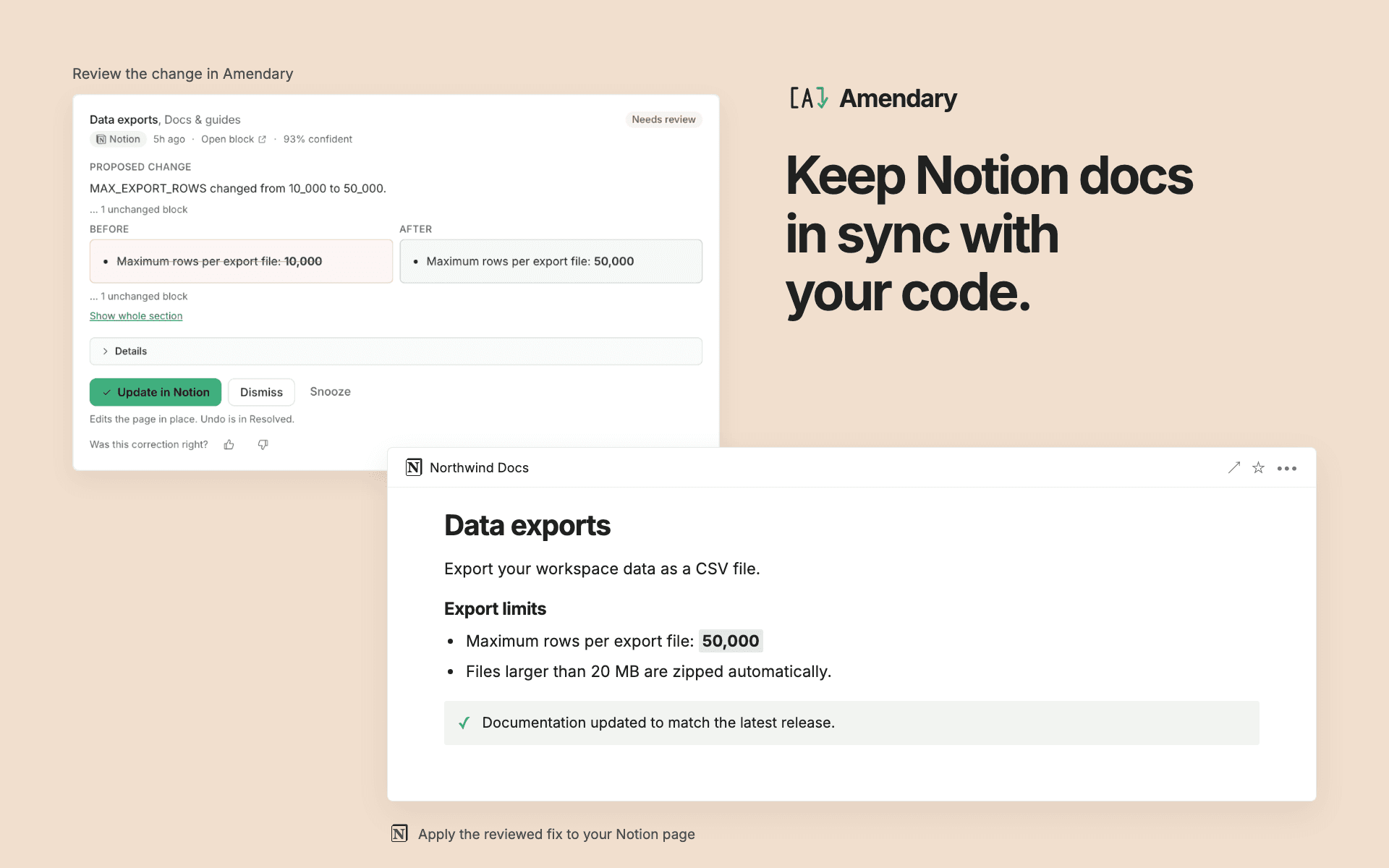
Connect the GitHub repositories that contain your product and choose the Notion pages that describe them. Once a day, Amendary checks releases or code changes against those mapped pages. When a passage may be out of date, it drafts the exact correction and shows the supporting release or commit so your team can review the change before it reaches Notion.
With Amendary you can:
- Keep your existing Notion workspace and GitHub repositories. There is no new documentation platform and no migration.
- Control the scope. Amendary edits only pages you explicitly map to a repository.
- Review the evidence, current text, and proposed correction together.
- Approve corrections from the Amendary review queue. New workspaces and free trials are review-only by default.
- Enable automatic application for eligible corrections on a paid plan. Changes that do not pass the safety checks still wait for a person.
- See an audit trail and undo an applied correction. If the Notion block has changed since the correction, Amendary refuses to overwrite the newer edit.
- Create initial documentation and a dated product-updates changelog as an optional, credit-based workflow.
Amendary is designed for software teams whose customer help, onboarding material, engineering prose, runbooks, incident playbooks, or product updates need to remain consistent with GitHub. It does not edit source code, and it is not a general workspace search or question-answering tool.
功能
- 讀取、插入和更新內容可以讀取、插入和更新此連接共享的頁面、資料庫和區塊。
使用方式
- Open Amendary and sign in with Google or GitHub.
- Create or choose your Amendary workspace.
- In
Settings → Integrations
, select
Connect Notion
. Choose the Notion workspace and pages you want to share, then approve the requested access. - Connect GitHub and grant the Amendary GitHub App access only to the repositories you want Amendary to check.
- Open
Pages
in Amendary. Choose a shared Notion page, assign its document type, and map it to the repository it describes. - Leave review mode on while you evaluate the first results. Amendary runs its scheduled check once a day. When it finds a potentially stale passage, open the review queue to compare the current text, proposed correction, and GitHub evidence before approving it.
Only mapped pages enter the maintenance workflow. You can add another Notion workspace or GitHub account later from Integrations, change mappings from Pages, or disconnect an account at any time. For setup details and troubleshooting, visit https://amendary.com/help/getting-started or email [email protected].