

About
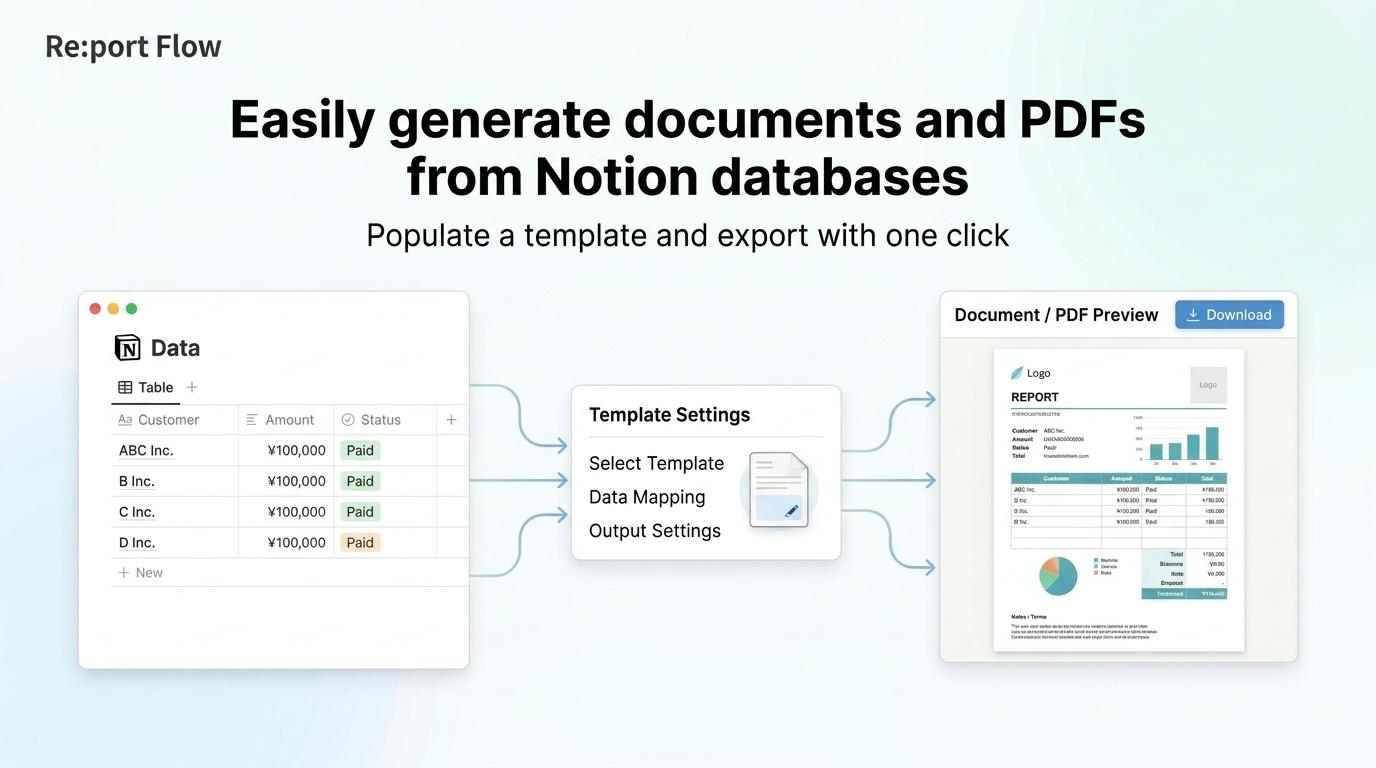
Re:port Flow is a service that generates business documents and PDFs from Notion database data.
Connect a Notion database, and Re:port Flow will automatically create template parameters based on its properties. No complex setup or manual field mapping is required.
Once connected, simply select a row from your Notion database in Re:port Flow to generate a PDF using that data.
Streamline the creation of a wide range of business documents—including invoices, quotes, application forms, reports, and certificates—using your Notion data.
Key features:
• Connect to Notion databases
• Automatically create template parameters from database properties
• Select database rows through the GUI
• Generate PDFs using the selected data
• Create flexible layouts with Re:port Flow document templates
Tính năng
- Đọc, chèn và cập nhật nội dungCó thể đọc, chèn và cập nhật các trang, cơ sở dữ liệu và thành phần nội dung được chia sẻ với kết nối này.
How to use
- 1. Log in to Re:port Flow and start the Notion integration.
2. On the Notion authorization screen, grant Re:port Flow access to the workspace and database you want to use.
3. Create a document template in Re:port Flow, or select an existing one.
4. Connect a Notion database to the template.
5. Template parameters are automatically created based on the database properties.
6. In Re:port Flow, select the Notion database row you want to use.
7. Generate the PDF.
Manage your data in Notion and handle document design and PDF generation in Re:port Flow. Keeping data entry separate from document creation makes your workflow more efficient.
Details

- Kỹ thuật
- Thiết kế
- Tự động hóa