

About
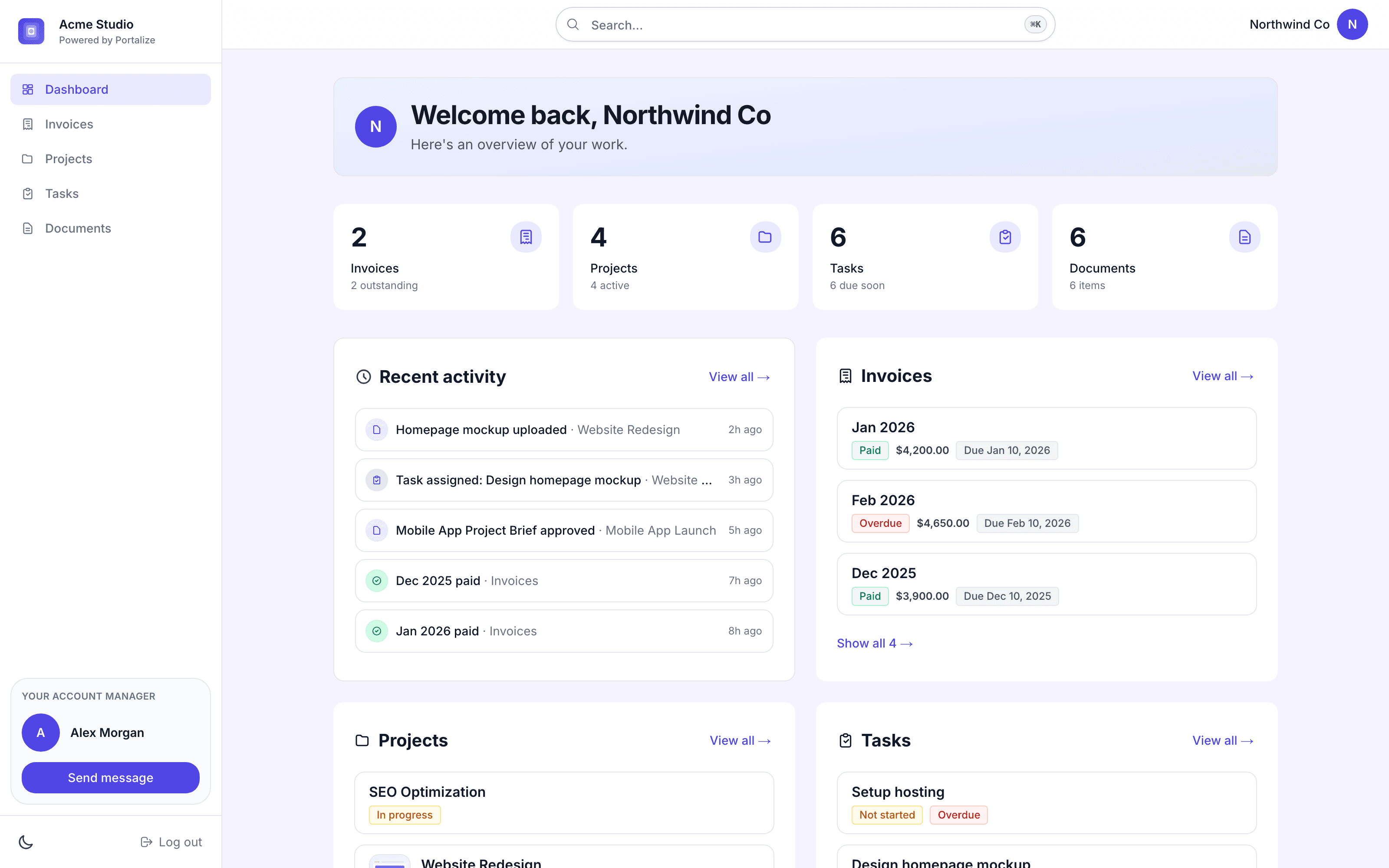
Portalize turns your Notion databases into branded, secure client portals - so agencies and freelancers can share project status, tasks, and deliverables without Notion guests, public links, or exposing other clients’ data.
Connect the databases you already use. Choose which fields are visible and how rows are scoped per client. Clients log in with a magic link and only see their own work. You keep managing everything in Notion; portals stay in sync.
Built for agencies, studios, and consultants who run client work in Notion and need a real permission layer - not another shared page.
Start free at portalize.app.
Tính năng
- Đọc, chèn và cập nhật nội dungCó thể đọc, chèn và cập nhật các trang, cơ sở dữ liệu và thành phần nội dung được chia sẻ với kết nối này.
- Xem người dùng trong không gian làm việcĐọc thông tin hồ sơ cơ bản của thành viên và khách trong không gian làm việc, bao gồm cả địa chỉ email của họ.
How to use
- Install Portalize and connect your Notion workspace via OAuth.
- Pick the databases you want clients to see (projects, tasks, docs, etc.).
- Create client-safe views: choose visible fields and per-client scoping.
- Invite clients, they sign in with a magic link (no Notion account required).
- Keep working in Notion. Changes sync to each client’s portal automatically.
Details
Made by
Category
- Hợp tác
- Trải nghiệm khách hàng
Developer links