Anaïs BLANQUET
NudgeHabitsWidget
About
You built a habit tracker in Notion. But opening Notion every day to check a box? That's the friction that kills consistency.
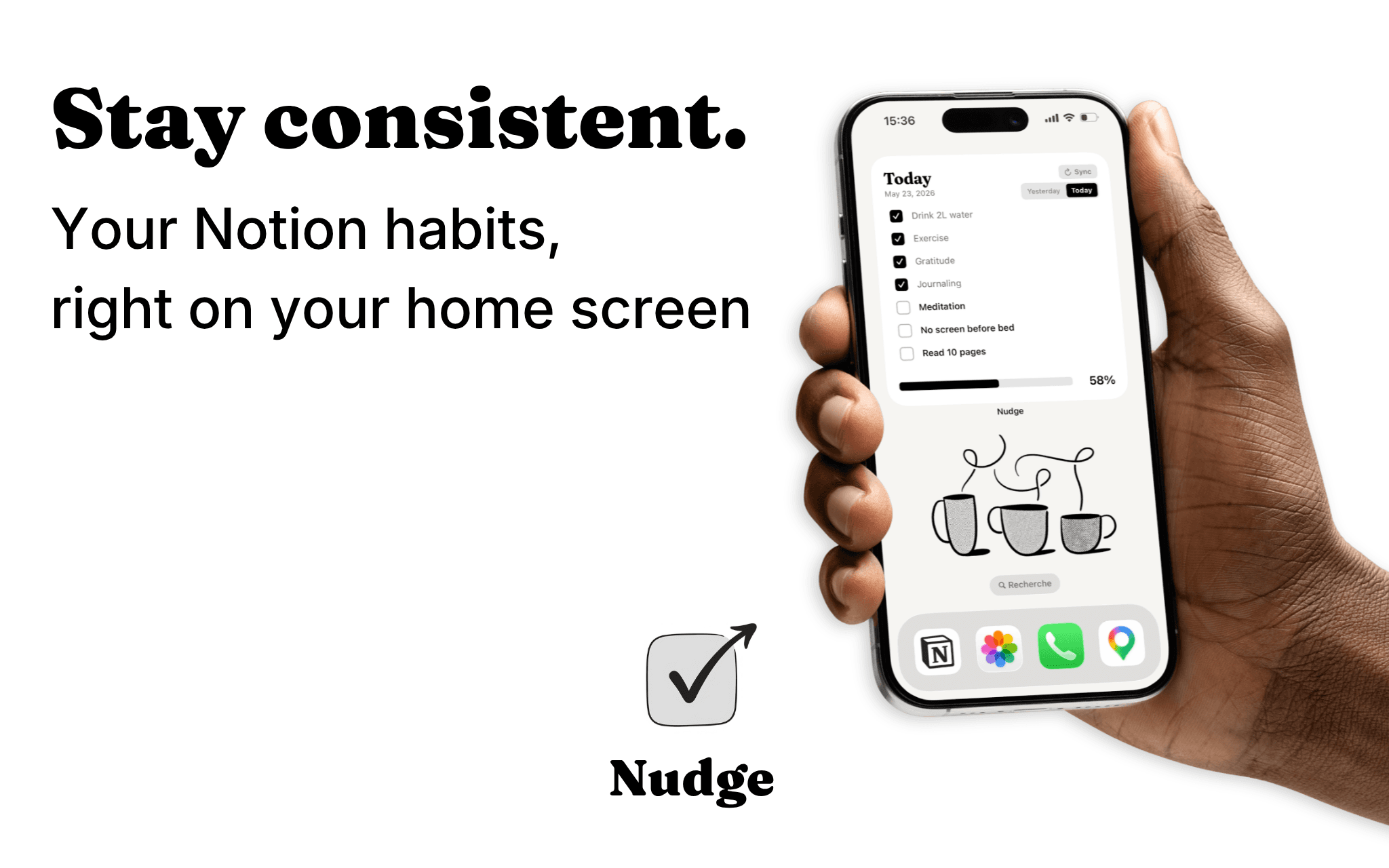
Nudge turns your Notion habit tracker into an interactive home screen widget, so you actually use it.
How it works:
Connect your Notion workspace, select your habit database, and add the Nudge widget to your home screen. That's it.
Your habits appear instantly, ready to check off without opening a single app.
Why Nudge:
→ Check your habits directly from your home screen
→ Syncs automatically with your Notion database every 15 minutes
→ Today & yesterday view (perfect for sleep tracking)
→ Comes with a ready-to-use Notion template
→ Limited to 7 habits - simple by design
Tính năng
- Đọc và cập nhật nội dungCó thể đọc và cập nhật các trang, cơ sở dữ liệu và thành phần nội dung được chia sẻ với kết nối này.
- Xem người dùng trong không gian làm việcĐọc thông tin hồ sơ cơ bản của thành viên và khách trong không gian làm việc, bao gồm cả địa chỉ email của họ.
How to use
How to start :
- Connect your Notion workspace through the official OAuth flow
- Select the database you use to track your habits
- Add the Nudge widget to your iOS home screen
- Tap any checkbox in the widget to instantly toggle a habit
- Changes sync automatically with your Notion database every 15 minutes (or instantly with the Sync button)
Good to know:
→ Ready-to-use template: Comes with a ready-to-use Notion template if you don't have a Notion habits tracking database yet
→ Auto-detection: Nudge automatically reads your database and displays all properties of type "Checkbox" (up to 7 habits)
→ Bidirectional sync: Changes made on the widget update Notion, and vice versa
→ Interactive widget: Tap checkboxes directly from your home screen (iOS 17+ AppIntents)
→ Manual refresh: Added new habits in Notion? Tap Refresh in the app to update your widget
→ Custom ordering: Habits display alphabetically. Use prefixes like "1.", "2." to control the order