 Chindogu Labs LLC
Notewell
About
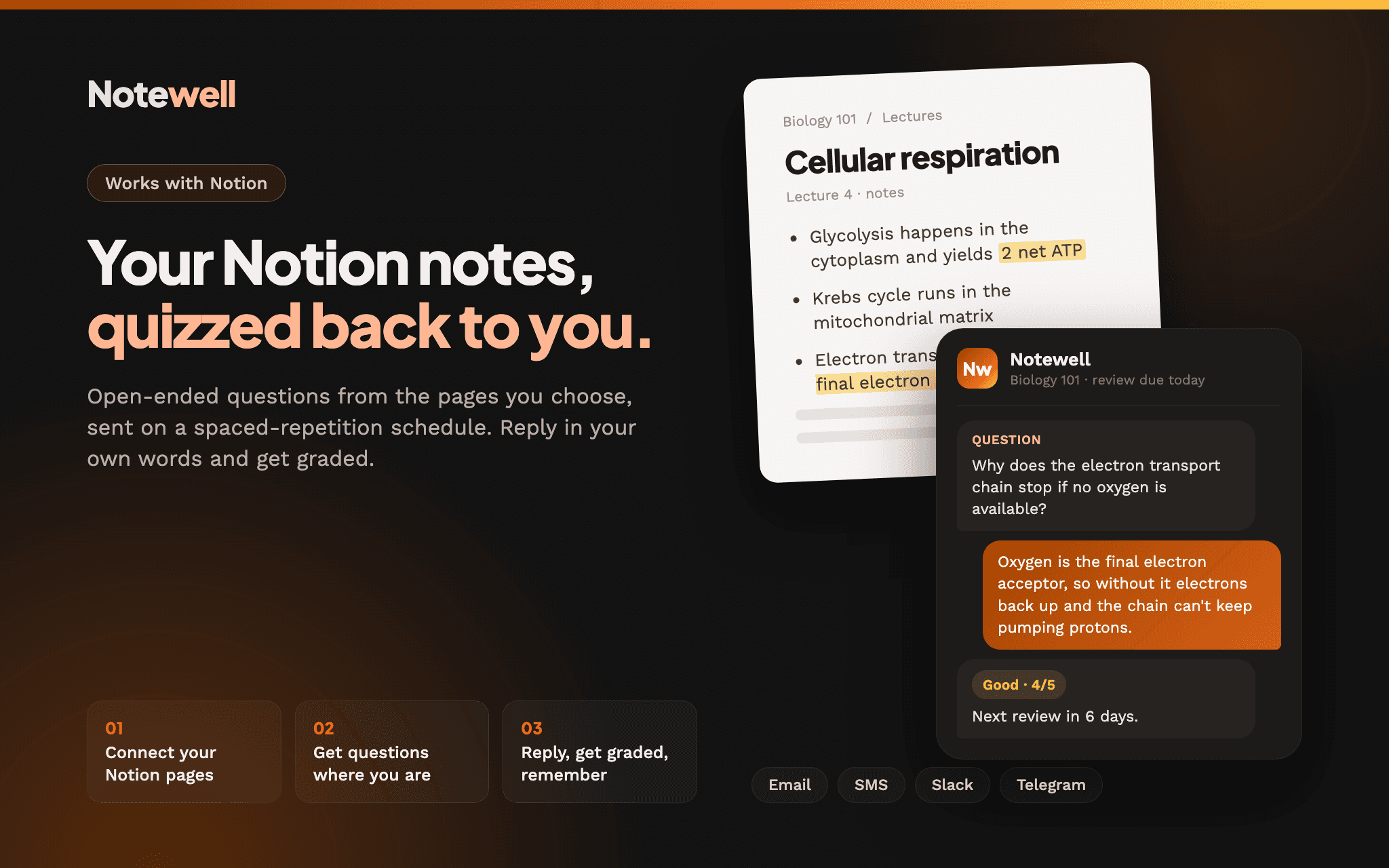
Notewell turns the notes you already keep in Notion into open-ended study questions, then sends them to you by email, SMS, Slack or Telegram on a spaced-repetition (SM-2) schedule. Answer by replying in your own words, right where the question lands, and Notewell grades your answer and works out when to ask again.
Questions come only from the pages you choose to connect, so you're never quizzed on something your notes didn't say. Notewell only reads from Notion. It never edits, moves or deletes your pages.
It's built for students, people studying for certifications, and anyone who writes things down in Notion and wants to actually remember them. You don't need a new app, a streak, or to remember to sit down and study. The questions come to you.
Tính năng
- Đọc nội dungCó thể đọc các trang, cơ sở dữ liệu và thành phần nội dung được chia sẻ với kết nối này.
- Xem người dùng trong không gian làm việcĐọc thông tin hồ sơ cơ bản của thành viên và khách trong không gian làm việc, bao gồm cả địa chỉ email của họ.
How to use
1. Sign up at notewell.io and create a new collection.
2. Choose Notion as your source and click Connect. In the Notion window, choose the pages you want Notewell to read.
3. Pick the pages or databases to study from. Notewell generates questions from them. Your first collection is free.
4. Choose how you want to get questions (email, SMS, Slack or Telegram) and how often.
5. Reply to each question in your own words. Notewell grades your answer and schedules the next review.
