KnitKnot AI
KnitKnot
About
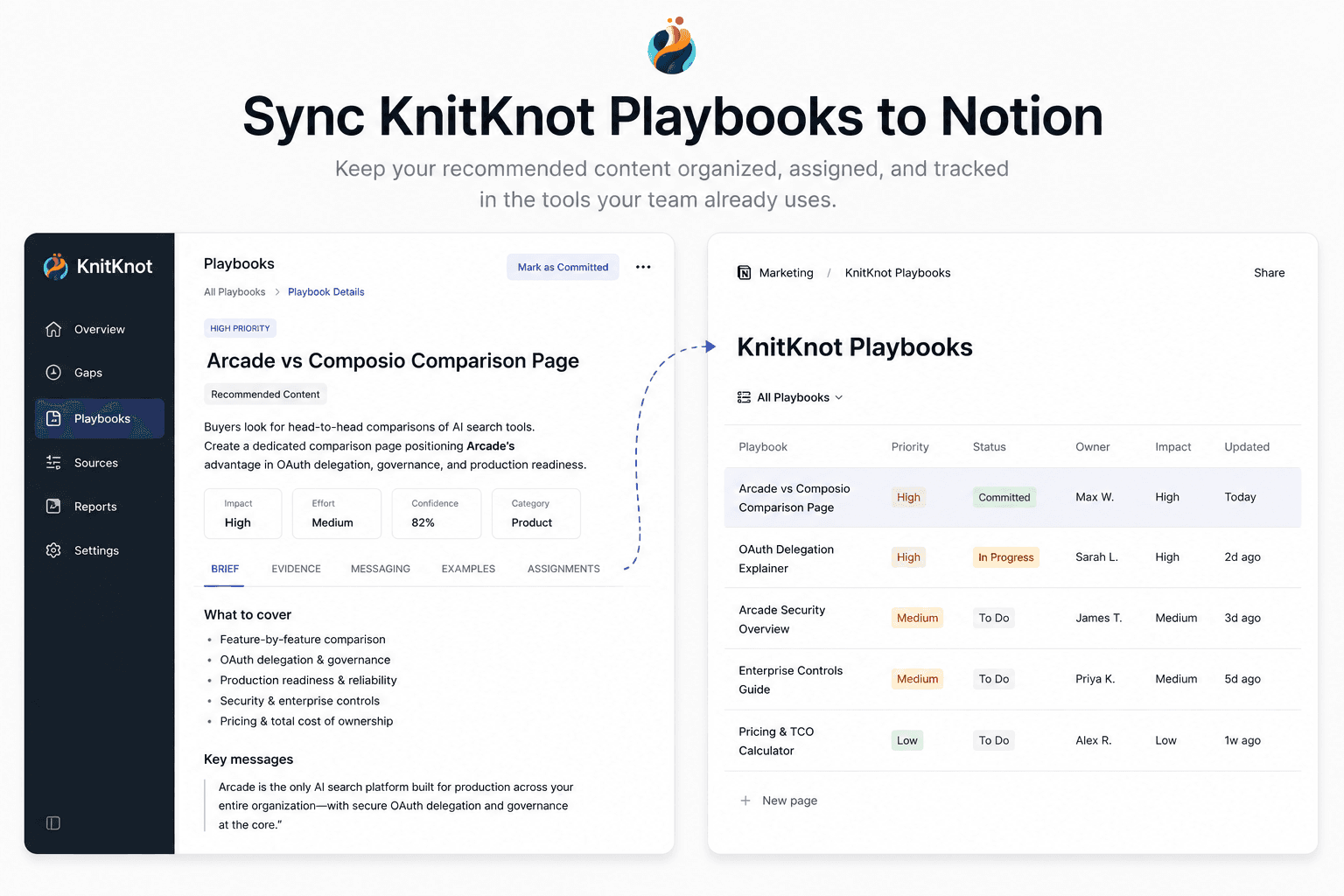
KnitKnot measures how AI assistants like ChatGPT and Claude represent your company, and turns the gaps into actionable content playbooks. This connection syncs the playbooks you've committed to into a Notion database, so your team can assign, track, and comment on them where they already work. KnitKnot keeps each page up to date as playbook status and evidence change.
Tính năng
- Đọc, chèn và cập nhật nội dungCó thể đọc, chèn và cập nhật các trang, cơ sở dữ liệu và thành phần nội dung được chia sẻ với kết nối này.
- Xem người dùng trong không gian làm việcĐọc thông tin hồ sơ cơ bản của thành viên và khách trong không gian làm việc, bao gồm cả địa chỉ email của họ.
How to use
1. In KnitKnot, go to Settings → Integrations and click Connect on the Notion card.
2. Approve access and select the Notion pages you want KnitKnot to use.
3. Back in KnitKnot, choose the parent page where your playbooks should live.
4. KnitKnot creates a "KnitKnot Playbooks" database there and syncs your committed playbooks. Pages update automatically — keep your own notes in comments or sub-pages.