About
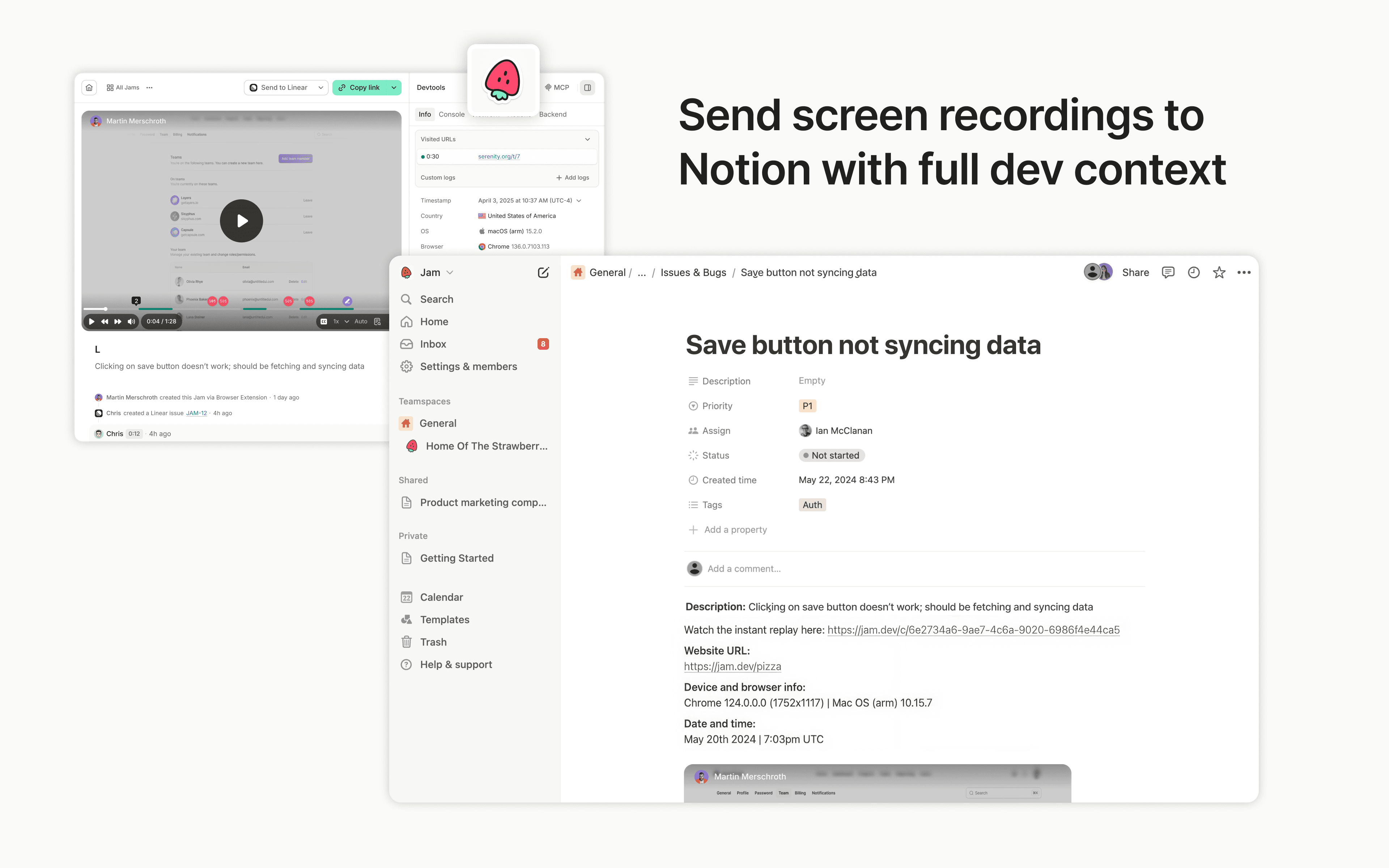
Jam is the smart screen recorder for software teams. Capture bugs, feedback, feature ideas, QA notes, or customer issues in one click from your browser or iOS app, then send them to Notion as tasks, docs, or product notes.
Every recording is automatically enriched with the technical context teammates, engineers, and AI agents need to understand what happened and move work forward, including repro steps, console and network logs, user actions, device info, and more.
Tính năng
- Đọc và chèn nội dungCó thể đọc và chèn các trang, cơ sở dữ liệu và thành phần nội dung được chia sẻ với kết nối này.
- Xem người dùng trong không gian làm việcĐọc thông tin hồ sơ cơ bản của thành viên và khách trong không gian làm việc, bao gồm cả địa chỉ email của họ.
How to use
Sending Jams to Notion is simple:
- Capture a bug, feedback, or QA note with the Jam browser extension or iOS app
- Click the Notion button in your Jam
- Choose the Notion page or database where the Jam should go
- Create a Notion page with the Jam and full technical context attached