 Git-Ze
Git-Zen: Zendesk Connector
About
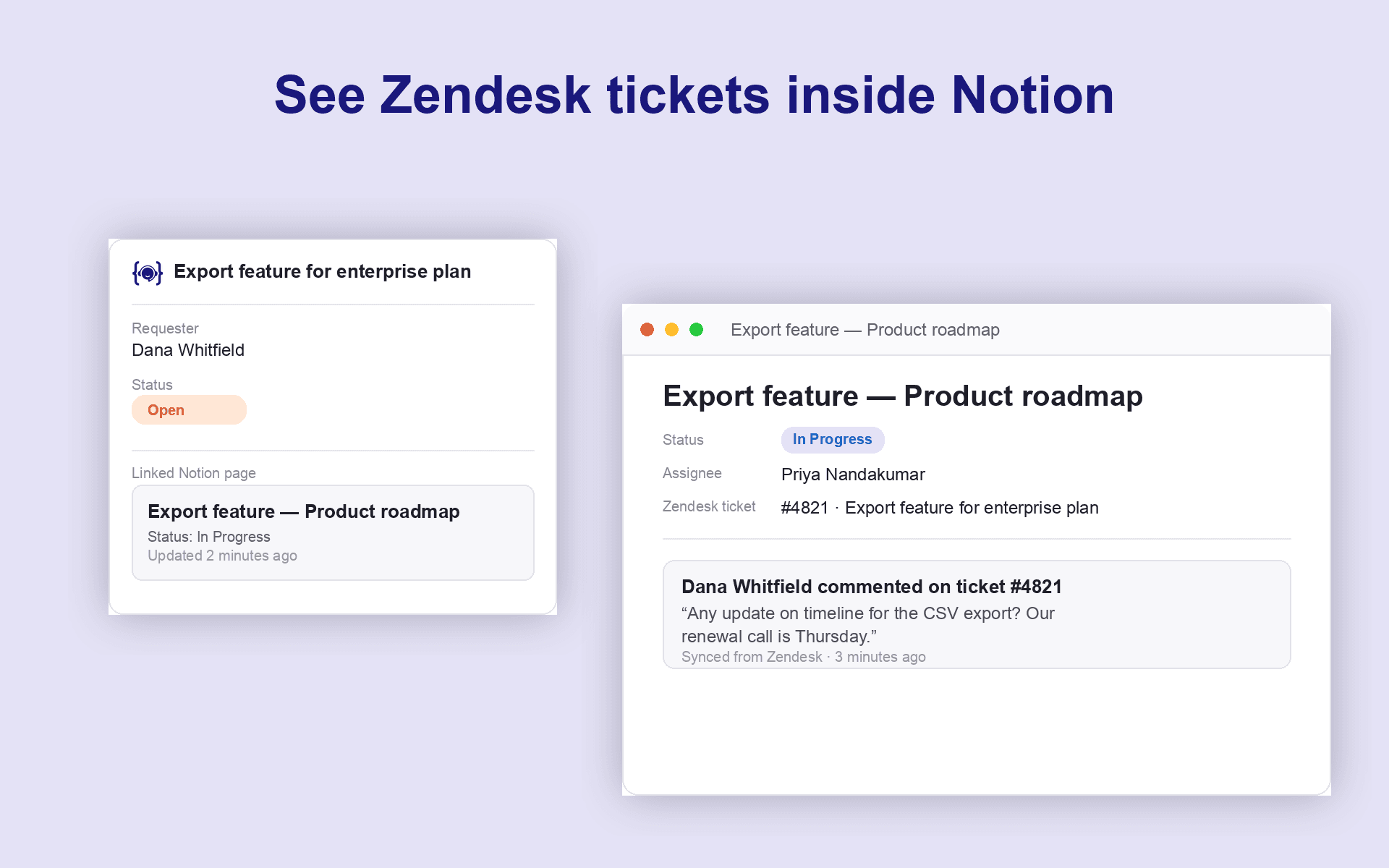
Git-Zen for Notion connects Zendesk to wherever your team documents work. A product decisions database, a bug tracker, or a support knowledge base.
Support agents create a Notion page directly from a ticket, with properties, assignee, and due date set at creation time, and every update flows back automatically.
What we do:
- Create a Notion page from Zendesk, in any database, with properties, assignee, and due date set at creation time.
- Two-way comment sync: Notion page comments appear in Zendesk, and ticket comments post back to Notion.
- Link as many Notion pages as needed to a single ticket.
- Reference a Zendesk ticket from any Notion page comment...It links back to the ticket automatically!
- Role-based permissions control which agents can create or modify Notion pages.
Git-Zen acts on behalf of your connected Notion workspace, so agents don't each need their own Notion seat. All sync state is written to a private custom field on the ticket. Nothing about your Notion content is stored on our servers beyond what's needed to keep the two systems in sync.
Tính năng
- Đọc, chèn và cập nhật nội dungCó thể đọc, chèn và cập nhật các trang, cơ sở dữ liệu và thành phần nội dung được chia sẻ với kết nối này.
- Đọc và thêm bình luậnCó thể đọc và thêm bình luận trên các trang và thành phần nội dung mà nó có thể truy cập.
- Xem người dùng trong không gian làm việcĐọc thông tin hồ sơ cơ bản của thành viên và khách trong không gian làm việc, bao gồm cả địa chỉ email của họ.
How to use
1. Install Git-Zen for Notion from the Zendesk Marketplace
2. Open any Zendesk ticket. The Git-Zen sidebar appears automatically.
3. Click Connect Notion and authorize Git-Zen to access your workspace via OAuth.
4. Pick the Notion database you want new pages created in by default (you can link to any database per-ticket later).
5. Start linking: create a new page straight from the ticket, or paste in an existing page's link to attach it.
That's it! 0 engineers required, and no per-agent Notion seat needed.
Details

- Tự động hóa
- Trải nghiệm khách hàng
- Hợp tác