

About
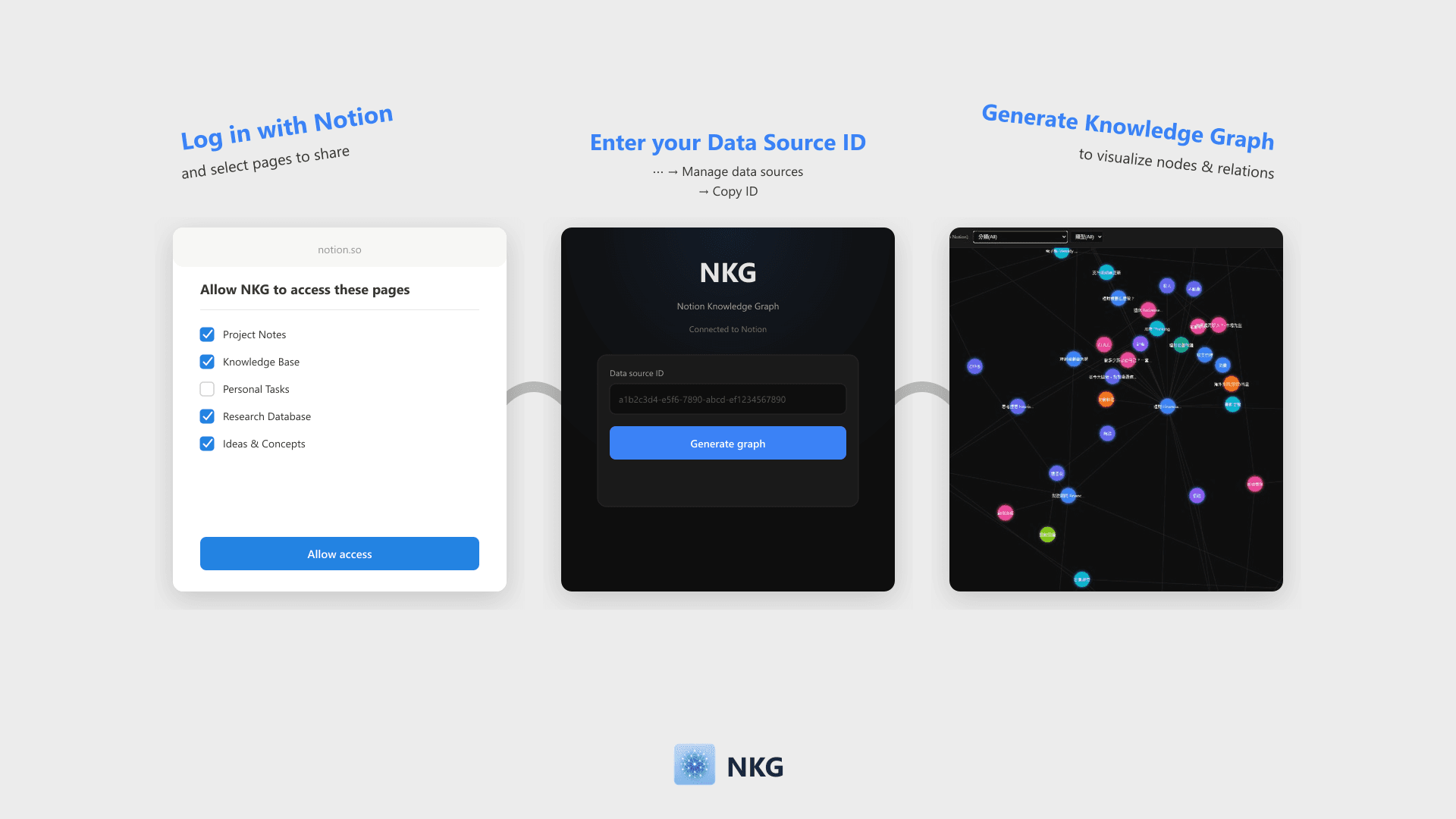
NKG visualizes Notion database pages and relations into a knowledge graph. Simply log in with Notion and enter your Data Source ID to generate a filterable, zoomable force-directed graph that can be embedded back into Notion.
Tính năng
- Đọc nội dungCó thể đọc các trang, cơ sở dữ liệu và thành phần nội dung được chia sẻ với kết nối này.
- Xem người dùng trong không gian làm việcĐọc thông tin hồ sơ cơ bản của thành viên và khách trong không gian làm việc, bao gồm cả địa chỉ email của họ.
How to use
- Click "Log in with Notion" and select the pages or databases to share on the authorization page.
- Once authorized, enter your Notion Data Source ID on the home page (Find this via ⋯ → Manage data sources → Copy data source ID).
- Click "Generate Knowledge Graph" to visualize nodes and Relation links.
- Filter nodes by properties like Select, Multi-select, or Date. The graph can be embedded directly into Notion.
Details
Made by

Category
- Năng suất
- Quản lý tệp
- Phân tích
Developer links