

About
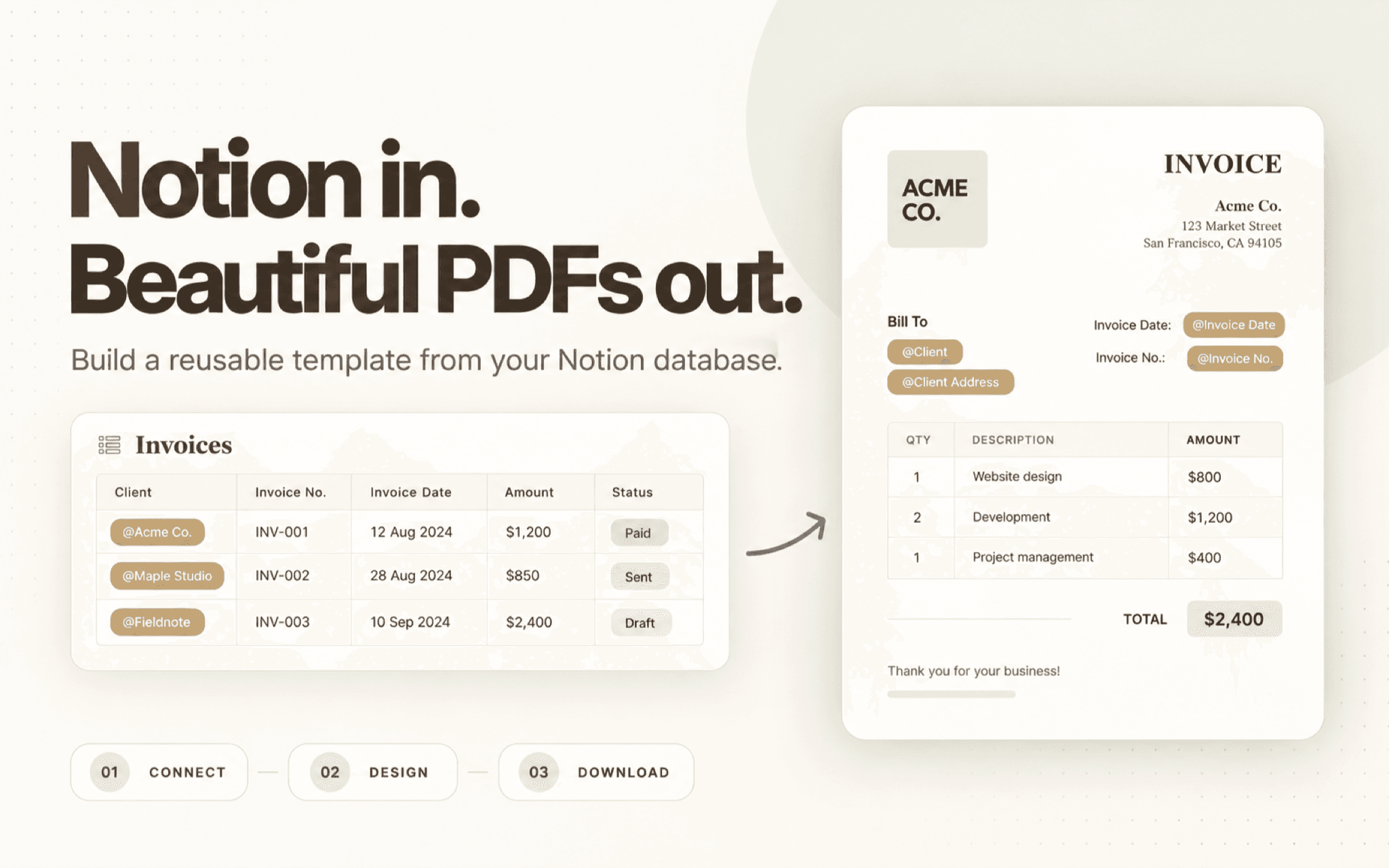
Create branded PDFs from your Notion database. Build a reusable template with text, tables, images, and your brand details. Insert Notion properties with @ references, choose a page, review the preview, and download a consistent PDF for invoices, proposals, reports, and other repeatable documents.
Tính năng
- Đọc, chèn và cập nhật nội dungCó thể đọc, chèn và cập nhật các trang, cơ sở dữ liệu và thành phần nội dung được chia sẻ với kết nối này.
- Xem người dùng trong không gian làm việcĐọc thông tin hồ sơ cơ bản của thành viên và khách trong không gian làm việc, bao gồm cả địa chỉ email của họ.
How to use
- Connect Notion - Authorize ZenCrumbs and select the pages or databases you want to use.
- Create a PDF template - Arrange text, tables, images, and brand details in the template editor.
- Add database properties - Use @ references to place property values, such as a client name, invoice amount, or project status.
- Choose a page and preview - Select a database page, review how its values appear, and adjust the template if needed.
- Download your PDF - Download the finished document to share with a client, teammate, or stakeholder.
Details
Made by

Category
- Năng suất
- Tự động hóa
- Thiết kế
Developer links