
정보
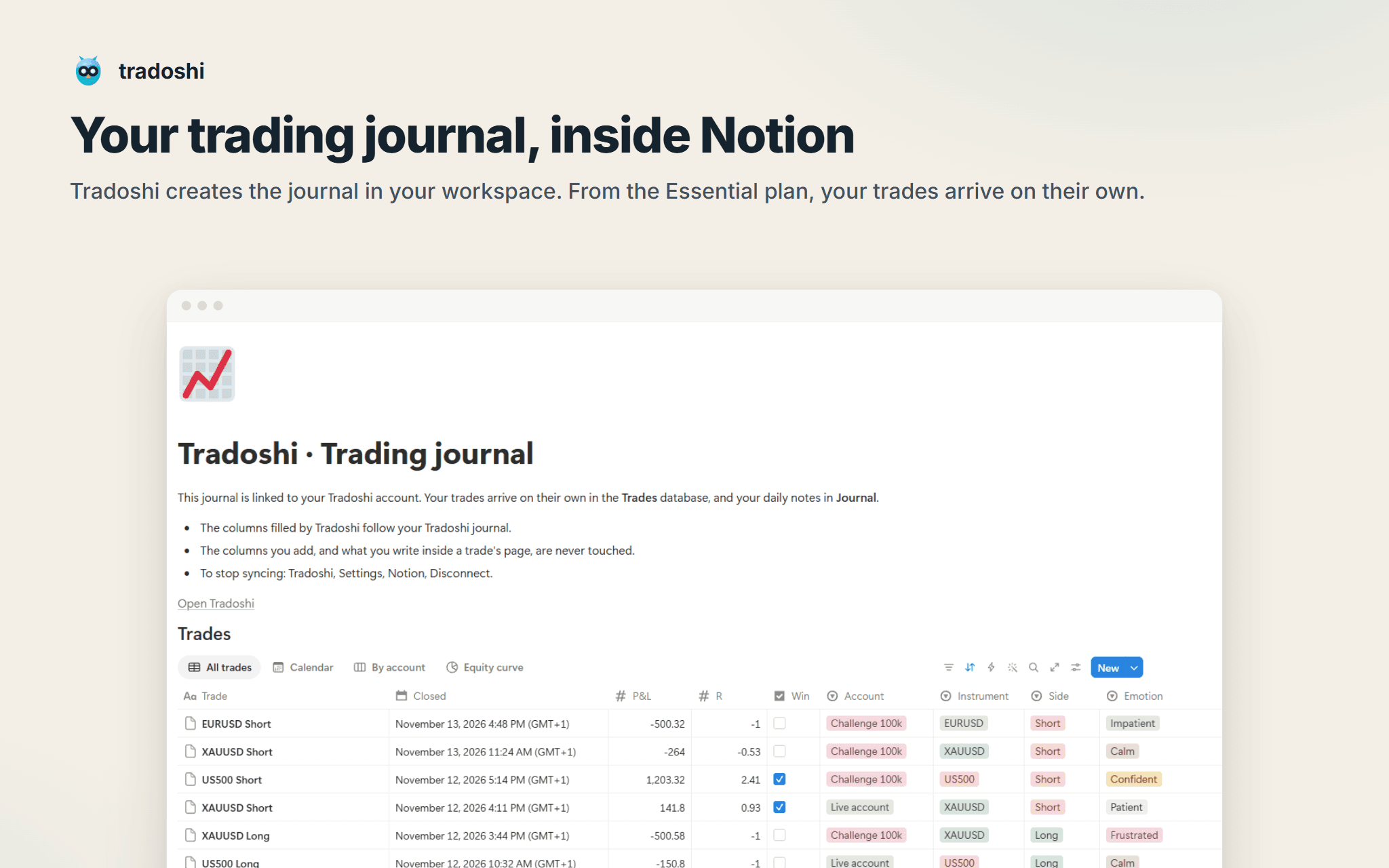
Tradoshi is a trading journal. This connection creates your Tradoshi journal in your Notion workspace and keeps it up to date.
What you get in Notion:
- A Trades database, one row per trade: instrument, side, account, open and close times, entry and exit prices, volume, result, commission, swap, R, stop, target, risk, emotion, plan, tags, note and review.
- Views: All trades, Calendar, By account, and an Equity curve chart.
- A Journal database, with one page per trading day and your daily note.
Your trades come from the broker and prop firm accounts you connect in Tradoshi, read-only. The journal updates about every hour, newest trades first. Automatic sync is included from the Essential plan. On the free plan, the journal is created and you fill it in by hand.
Your workspace stays yours. Tradoshi only writes the columns it created. It never touches the columns you add or what you write in a trade's page, and it never deletes anything. It only accesses the page it creates.
기능
- 콘텐츠 읽기, 삽입 및 업데이트이 연결과 공유된 페이지, 데이터베이스, 블록을 읽기, 삽입 및 업데이트 수 있습니다.
사용 방법
- Create a free Tradoshi account at app.tradoshi.com, or sign in.
- Open Settings › Notion and click Connect Notion.
- In Notion, pick your workspace and click Next. Choose to use the template provided by the developer, then allow access.
- Connect your broker or prop firm account in Tradoshi. From the Essential plan, your trades arrive in the Trades database on their own.