
정보
Safina is an AI phone assistant for small businesses and self-employed professionals. When you can't answer, Safina answers your business calls in 50+ languages, talks with the caller and notes what they want.
With the Notion connection, every call that Safina answers becomes a page in the Notion database you pick:
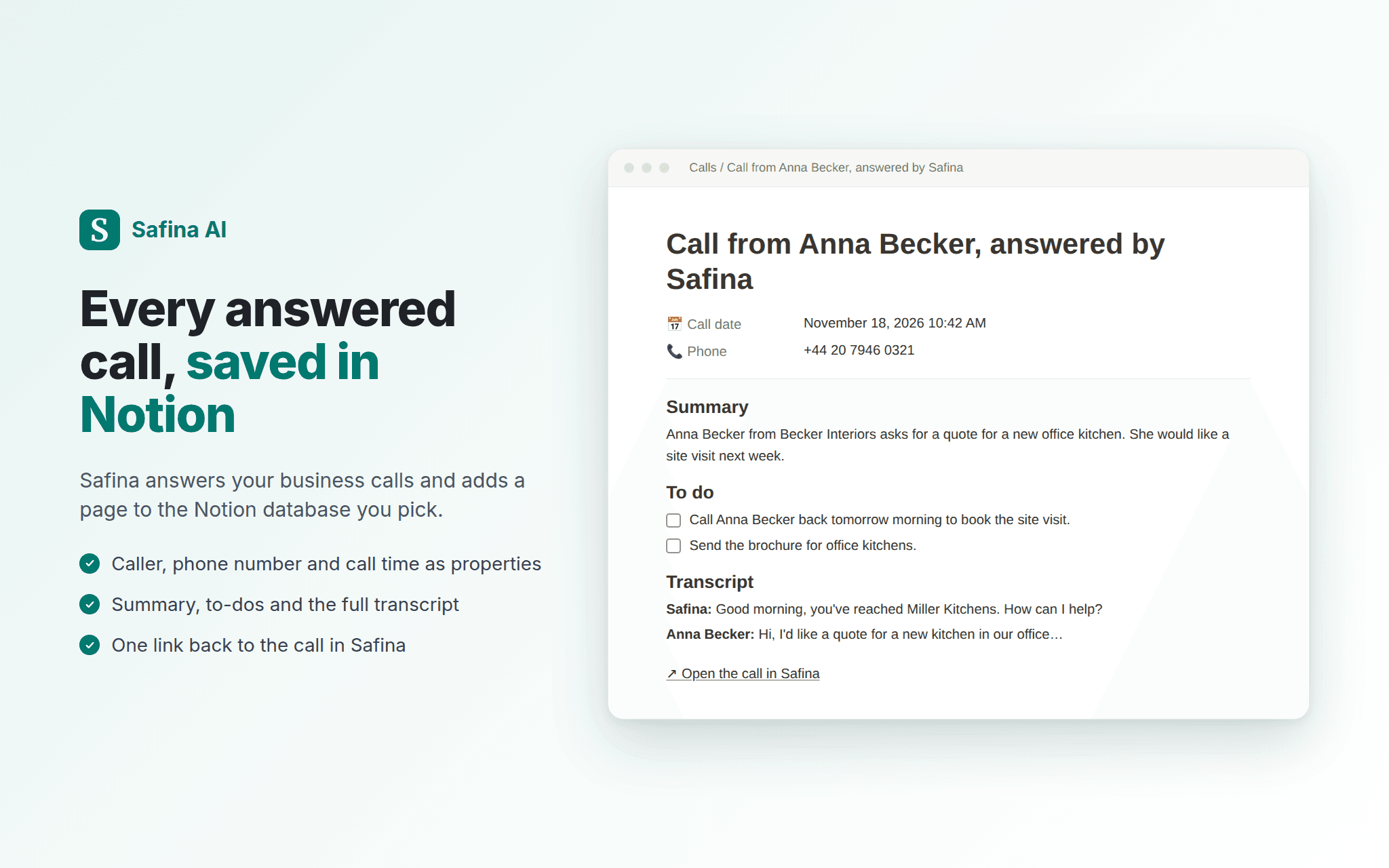
- The title names the caller, for example "Call from Anna Becker, answered by Safina".
- The caller's phone number and the call time go into the first phone and date properties of the database, if it has them.
- The page holds the summary, the to-dos, the full transcript and a link to the call in the Safina app.
You stay in control. Safina only sees the pages and databases you share when you connect. It lists the shared databases so you can pick one, and it adds new pages there. It does not edit or delete your pages, and it reads no user information. Disconnect at any time in the Safina app or under Settings › Connections in Notion.
Call logging is part of the Safina Pro and Business plans. Plans and prices: https://safina.ai/en/pricing/
Safina is made by SK Thinking Ltd.
기능
- 콘텐츠 읽기 및 삽입이 연결과 공유된 페이지, 데이터베이스, 블록을 읽기 및 삽입 수 있습니다.
사용 방법
1. Create a Safina account at https://app.safina.ai and choose the Pro or Business plan.
2. In Notion, create or choose a database for your calls. A phone property and a date property are optional; Safina fills the first of each.
3. In the Safina app, open Safina AI › Call Logging and click Connect next to Notion.
4. Sign in to Notion, click Select pages, choose your calls database and click Allow access.
5. Back in Safina, pick the database if you shared more than one.
6. Make a test call to your Safina number. About a minute after the call ends, a new page appears in the database.
Step-by-step guide: https://safina.ai/en/integrations/notion/ — Questions: [email protected]