
정보
Qase is the test management platform where manual runs, automation results and AI-generated test cases live in one place. Connect Notion, and the requirement pages your team already writes feed your tests directly: link a page to its Qase test cases or defects, or open it in AIDEN, Qase's AI Test Case Designer. AIDEN can generate test cases from the spec, or import the content for you to draft from. Either way, no copy-pasting.
기능
- 콘텐츠 읽기, 삽입 및 업데이트이 연결과 공유된 페이지, 데이터베이스, 블록을 읽기, 삽입 및 업데이트 수 있습니다.
- 워크스페이스 사용자 보기워크스페이스 멤버와 게스트에 대한 기본 프로필 상세정보를 읽습니다.
사용 방법
- In Qase, open Apps → Notion and authorize via OAuth.
- Browse your Notion pages and databases from inside Qase. Link them to test cases or defects.
- Open a Notion page in AIDEN's Test Case Designer. Generate cases from the spec, or draft your own from the imported content.
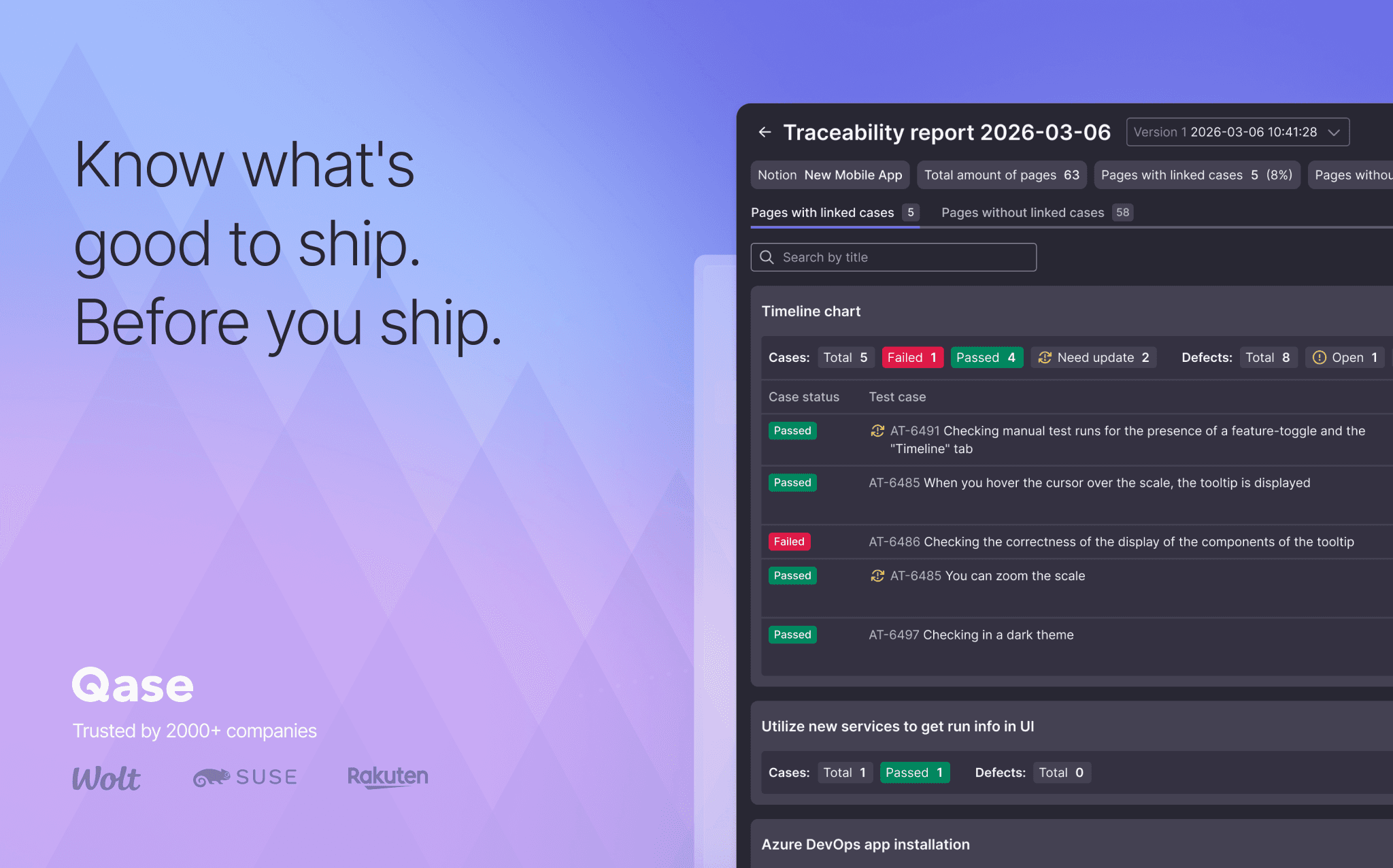
- Open the Requirement Traceability Report to see which Notion pages still need coverage.