정보
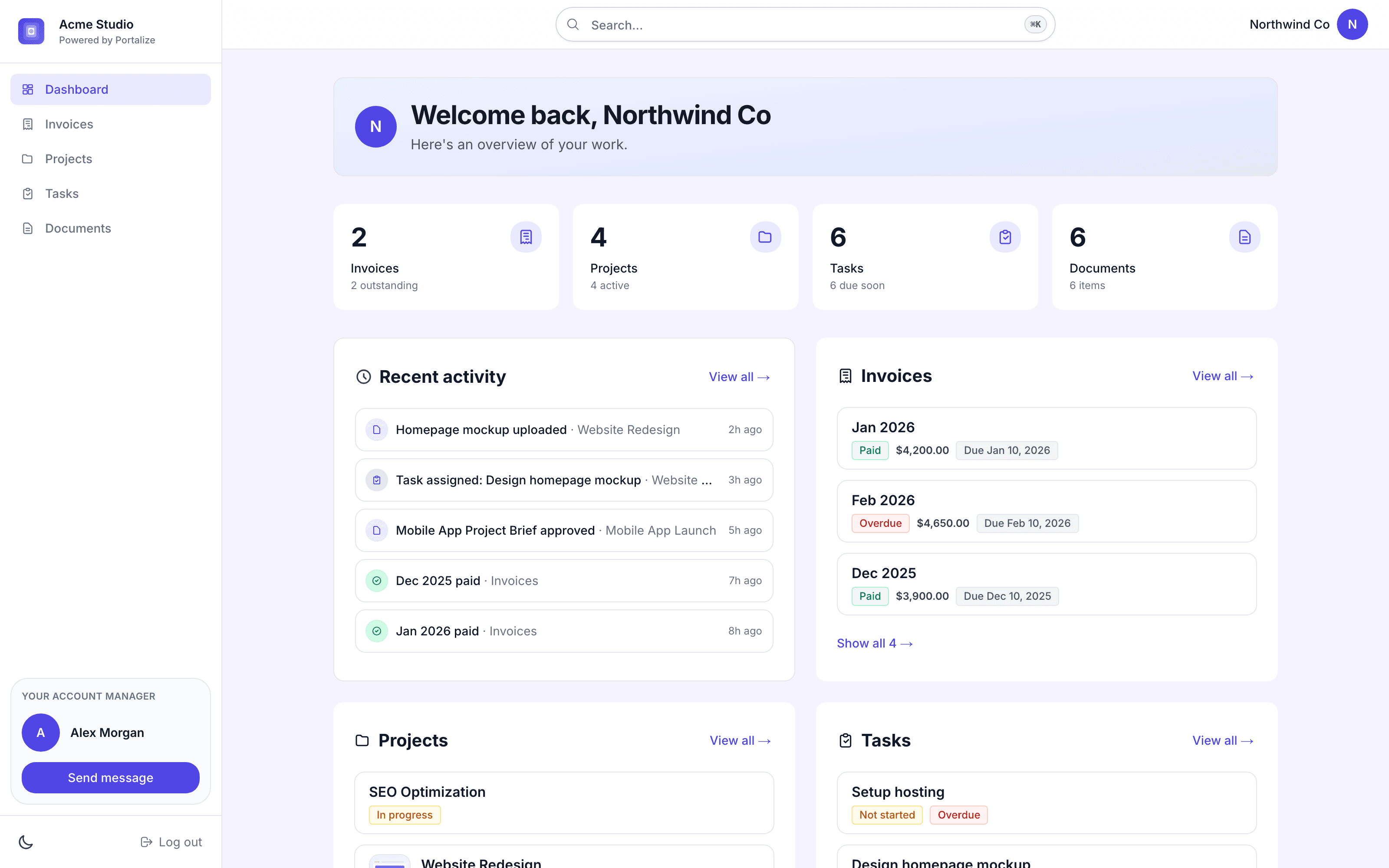
Portalize turns your Notion databases into branded, secure client portals - so agencies and freelancers can share project status, tasks, and deliverables without Notion guests, public links, or exposing other clients’ data.
Connect the databases you already use. Choose which fields are visible and how rows are scoped per client. Clients log in with a magic link and only see their own work. You keep managing everything in Notion; portals stay in sync.
Built for agencies, studios, and consultants who run client work in Notion and need a real permission layer - not another shared page.
Start free at portalize.app.
기능
- 콘텐츠 읽기, 삽입 및 업데이트이 연결과 공유된 페이지, 데이터베이스, 블록을 읽기, 삽입 및 업데이트 수 있습니다.
- 워크스페이스 사용자 보기이메일 주소를 포함한 워크스페이스 멤버와 게스트에 대한 기본 프로필 상세정보를 읽습니다.
사용 방법
- Install Portalize and connect your Notion workspace via OAuth.
- Pick the databases you want clients to see (projects, tasks, docs, etc.).
- Create client-safe views: choose visible fields and per-client scoping.
- Invite clients, they sign in with a magic link (no Notion account required).
- Keep working in Notion. Changes sync to each client’s portal automatically.