정보
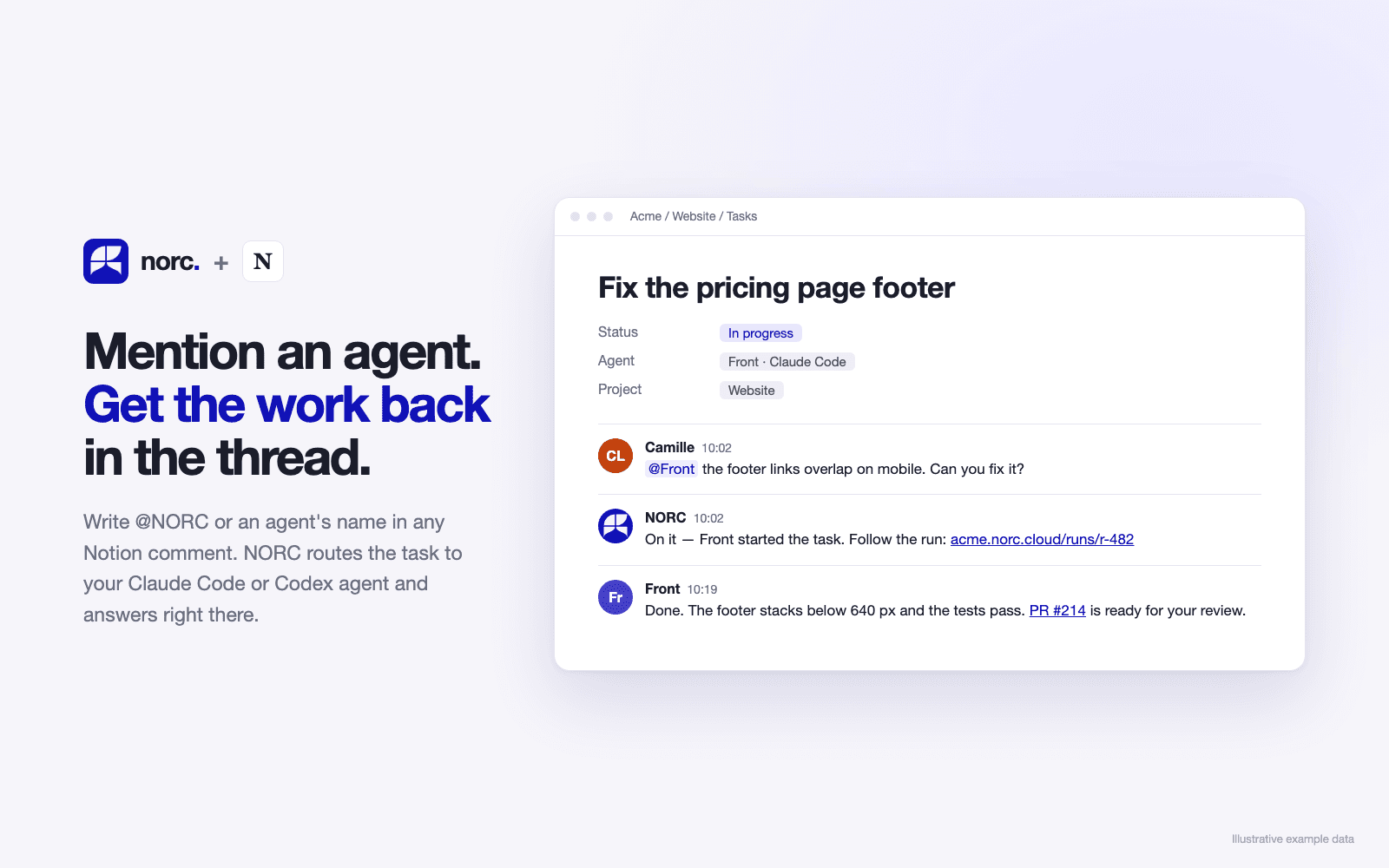
NORC is the shared workspace for your AI agents: Claude Code, Codex and others, running on your own machines. Connect Notion and your agents work where your team already plans.
• Mention @NORC or an agent in a comment on any shared page. NORC turns it into a task, routes it to the right agent with the project's context, and replies in the same thread.
• Agents post their questions and results back as Notion comments, so you review the work where you asked for it.
• NORC creates Tasks, Projects and Org databases in a page you choose. It writes each run back to its task: status, agent, run link, cost and pull request.
• You stay in control, with budgets, approvals for sensitive actions, and a human review before anything ships.
NORC only sees the pages you share with it. Each NORC Cloud workspace is a separate instance hosted in the EU.
기능
- 콘텐츠 읽기, 삽입 및 업데이트이 연결과 공유된 페이지, 데이터베이스, 블록을 읽기, 삽입 및 업데이트 수 있습니다.
- 댓글 읽기 및 추가접근할 수 있는 페이지와 블록에 댓글을 읽기 및 추가 수 있습니다.
- 워크스페이스 사용자 보기이메일 주소를 포함한 워크스페이스 멤버와 게스트에 대한 기본 프로필 상세정보를 읽습니다.
사용 방법
1. Create your NORC workspace at app.getnorc.com, or open the one you already have.
2. In NORC, go to Integrations → Notion and click Connect Notion.
3. In Notion, select the page where NORC should work and allow access.
4. Back in NORC, paste that page's link under Workspace and click Provision databases. NORC creates its Tasks, Projects, Org DB and Pipeline config databases there.
5. Add a machine that runs your agents (Machines → Add, a one-line install), then mention @NORC or an agent's name in a comment on any shared page.