

정보
Nextro gives Notion databases their own email addresses.
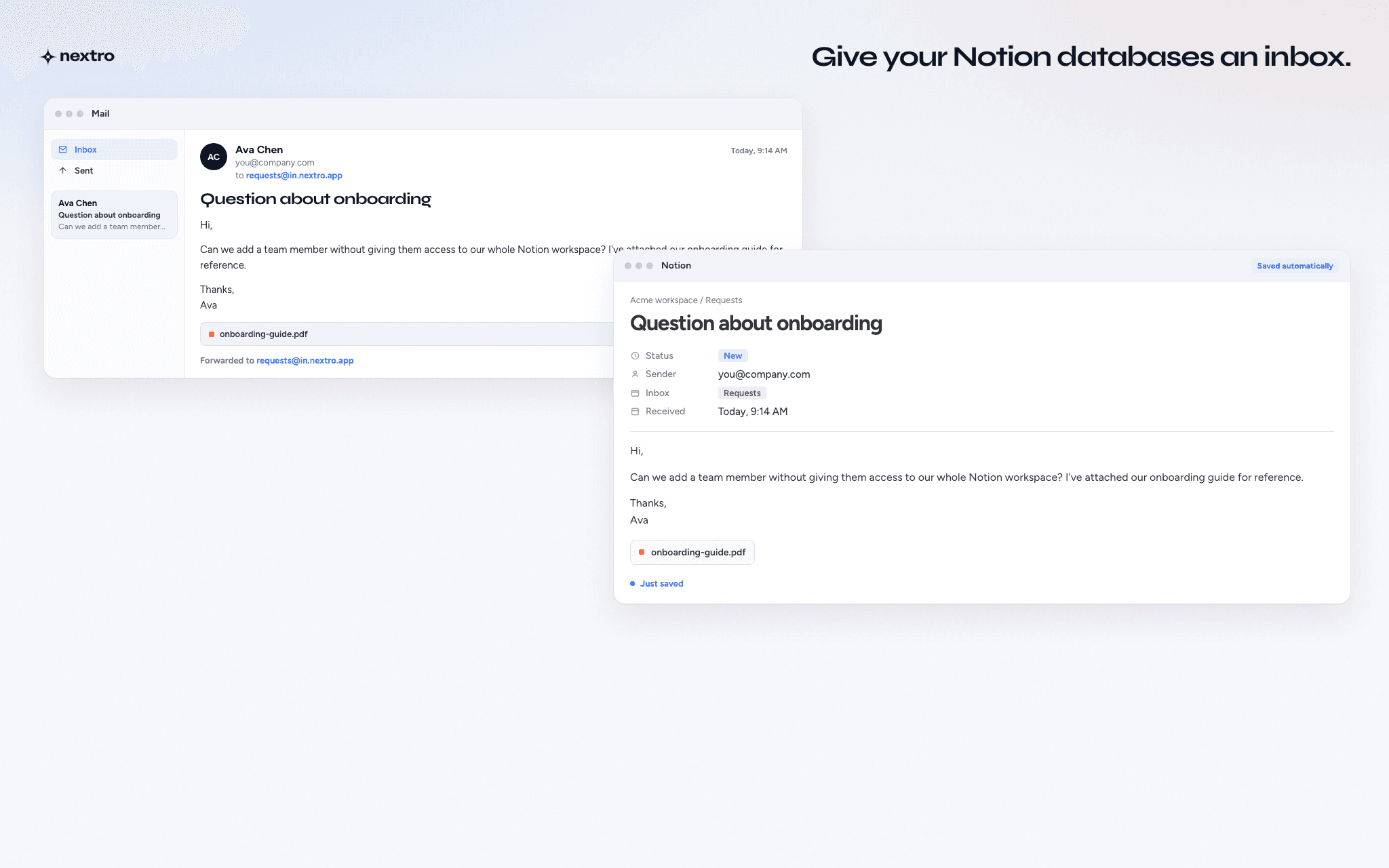
Create a named inbox for a Notion database, then send or forward emails to it. Each message becomes a new Notion page with the email subject, body, mapped properties, sender metadata, inline images, and supported attachments.
Use Nextro to bring information from email into the Notion databases where your work already lives. Collect customer requests, forwarded emails, documents, research, receipts, submissions, and other incoming information without manually copying it into Notion.
기능
- 콘텐츠 읽기, 삽입 및 업데이트이 연결과 공유된 페이지, 데이터베이스, 블록을 읽기, 삽입 및 업데이트 수 있습니다.
- 워크스페이스 사용자 보기이메일 주소를 포함한 워크스페이스 멤버와 게스트에 대한 기본 프로필 상세정보를 읽습니다.
사용 방법
- Create a Nextro account and connect your Notion workspace.
- Create a named inbox and choose the Notion database where incoming emails should be saved.
- Configure how email data maps to your Notion properties. You can also set default values and control which email addresses are allowed to send to the inbox.
- Send or forward an email to your new Nextro inbox.
- Nextro creates a new page in the connected Notion database with the email content, metadata, mapped properties, inline images, and supported attachments.
You can create separate inboxes for different databases or workflows.
