

정보
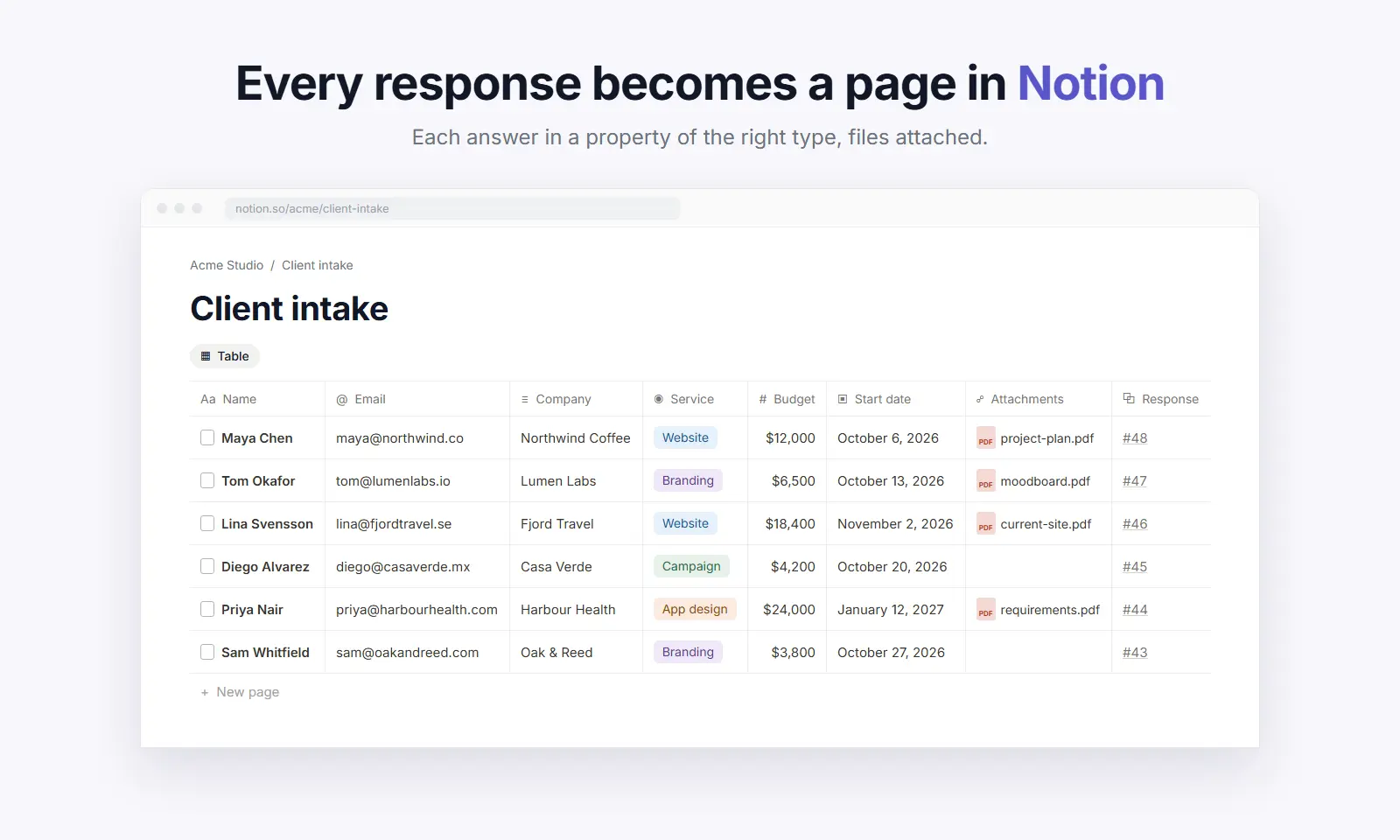
Nextforms is a form builder with workflows built in. Connect Notion and every response becomes a page in your database: each answer in a property of the right type (numbers, dates, selects, checkboxes, email and phone), uploaded files attached, and edited responses updating the same page.
Create a database from your form in one click, or map to one you already have. Properties are matched by Notion's own id, so you can rename and rearrange them freely, and Nextforms only changes your database when you ask it to.
Add conditions, routes and approvals so only the right responses reach the right database. Free on every Nextforms plan.
기능
- 콘텐츠 읽기, 삽입 및 업데이트이 연결과 공유된 페이지, 데이터베이스, 블록을 읽기, 삽입 및 업데이트 수 있습니다.
- 워크스페이스 사용자 보기워크스페이스 멤버와 게스트에 대한 기본 프로필 상세정보를 읽습니다.
사용 방법
1. In Nextforms, open Integrations and connect Notion. Tick the databases you want to fill, and a page if you want Nextforms to create new databases.
2. Open a form's workflow and add a Notion step.
3. Create a new database, or choose an existing one and check the property for each question.
4. Publish the workflow. Every new response appears as a page in your database.
Full guide: https://nextforms.com/docs/notion
