MindMapist

오픈 API
MindMapist
정보
MindMapist is a mind-map web app that works alongside Notion.
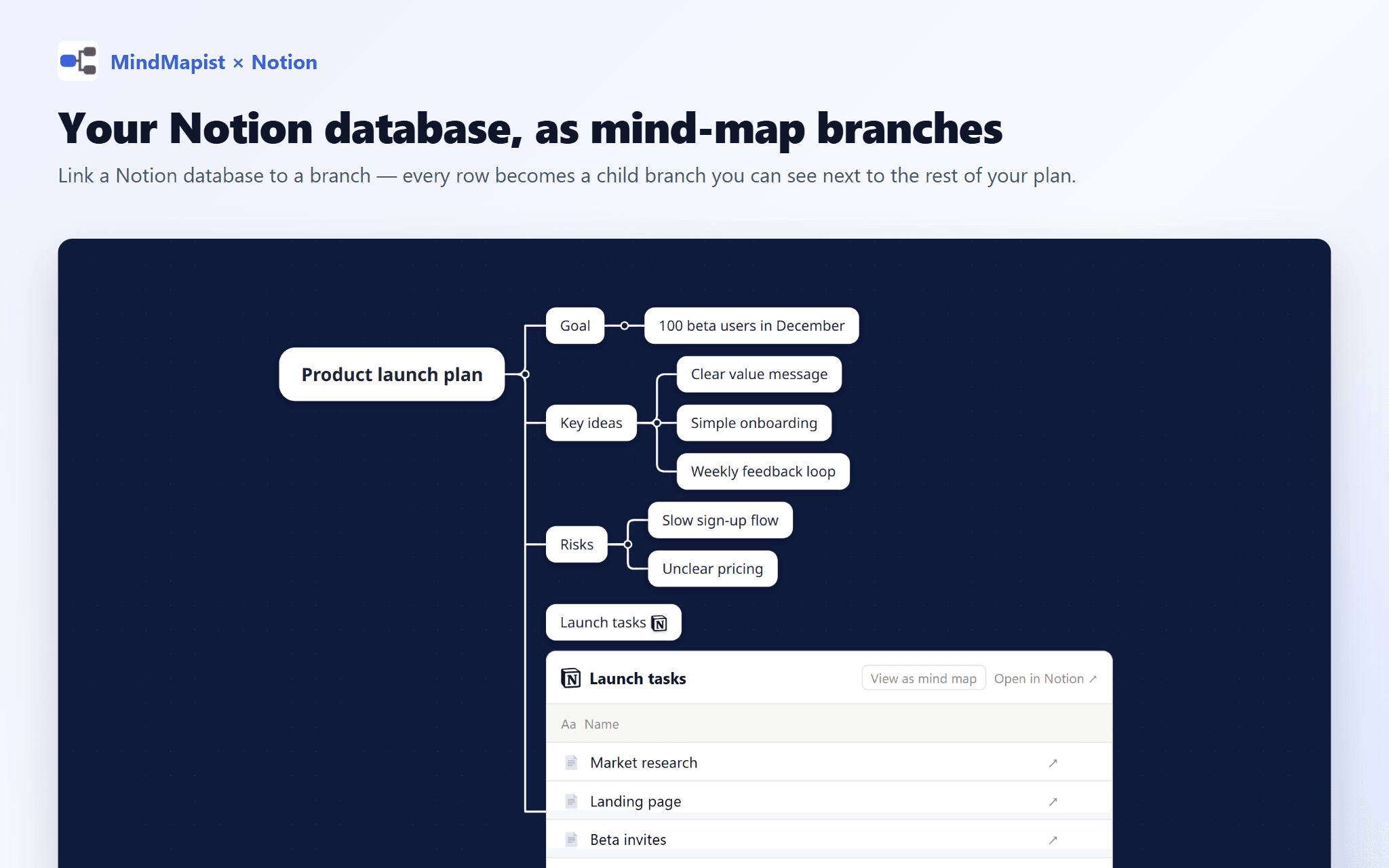
Notion databases as branches: link a Notion database to a branch and every row becomes a child branch. Add or rename a row in either app and the other follows. Deleting a row branch moves that Notion page to the trash, so nothing is lost.
Notion pages and mind maps: link a mind map to a Notion page to keep the outline and title in sync, or add the mind map to the page as a bookmark.
Easy setup: connect with Notion, pick the pages you want to share, and choose them from a searchable list. MindMapist only accesses the pages you choose.
기능
- 콘텐츠 읽기, 삽입 및 업데이트이 연결과 공유된 페이지, 데이터베이스, 블록을 읽기, 삽입 및 업데이트 수 있습니다.
- 워크스페이스 사용자 보기이메일 주소를 포함한 워크스페이스 멤버와 게스트에 대한 기본 프로필 상세정보를 읽습니다.
사용 방법
- Sign up at app.mindmapistai.com with Google or email.
- 2. Open Settings, go to Connections and choose Connect with Notion. Pick the pages and databases to share.
- 3. In a mind map, use the Notion chip at the top to link a Notion page, or insert a Notion database branch from the right panel.