정보
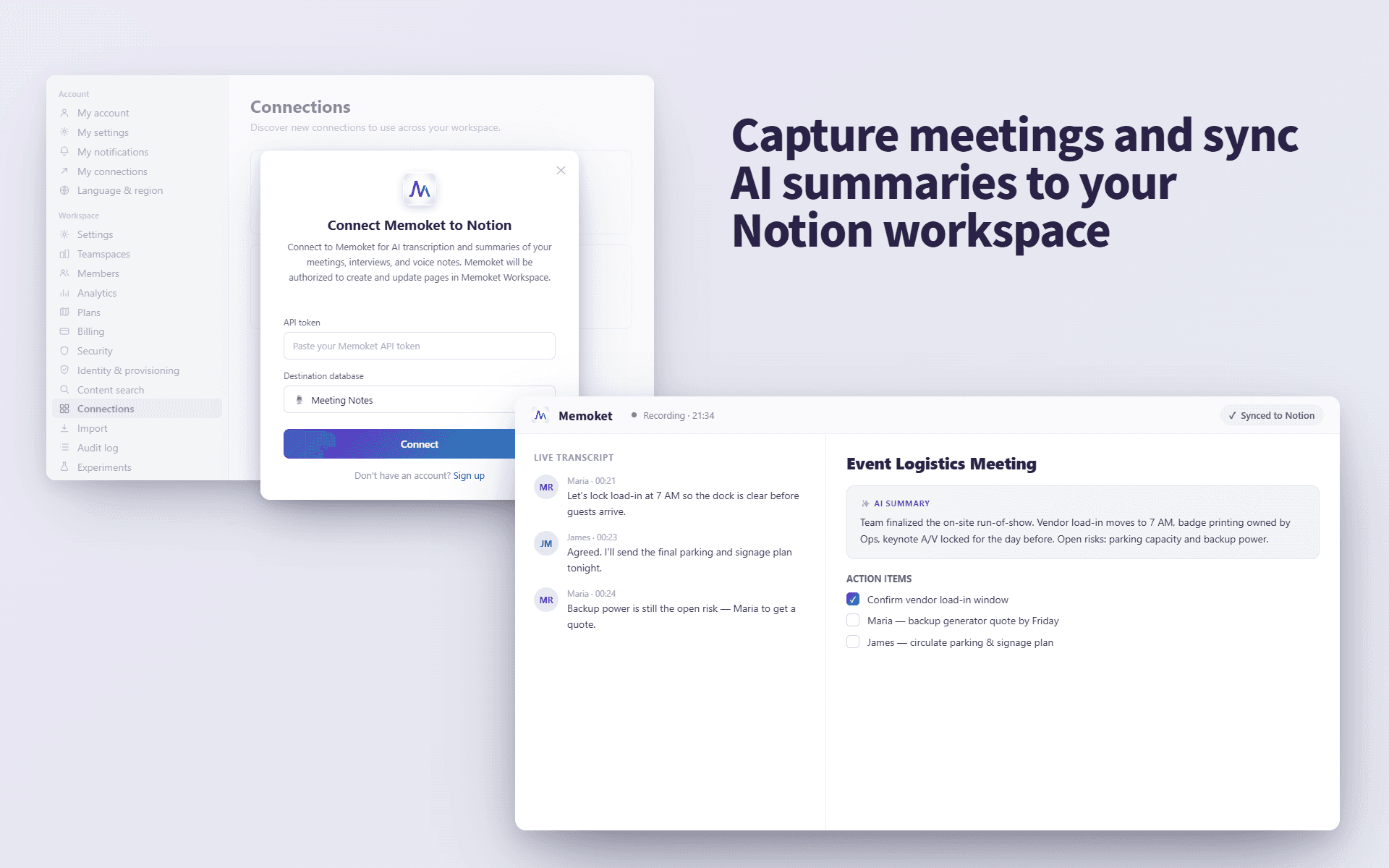
Memoket helps you turn conversations, meetings, interviews, and voice notes into structured transcripts and AI summaries, then send them directly to your Notion pages.
Use Memoket to keep important discussions, research calls, meeting notes, and personal ideas organized in your Notion workspace.
기능
- 콘텐츠 읽기, 삽입 및 업데이트이 연결과 공유된 페이지, 데이터베이스, 블록을 읽기, 삽입 및 업데이트 수 있습니다.
- 워크스페이스 사용자 보기이메일 주소를 포함한 워크스페이스 멤버와 게스트에 대한 기본 프로필 상세정보를 읽습니다.
사용 방법
Open the Memoket app and go to Settings → Integrations (Connections), then tap "Connect Notion." You'll be redirected to Notion's authorization page, where you choose your workspace and select the specific pages you want Memoket to access. After you click "Allow access," you'll be redirected back to Memoket and the connection is active. From then on, open any recording, choose "Send to Notion," and pick a destination page — Memoket sends the transcript and AI summary to that Notion page.
Note: Memoket can only access the pages you select during authorization. You can review or revoke access anytime in Notion → Settings → Connections.