Layyer
오픈 API
Layyer
정보
Layyer is the data and AI workflow platform for growing businesses. Connect Notion to bring the pages and databases you choose into Layyer, where your team can search them, ask questions of them and use them in workflows that are tested and audited at every step.
With Notion connected you can:
- Add pages and databases to Layyer's knowledge, so answers and workflows draw on your team's own docs, wikis and notes
- Read database rows as data, to query, analyse and segment alongside your other sources
Layyer reads only the pages and databases you share with it when you connect. You can change what it can see, or disconnect it, at any time from Notion's settings or from the connection's page in Layyer.
기능
- 콘텐츠 읽기, 삽입 및 업데이트이 연결과 공유된 페이지, 데이터베이스, 블록을 읽기, 삽입 및 업데이트 수 있습니다.
- 워크스페이스 사용자 보기이메일 주소를 포함한 워크스페이스 멤버와 게스트에 대한 기본 프로필 상세정보를 읽습니다.
사용 방법
You'll need a Layyer account. If you don't have one yet, sign up at layyer.ai.
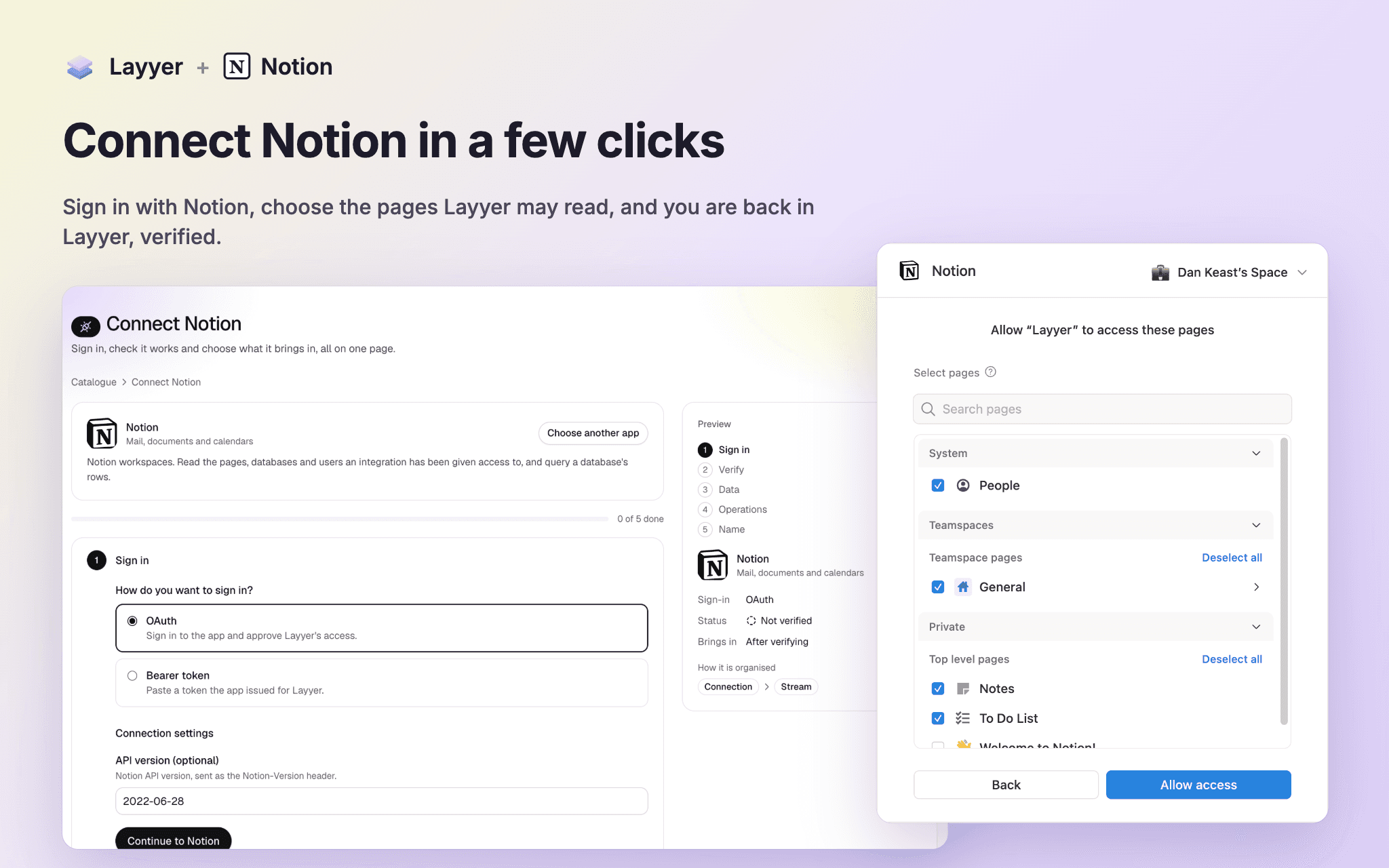
- In Layyer, open Connections, choose Add a connection and pick Notion
- Name the connection and choose Continue to Notion
- In Notion, choose the workspace and the pages and databases Layyer may read, then allow access
- You're brought back to Layyer, which checks the connection and saves it
To let Layyer read more pages later, share them with the Layyer connection in Notion, or sign in again from the connection's page in Layyer.